Quick Answer
Install the H10 Battery Tray and Fuel Cell as a matched set to keep the battery secure and the fuel cell aligned. Follow the step-by-step process below to avoid interference with the body and suspension.
Why Use the Matched Set?
The H10 Battery Tray and Fuel Cell Set (VPS10508) is designed specifically for the H10 Platform, so the tray and fuel cell are shaped to work together. Using a different battery tray or fuel cell can shift the center of gravity or cause clearance issues with the body.
Because the set is a replacement component for the H10 Platform, it is compatible with VPS09010A and VPS09010B. If your rig is not one of those models, you may need to check dimensions before installing.
Fitment Considerations
The battery tray and fuel cell mount in the chassis area, so you need to verify that the wiring and servo leads do not pinch between the tray and the frame rails. Also, if you run a large battery, confirm that the tray's dimensions can accommodate it.
The fuel cell is a cosmetic piece, but it also serves as a mounting point. Make sure it is level and does not contact the body when the body is installed.
Step-by-Step Installation and Setup
- Remove the old battery tray and fuel cell: Unscrew the existing battery tray and fuel cell from the chassis. Keep the screws and any spacers, as you may reuse them. If the old parts are stuck, gently pry them off to avoid breaking the chassis tabs. Check that the mounting holes on the chassis are clean and free of debris before installing the new set.
- Align the new battery tray: Place the H10 battery tray over the chassis mounting holes. Ensure it sits flat and does not interfere with the front or rear links. Insert the screws but do not tighten them fully yet. If the tray does not sit flat, you may have a spacer in the wrong position or a link in the way.
- Mount the fuel cell: Position the fuel cell on the opposite side or as intended by the kit. Align its mounting holes with the chassis and secure it with the screws. Keep the fuel cell level to avoid a crooked look. Make sure the fuel cell does not contact the body when the body is installed; adjust the position if needed.
- Tighten all screws: Once both parts are aligned, tighten all screws evenly. Do not overtighten, as the plastic parts can strip. Use a thread locker if the screws are metal-to-metal. Overtightening is a common mistake; snug is enough to hold firmly.
- Route the battery wires: Place the battery in the tray and route the power wires so they do not pinch between the tray and the body. Use a zip tie or velcro strap to secure the battery if the tray has slots for them. Check that the wires do not rub against moving suspension parts when the suspension cycles.
- Test fit the body: Install the body and verify that it clears the battery tray and fuel cell. Cycle the suspension through full travel to ensure there is no interference. If the body rubs, you may need to trim the body or adjust the mounting height.
Product Specifics
-
H10 Battery Tray and Fuel Cell: The H10 Battery Tray and Fuel Cell Set (VPS10508) is a replacement components parts set for the H10 Platform. It ensures a direct fit and correct alignment without needing to modify the chassis or body.
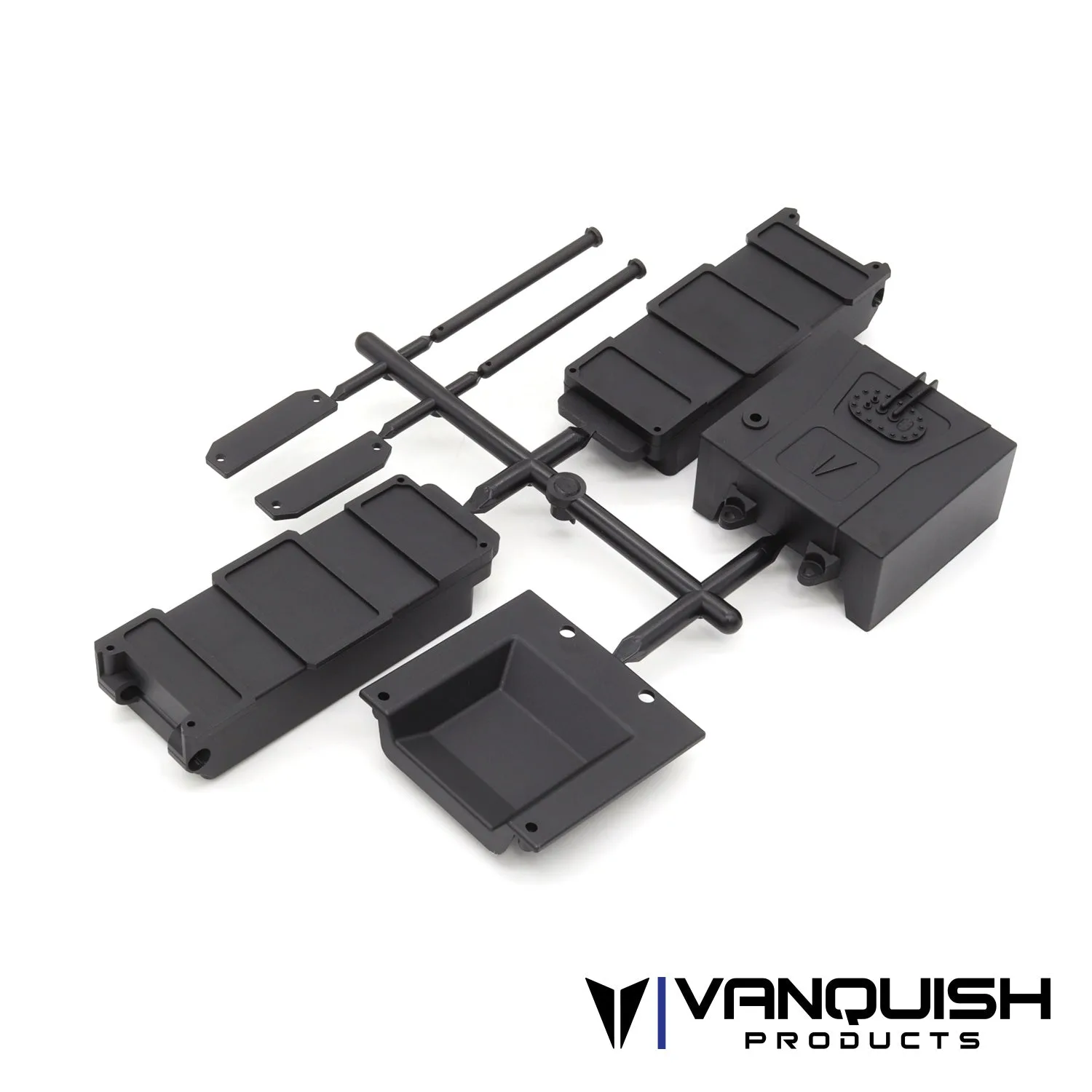
H10 Battery Tray and Fuel Cell
-
H10 Battery Tray and Fuel Cell: It is compatible with VPS09010A and VPS09010B. If you own one of those models, you can install this set with confidence that it will match the existing mounting points.