Quick Answer
If your Honeywell scanner battery is not charging, first clean the charging contacts and confirm the cradle is powered, then try a different USB cable or port. If the battery still won't hold a charge after a full overnight cycle, replace the pack. For 1202g, Granit 1911i, and Xenon 1900 units, a compatible replacement like the 3.7V Honeywell 013283 battery is a practical next step.
Start With the Charging Contacts and Cradle
Dirty or oxidized contacts are the most common reason a Honeywell scanner battery appears not to charge. Remove the battery and wipe both the battery terminals and the scanner's charging pins with a dry, lint-free cloth or a pencil eraser. On cradle-based models, also check the cradle's charging pins for dust or debris. If the cradle has a status LED, confirm it lights up when the scanner is seated. If the LED stays off, the problem is the cradle or its power supply, not the battery.
Test the Cable, Port, and Power Source
A failing USB cable or an underpowered port can prevent a full charge cycle. Swap the cable for a known-good one and plug the cradle directly into a wall adapter rather than a USB hub or a monitor's USB port. On the Honeywell Voyager 1202g and Xenon 1900, the charging cradle draws more current than some unpowered hubs can supply. If the scanner charges from a wall outlet but not from your PC, the port is the limiting factor.
Check the Battery's Age and Cycle History
Lithium-ion packs in barcode scanners typically deliver 300 to 500 full charge cycles before capacity drops noticeably. If your scanner is two or more years old and used daily, the battery may simply be at the end of its service life. A pack that runs for only an hour or two after a full charge is a clear sign that replacement is due. There is no reliable way to restore lost capacity in a worn lithium-ion cell.
Confirm You Have the Correct Replacement Part
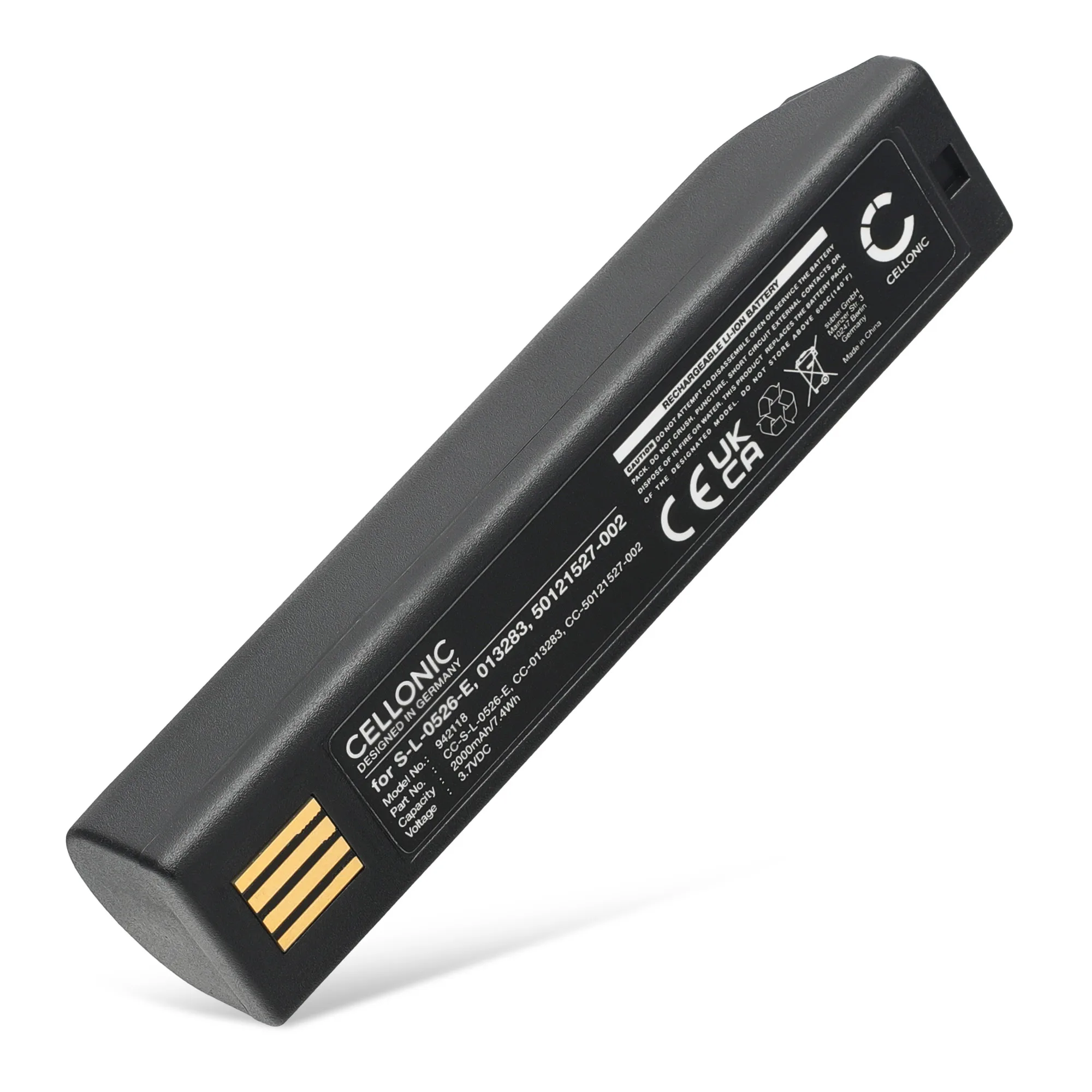
Honeywell scanners use different battery form factors across model lines. A pack that fits a Granit 1911i may not fit a Xenon 1900, even if the voltage matches. Always match the part number on your old battery to the replacement listing. The 3.7V Honeywell 013283 battery is a compatible replacement for several Honeywell models including the 1202g, 1452G, 8675i, Granit 1911i, Voyager 1202, and Xenon 1900 series. If your battery label shows a different part number, search for that number instead.
When to Stop Troubleshooting and Replace the Battery
If you have cleaned the contacts, tested a known-good cable and power source, and the battery still will not charge or hold a charge, the cell is the problem. Continuing to use a failed lithium-ion pack can lead to swelling or leakage. At that point, a replacement battery is the only safe and effective fix. Subtel offers a 3.7V Honeywell 013283 replacement with a three-year guarantee, which covers the most common Honeywell scanner models.
Diagnosis: Match the Symptom to the Fix
- Scanner does not charge at all: Check the cradle LED and try a different cable and wall outlet. If the LED stays off, the cradle or its power supply is faulty. If the LED lights up but the battery still won't charge, move to the next step.
- Charges but runs for only a short time: The battery is holding less capacity than it should. This is normal after 300–500 cycles or two years of daily use. A replacement battery is the practical fix; there is no reliable way to restore lost capacity.
- Battery or scanner feels hot during charging: Stop charging immediately. Heat during charging can indicate a failing cell or a mismatched charger. Replace the battery and verify the charger matches the scanner's voltage and current requirements.
- Battery fits but does not power the scanner: The part number may not match your model, or the battery's voltage is incorrect. Double-check the label on your old pack. Order the exact part number listed on your original battery. The Honeywell 013283 covers many models but not all.
Replacement Battery for Your Honeywell Scanner
- 3.7V Honeywell 013283, 100000495 vervangende batterij voor Honeywell 1202g 1452G 8675i Granit 1911i Voyager 1202 Xenon 1900 Xenon 1900g Xenon 1902 Xen: 3.7V Honeywell 013283 replacement battery for Honeywell 1202g, 1452G, 8675i, Granit 1911i, Voyager 1202, Xenon 1900, Xenon 1900g, and Xenon 1902 scanners. This single pack covers the most common Honeywell scanner models, so you can replace a worn battery without buying a new scanner.