Quick Answer
Your Honkai Star Rail controller may vibrate differently due to in-game settings, platform compatibility, or hardware limitations. Check these first before assuming a defect.
Why Vibration Differs Across Platforms
The same controller can feel different on PC, Android, iOS, or Switch because each platform handles haptic feedback differently. The Castorice Force Feedback controller supports all these platforms, but vibration strength and timing may vary.
Game-Specific Vibration Profiles
Honkai: Star Rail may have specific vibration patterns for different actions, like charging attacks or ultimate moves. If your controller vibrates weakly during a specific action, it's likely by design, not a malfunction.
Diagnosis Steps
- Symptom: Controller vibrates weakly or not at all during certain Honkai: Star Rail actions. Check if the game has separate vibration sliders for different actions.
- Likely Cause: Platform-specific vibration profiles or in-game settings limiting feedback. Test the controller on another platform to isolate the cause.
- Corrective Action: Adjust vibration intensity in your device's accessibility or controller settings. For PC, check Steam or game launcher controller config. If no improvement, try a wired connection to rule out wireless interference.
- Stop or Choose Another Option: If vibration still differs after all steps, the controller may be functioning as designed. Consider a model with adjustable force feedback like the Castorice Force Feedback Elite if you need consistent haptics.
Product Facts
-
【Pre-Order】Honkai: Star Rail - Castorice Force Feedback Elite Game Controller: The Castorice Force Feedback Elite Game Controller supports PC, Android, iOS, and Switch platforms. This means vibration behavior may change depending on your device, so test across platforms before concluding a hardware issue.
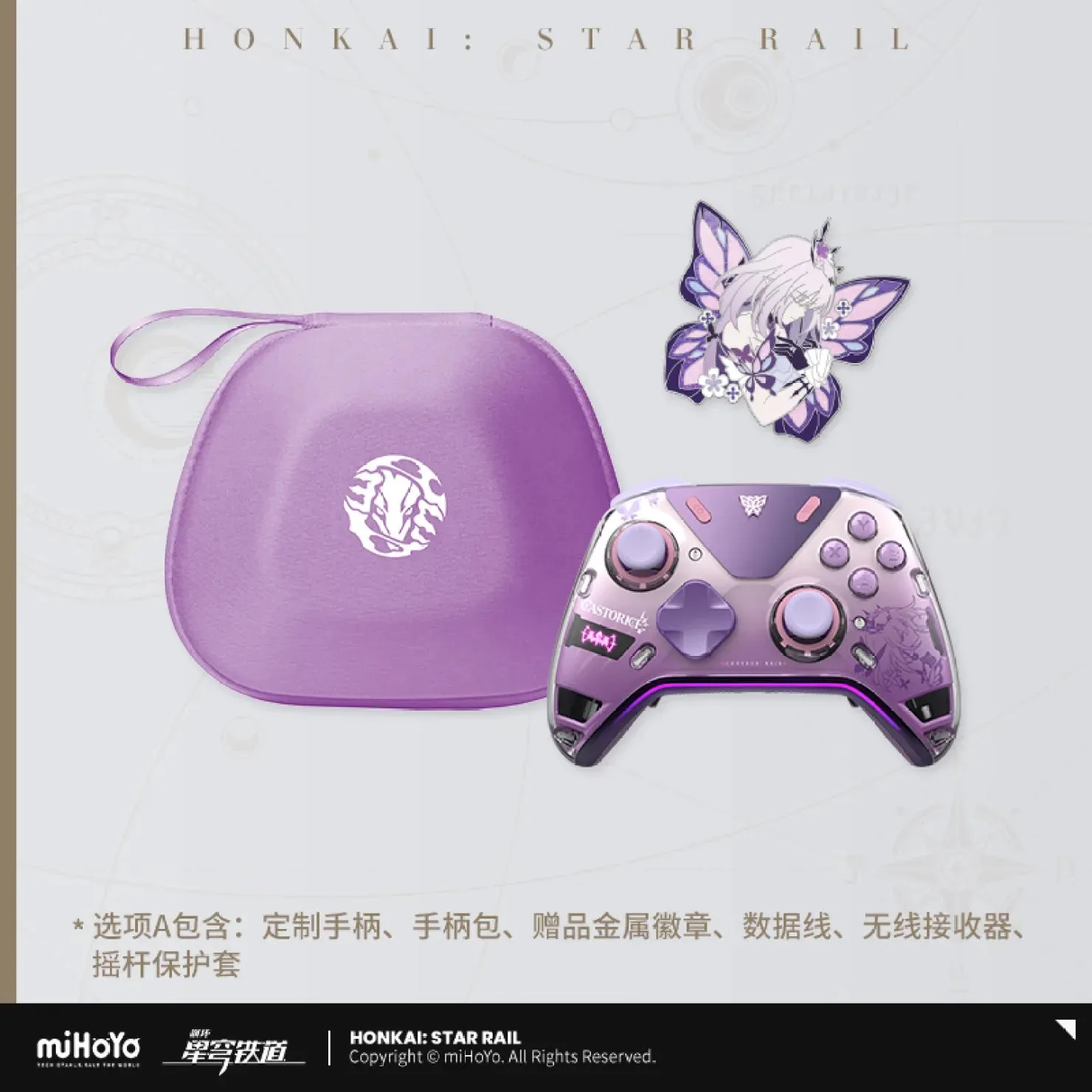
【Pre-Order】Honkai: Star Rail - Castorice Force Feedback Elite Game Controller