Quick Answer
Ezra Prescription Ski Goggles use a removable prescription insert and photochromic lens to give you clear, adaptive vision on the slopes without wearing glasses underneath.
Why a Prescription Insert Instead of Built-In Lenses?
Most prescription ski goggles, including the Ezra, use a separate insert that clips inside the goggle frame. This design lets you update your prescription without replacing the entire goggle, and it makes the goggles usable by multiple people with different prescriptions—just swap the insert. The trade-off is that the insert adds a small layer between your eye and the lens, which can be a distraction for some users, but most adapt quickly.
Photochromic Lens: The Key to All-Day Use
The Ezra goggles feature a photochromic lens that automatically darkens in bright sunlight and lightens in low light or flat light conditions. This means you don’t have to swap lenses for changing weather—a major convenience for all-day skiing. The lens also provides 100% UV protection, shielding your eyes from harmful rays even when the lens is in its lightest state. Note that photochromic lenses may not darken as much in very cold temperatures, so they’re best for moderate to bright conditions.
Ventilation and Anti-Fog Design
The Ezra goggles include a ventilated frame that helps reduce fogging by allowing airflow across the lens. This is especially important for prescription users, because fogging can ruin your vision quickly. For best results, avoid touching the inner lens and let the goggles warm up gradually before wearing them in cold conditions.
How to Set Up and Use Ezra Prescription Ski Goggles
- 1. Insert the Prescription Lens Frame: Remove the goggle foam and lens assembly carefully. Slide your prescription insert into the designated slot inside the frame, ensuring it clicks into place. The insert should sit flush against the lens without gaps. Common mistake: Forcing the insert into the wrong orientation can scratch the lens. Check the alignment marks on the insert and frame before pressing.
- 2. Attach the Goggle to Your Helmet or Face: Stretch the silicone strap over your helmet or head, positioning the goggle so the foam seals evenly against your face. Adjust the strap tension so the goggle sits snugly but not too tight—you should be able to breathe comfortably. Checkpoint: If the goggle leaves deep marks on your skin or feels loose, readjust the strap length. Uneven pressure can cause pressure points or allow cold air to leak in.
- 3. Test the Photochromic Lens in Different Light: Before hitting the slopes, test the lens by moving from shade to direct sunlight. The lens should darken within 30–60 seconds. In flat light, the lens will stay lighter, giving you better contrast. If the lens seems slow, it may be due to cold temperatures—allow it to warm up in your jacket pocket for a few minutes. Common mistake: Expecting instant darkening in extreme cold. Photochromic reactions slow down below freezing, so give the lens a few extra seconds to adjust.
- 4. Clean and Store Properly: Use a microfiber cloth to gently wipe the outer lens. Avoid using paper towels or rough fabrics, as they can scratch the polycarbonate. Store the goggles in the included hard case or a soft pouch to prevent dust and scratches. Checkpoint: Never wipe the inner lens when it's wet with condensation—this can damage the anti-fog coating. Let it air dry first.
Key Product Details
-
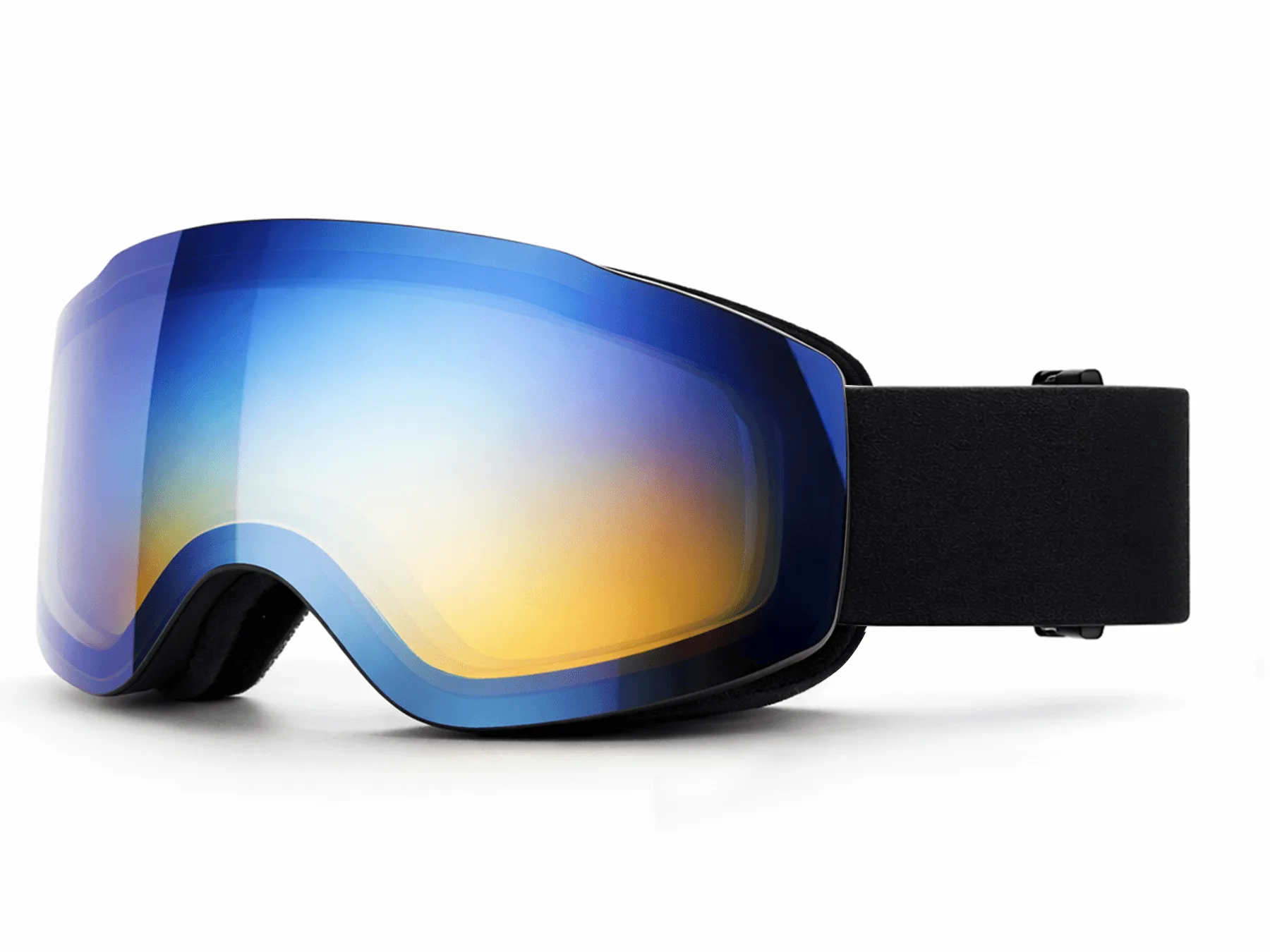
Ezra Prescription Photochromic Ski Goggles: The Ezra Prescription Photochromic Ski Goggles feature polycarbonate lenses and a ventilated frame, offering 100% UV protection and a lightweight design with an adjustable nose pad. Polycarbonate lenses are impact-resistant and lightweight, making them ideal for active use, while the adjustable nose pad ensures a secure fit for different face shapes.
Ezra Prescription Photochromic Ski Goggles


