Quick Answer
Start by setting the seat height to match your eye line with the top of your monitor, then adjust the suspension for your weight and the tilt for a natural driving posture.
Why Proper Seat Adjustment Matters for Truck Sim
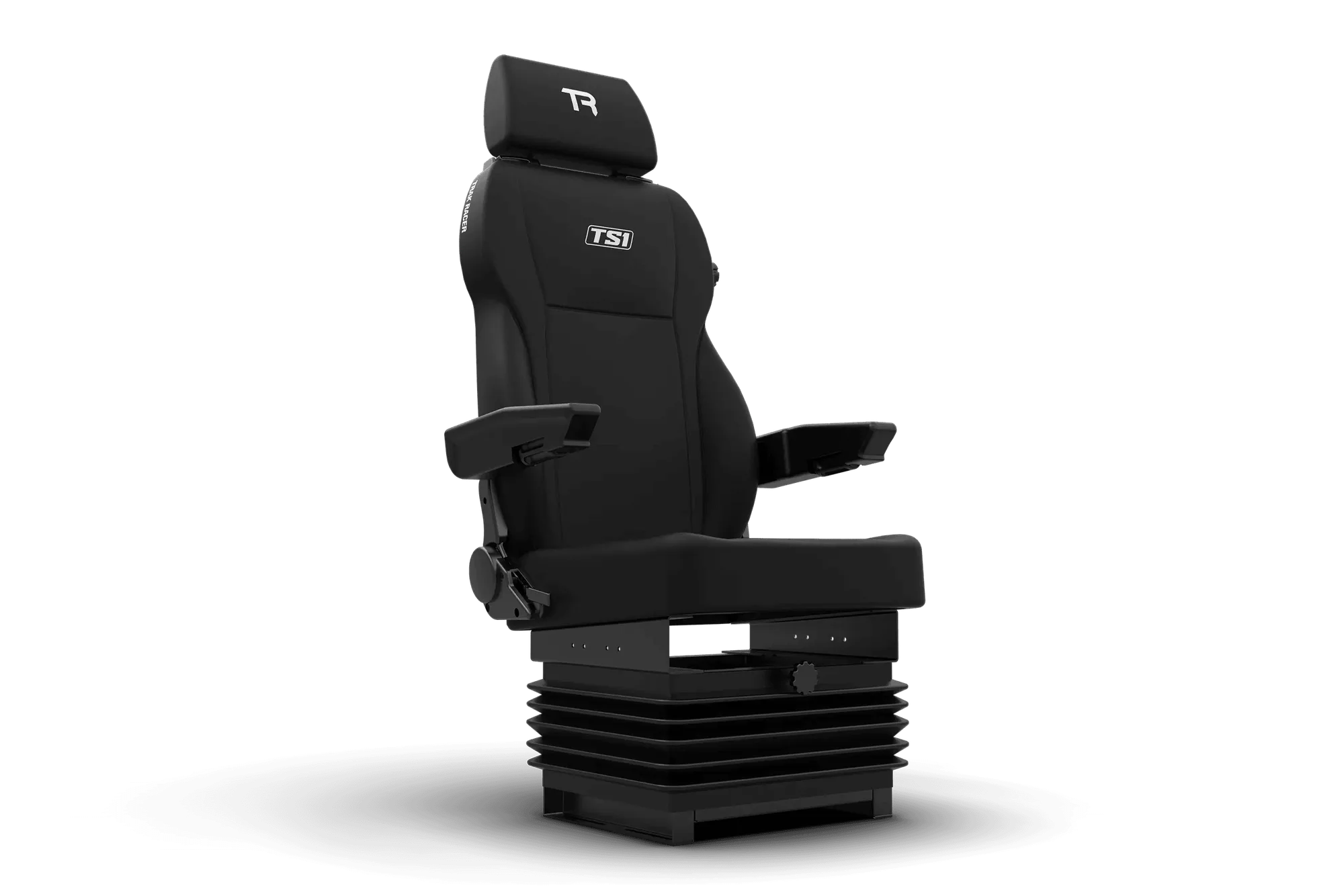
Unlike a racing bucket seat, a truck simulator seat like the TS1 is designed for an upright, supported posture that mimics a real truck cabin. Getting the height, suspension, and tilt right prevents back strain during long sessions and improves your control feel in games like Euro Truck Simulator 2.
Step-by-Step Truck Sim Seat Adjustment
- 1. Set the Seat Height: Use the height-adjustable gas spring mechanism to raise or lower the seat until your eyes are level with the top third of your monitor. This aligns your view with the virtual windshield. Common mistake: setting the seat too low, which forces you to look down and strains your neck.
- 2. Adjust the Suspension Preload: Turn the suspension adjustment knob (usually under the seat) to match your body weight. Start at the middle setting, then increase if the seat bottoms out over bumps, or decrease if it feels too stiff. Checkpoint: sit in the seat and bounce gently. You want a controlled, gradual rebound, not a hard stop or a bouncy ride.
- 3. Tilt the Seat Base: Loosen the tilt adjustment bolts on the seat rails, tilt the seat forward or backward so your thighs are fully supported without pressure behind your knees, then retighten. Common mistake: leaving the seat too flat, which can cause your hips to roll forward and lead to lower back pain.
- 4. Fine-Tune the Lumbar Support: If your seat has a lumbar adjustment wheel, turn it to fill the gap between your lower back and the seat backrest. You should feel gentle support, not pressure. Checkpoint: after 10 minutes of driving, recheck the lumbar setting. It often needs a small tweak once you settle in.
- 5. Lock in the Settings: Once all adjustments feel right, tighten all knobs and bolts securely. Mark the positions with a piece of tape or a photo so you can quickly return to your setup after cleaning or moving the rig. Common mistake: forgetting to lock the height adjustment, causing the seat to slowly sink during a session.
Product Spotlight
-
TS1 Truck Simulator Seat - Suspension & Height Adjustable: The TS1 Truck Simulator Seat features a height-adjustable gas spring and a built-in suspension system for long-haul comfort. This lets you fine-tune the seat's ride feel and seating height without swapping parts, making it easier to find your ideal setup.
TS1 Truck Simulator Seat - Suspension & Height Adjustable