Quick answer
To apply a camera lens protector without bubbles, clean the lens thoroughly, align the protector carefully, and press from the center outward using a gentle, steady motion.
Why bubbles happen and how to avoid them
Bubbles usually form when dust or lint gets trapped between the lens and the protector, or when the adhesive doesn't make full contact because of misalignment. Even a tiny speck can create a visible air pocket.
Working in a well-lit, low-dust area and using the included cleaning supplies reduces the risk. If a bubble does appear, you can often lift the protector slightly and press again, but avoid doing this too many times because the adhesive may lose strength.
What to do if you see bubbles after application
If a bubble remains, try pressing it gently toward the nearest edge with a soft cloth or your fingertip. For stubborn bubbles, lift the protector from the closest corner using a piece of tape, clean the area, and reapply.
If the protector is misaligned or the adhesive has picked up dust, it's better to use a new protector. The Belkin TemperedGlass Camera Lens Protector 2-Pack includes two protectors, so you have a spare if the first attempt doesn't go perfectly.
Step-by-step installation
- Clean the lens: Use the included alcohol wipe or a microfiber cloth to remove all fingerprints, dust, and oils from the camera lens. Check under bright light to ensure no particles remain. Any leftover dust will cause bubbles, so inspect thoroughly before moving on.
- Peel and align: Peel the backing from the protector, hold it by the edges, and align it over the camera lens. Use the outline of the lens to center it precisely before letting it touch the glass. Misalignment is hard to fix after contact, so take your time to position it perfectly.
- Press from center out: Once aligned, gently lower the protector onto the lens. Use your fingertip or a soft cloth to press from the center outward, pushing air toward the edges. If a bubble persists, lift the nearest edge with tape, clean, and reapply; avoid pressing too hard as it may crack the glass.
Product that helps
-
TemperedGlass Camera Lens Protector 2-Pack for iPhone 15 / iPhone 15 Plus: This 2-pack of Belkin TemperedGlass camera lens protectors is designed specifically for iPhone 15 and iPhone 15 Plus, made from tempered glass for durability. Having a spare protector in the pack means you can redo the installation if the first attempt traps dust or leaves bubbles, without waiting for a replacement.
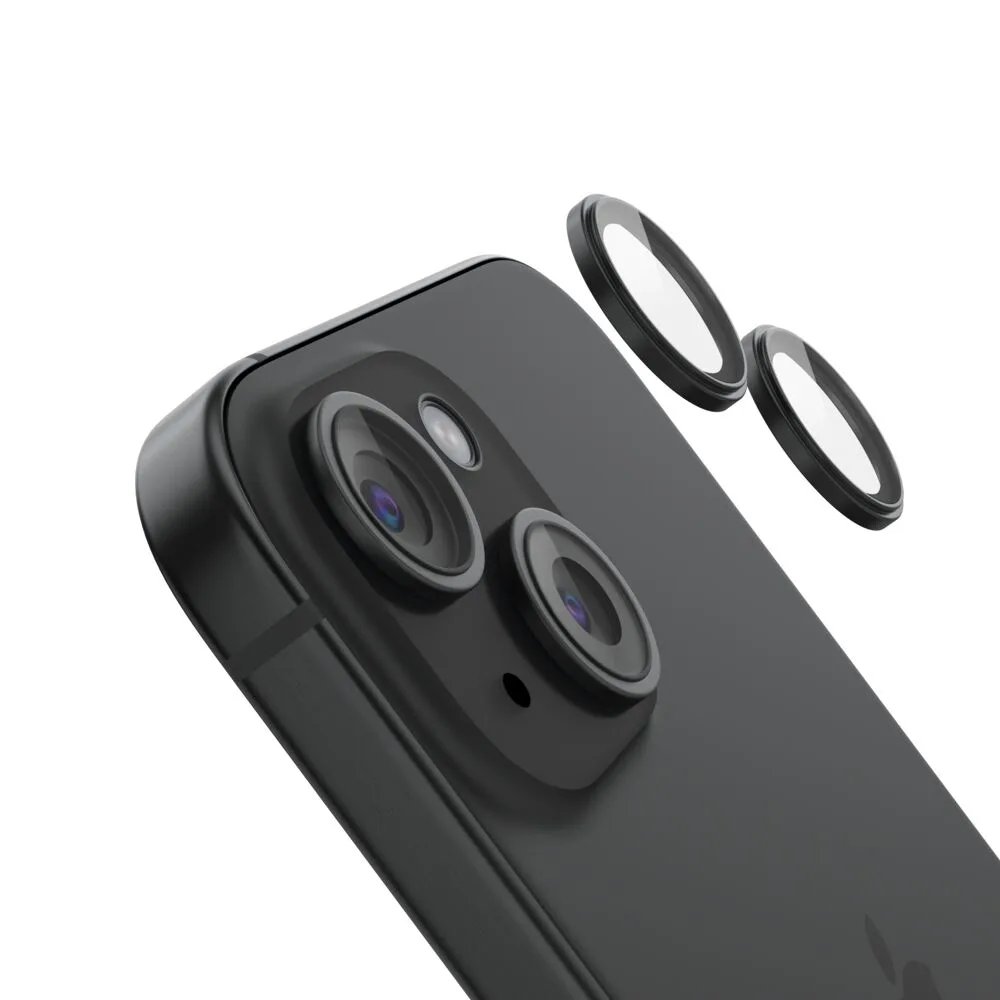
TemperedGlass Camera Lens Protector 2-Pack for iPhone 15 / iPhone 15 Plus