Quick answer
Attaching a Leica soft release button takes about 30 seconds: simply screw it into the shutter release threads on your Q3 or M-Series camera until snug.
Why use a soft release button?
A soft release button enlarges the shutter surface, making half-press and full-press actions more precise. It also adds a tactile feel that many photographers prefer for street or portrait work.
The main trade-off is that the button adds height, so the camera may not fit snugly in some cases or bags. If you store your camera in a tight compartment, you may need to remove the button each time.
Step-by-step installation
- Prepare the camera: Turn off the camera and remove any lens cap or filter that might obstruct access to the shutter button. Working on a powered-off camera prevents accidental shutter actuations.
- Align the button: Hold the soft release button by its sides and align the threaded post with the center of the shutter release button on your Leica Q3 or M-Series camera. Do not tilt the button — it must enter the threads straight to avoid cross-threading.
- Screw in gently: Turn the button clockwise using light finger pressure. Stop as soon as you feel resistance — do not overtighten. Overtightening can strip the delicate shutter threads or make removal difficult later.
- Test the feel: Power on the camera and press the button a few times. The half-press should be distinct and the full-press should release without extra travel. If the button wobbles or feels loose, remove it and re-seat it; if it still wobbles, the threads may be damaged.
Product fact
-
Leica Soft Release Button - Aluminum, Black: The Leica Soft Release Button has an aluminum construction with black anodized finish and attaches via the shutter release threads. Aluminum is lightweight yet durable, so the button adds negligible weight while resisting wear from daily use.
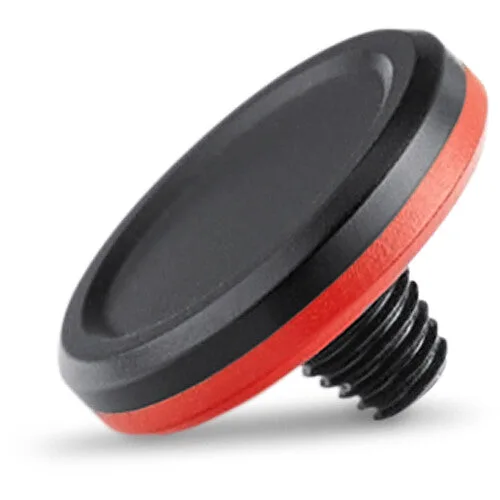
Leica Soft Release Button - Aluminum, Black