Quick Answer
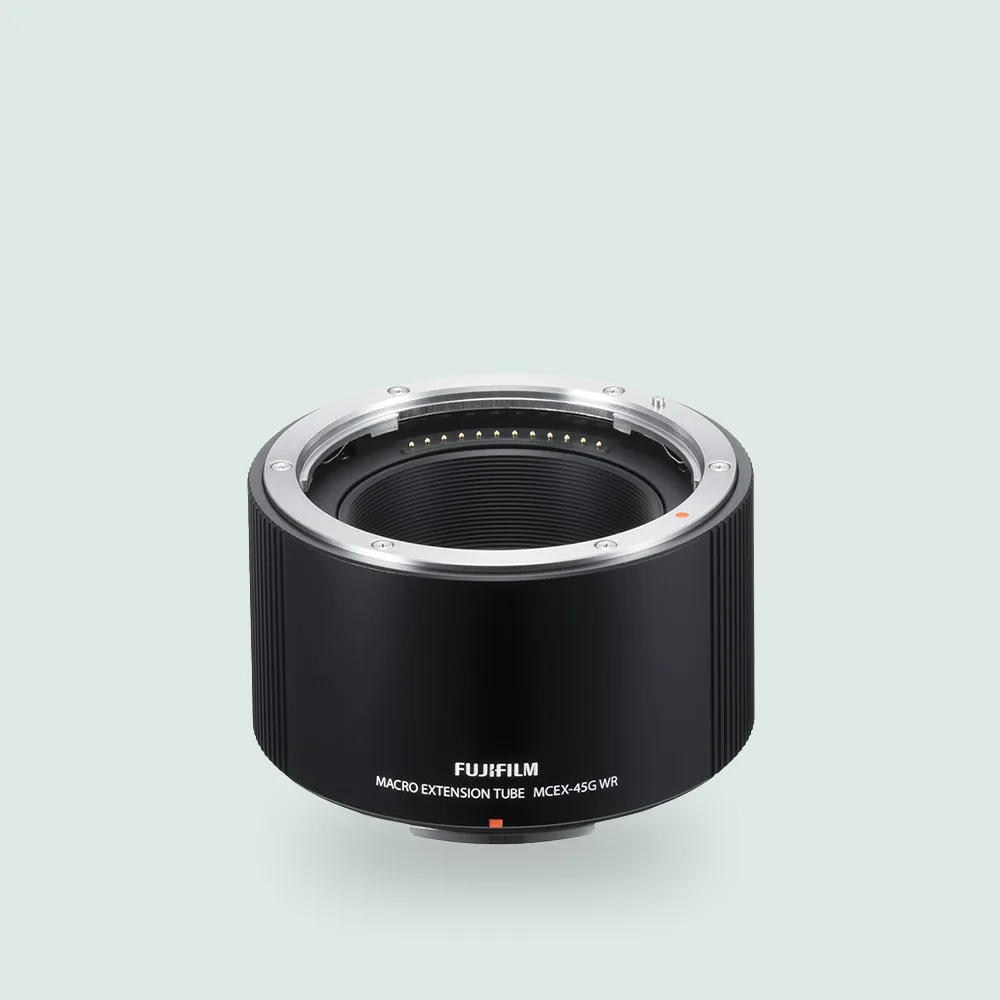
Attach the MCEX-45G WR macro extension ring between your Fujifilm camera body and a compatible GF lens. The ring has no glass elements, so you simply mount it like a lens: align the mounting index, twist to lock, then attach your lens to the ring's front. This setup increases magnification for close-up photography.
What You Need for Macro Extension Ring Setup
To get started, you need a Fujifilm camera with a G mount, a compatible GF lens, and the MCEX-45G WR extension ring. The ring itself is a hollow tube that moves the lens farther from the sensor, increasing magnification. No additional tools or adapters are required because the ring uses the same bayonet mount as your lens. The MCEX-45G WR is weather-resistant, so it pairs well with weather-sealed bodies and lenses for outdoor macro work.
Understanding Magnification and Focus Distance
The MCEX-45G WR provides a 45mm extension, which gives a specific magnification range depending on the lens you use. Fujifilm provides a magnification and focus distance chart for this ring. For example, pairing it with a standard zoom lens will yield moderate magnification, while a telephoto lens can produce higher magnification. The trade-off is that you lose the ability to focus at infinity — the ring is designed purely for close-up work. If you need less magnification, the MCEX-18G (18mm) is an alternative.
Step-by-Step: Attaching the MCEX-45G WR
- Remove the lens and body cap: Take off the lens from your camera body and remove the rear cap from the MCEX-45G WR. Also remove the front cap from the ring. Keep the caps clean and safe to avoid dust. Common mistake: Forgetting to remove both caps can cause mounting issues or damage.
- Mount the ring to the camera body: Align the red mounting index on the ring with the index on the camera body. Gently insert the ring and rotate it clockwise until you hear a click. Ensure it locks firmly. Checkpoint: If the ring does not click into place, realign the index and try again. Never force it.
- Attach your GF lens to the ring: Align the lens mounting index with the index on the front of the ring. Insert the lens and rotate clockwise until it clicks. The lens is now connected via the extension ring. Common mistake: Using a lens that is not G mount — the ring only works with Fujifilm GF lenses.
- Test focus and composition: Turn on the camera and switch to manual focus (MF) or autofocus (AF) as desired. The camera will meter and focus normally, but your minimum focus distance will be shorter. Compose your shot and adjust the focus ring on the lens. Checkpoint: If the image is blurry, move the camera closer or farther from the subject — the focus range is limited.
Product Facts
- MCEX-45G WR G Mount 45mm Macro Extension Ring: Connecting the macro extension tubes to any GF lens allows macro photographs to be taken at a higher magnification ratio. Depending on the magnification ratio required, the photographer can select either the: 18mm tube: MCEX-18G 45mm tube: MCEX-45G This means you can choose the ring that matches your desired magnification — the 45mm ring offers stronger close-up effects, while the 18mm ring is better for moderate macro work.