Quick answer
Wash your Kojima Productions t-shirt inside out in cold water, skip the dryer, and avoid fabric softener to keep the print looking fresh.
Why print care matters for your Kojima Productions gear
The white logo print on the KOJIMA PRODUCTIONS Logo T-Shirt is screen-printed directly onto the fabric. Over time, heat, friction, and harsh detergents can cause the ink to crack, peel, or fade. A few simple changes to your laundry routine can extend the life of the print significantly.
This guide applies to all Kojima Productions printed apparel, including the logo t-shirt available in colors like Black, Charcoal, Navy, and Military Green, as well as the white and sport grey options.
What not to do: common print killers
High heat is the biggest enemy of screen-printed designs. Hot water, high dryer settings, and ironing directly on the print will soften the ink and cause it to crack. Fabric softener and bleach also break down the adhesive bond between the ink and the fabric fibers.
Another hidden culprit is washing your t-shirt with heavy items like jeans or jackets. The abrasive friction can wear down the print over time, especially on the edges.
Step-by-step t-shirt print care routine
- Turn the shirt inside out before washing: This protects the printed surface from direct friction against other clothes and the washing machine drum. It also helps prevent the edges of the print from catching on zippers or buttons. Always zip up any hoodies or jackets in the same load to avoid snagging.
- Wash in cold water on a gentle cycle: Cold water keeps the ink from softening and bonding to the fabric fibers. Use a mild liquid detergent — never bleach or fabric softener, as these chemicals attack the print adhesive. A gentle cycle reduces agitation. If your machine has a "delicates" or "hand wash" cycle, use that for the best results.
- Air dry flat or hang dry away from heat: Skip the dryer entirely. The high heat can cause the print to crack and peel. Instead, lay the shirt flat on a drying rack or hang it on a clothesline in a shaded area. Direct sunlight can also fade the print over time. Never wring out the shirt — gently press out excess water with a towel before drying.
- Iron only on the reverse side: If you need to remove wrinkles, iron the shirt inside out on a low setting. Never let the iron touch the printed surface directly, as the heat will melt the ink and ruin the design. A steamer is an even safer alternative for removing wrinkles without contact.
- Store folded, not hung by the collar: Hanging a printed t-shirt by the collar can stretch the neckline and put stress on the print area over time. Fold the shirt neatly and store it in a drawer or on a shelf. If you must hang it, use a wide, padded hanger. Avoid stacking heavy items on top of printed shirts to prevent creasing the design.
Products mentioned
-
KOJIMA PRODUCTIONS Logo T-Shirt: Official Kojima Productions merchandise featuring the logo printed in white on a t-shirt available in four colors: Black, Charcoal, Navy, and Military Green. The white-on-dark contrast makes the print highly visible, so any fading or cracking will be more noticeable than on a lighter shirt.
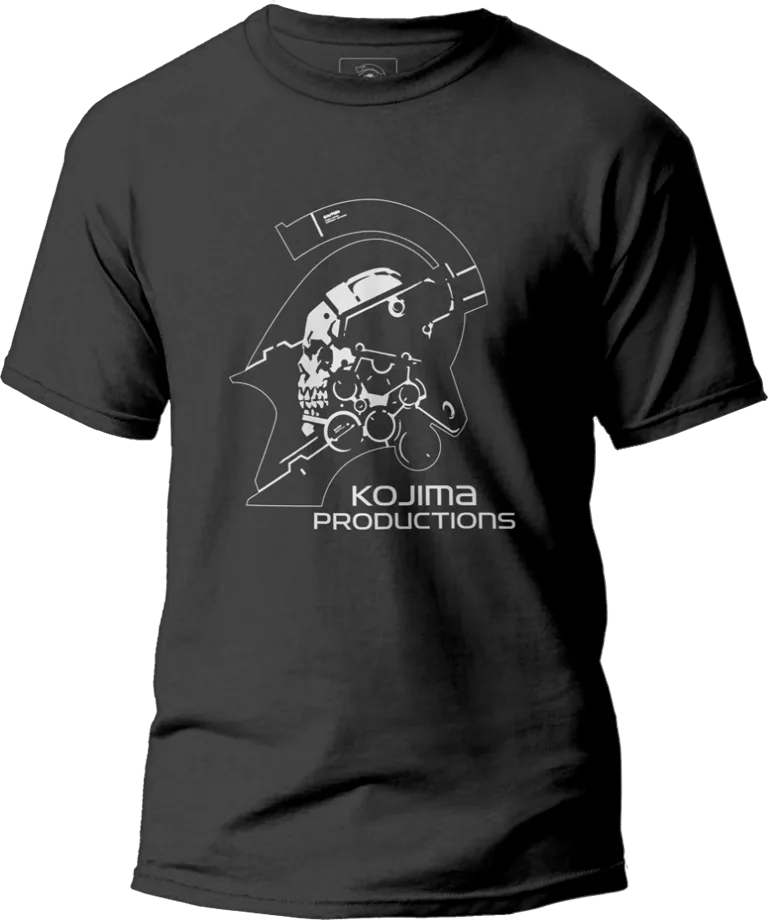
KOJIMA PRODUCTIONS Logo T-Shirt
-
KOJIMA PRODUCTIONS Logo T-Shirt: This official Kojima Productions logo t-shirt is offered in men's sizing with two color options: White and Sport Grey. Lighter-colored shirts show dirt and stains more easily, but the print itself is less prone to visible fading compared to dark shirts.
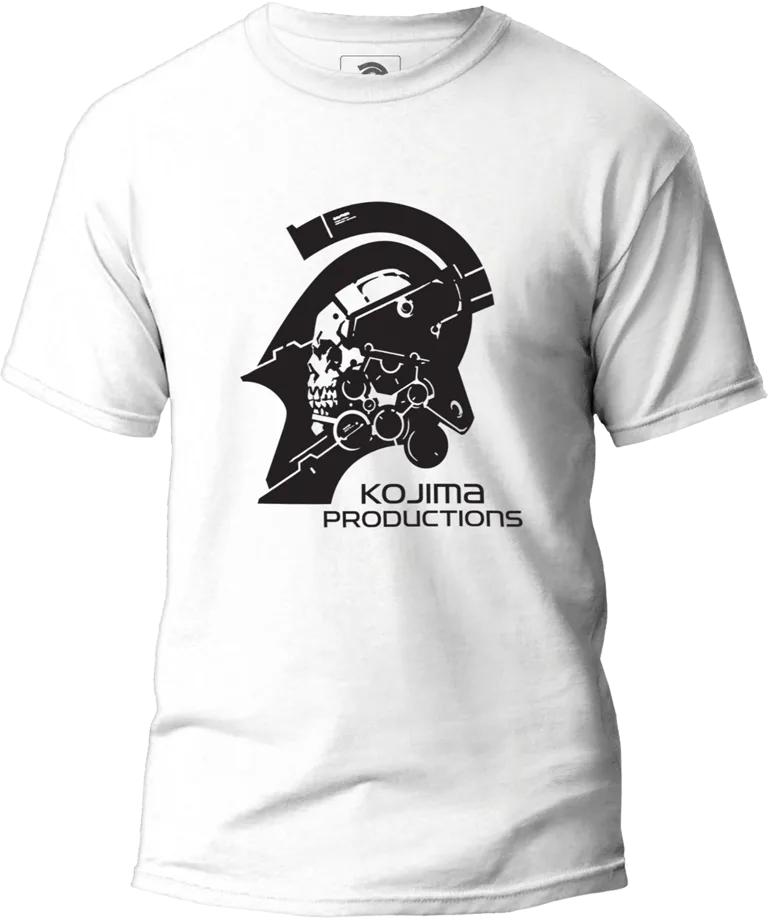
KOJIMA PRODUCTIONS Logo T-Shirt