Quick answer
Choose a triple 4K display docking station that matches your host device's USB-C or Thunderbolt capabilities and supports the number of external monitors you need. For most Mac and Windows laptops, a universal dock like the Triple 4K Display Docking Station provides the ports and power delivery to run three 4K displays without extra adapters.
Compatibility: USB-C vs. Thunderbolt
Not all USB-C ports support video output. Check your laptop's specifications: Thunderbolt 4 and Thunderbolt 3 ports can drive multiple 4K displays, while standard USB-C ports may be limited to one external monitor. A universal docking station that works with both USB-C and USB-A ports gives you flexibility across different devices, but actual display support depends on your host hardware.
If your laptop only has USB-C without Thunderbolt, you may need a dock that uses DisplayPort Alt Mode or relies on software-based multi-stream transport (MST) to drive three displays. Verify your laptop's maximum external display count before purchasing.
Port selection and power delivery
A triple 4K dock should offer enough downstream ports for your peripherals: USB-A, USB-C, HDMI, DisplayPort, Ethernet, and audio. Consider how many devices you need to connect daily and whether the dock includes a built-in SD card reader or 3.5mm audio jack.
Power delivery (PD) is critical for laptops that charge via USB-C. Look for a dock that supplies at least 60W to 100W PD to keep your laptop running under load. Without sufficient PD, you may need to plug in your laptop's original charger separately, defeating the purpose of a single-cable solution.
Performance trade-offs: bandwidth and refresh rate
Driving three 4K displays simultaneously consumes significant bandwidth. On Thunderbolt 4 (40 Gbps), you can run three 4K monitors at 60 Hz. On USB-C 3.2 Gen 2 (10 Gbps), bandwidth limits may force you to run one or two displays at 4K 60 Hz and the third at a lower resolution or refresh rate.
If you work with video editing, CAD, or real-time data visualization, prioritize a Thunderbolt 4 dock. For general productivity tasks like spreadsheets, coding, or web browsing, a USB-C dock with MST support can still deliver a smooth multi-monitor experience.
Decision rules for choosing a triple 4K display docking station
- Check your laptop's video output capability: Look up your laptop model's specifications for the maximum number of external displays and supported resolutions. If your laptop can only output to two external monitors, a triple 4K dock won't enable a third display. Confirm your laptop's display limit before buying a triple dock.
- Match the dock's interface to your laptop's port: If your laptop has Thunderbolt 4 or Thunderbolt 3, you can run three 4K displays at 60 Hz. If it has USB-C without Thunderbolt, you may need a dock that uses MST or DisplayPort Alt Mode; expect potential bandwidth limitations. Thunderbolt laptops get full triple 4K 60 Hz; USB-C laptops may need compromises.
- Verify power delivery and port count: Ensure the dock provides enough USB-A and USB-C ports for your peripherals and delivers at least 60W PD for charging. A dock with lower PD may not keep your laptop powered during heavy use. Choose a dock with sufficient PD and ports to avoid extra cables.
Product spotlight
-
Triple 4K Display Docking Station: The Triple 4K Display Docking Station is compatible with any host device equipped with a USB-C or USB-A port, on both Mac and Windows. This means you can use it with a wide range of laptops and desktops without worrying about Thunderbolt exclusivity, though actual multi-display support still depends on your host hardware.
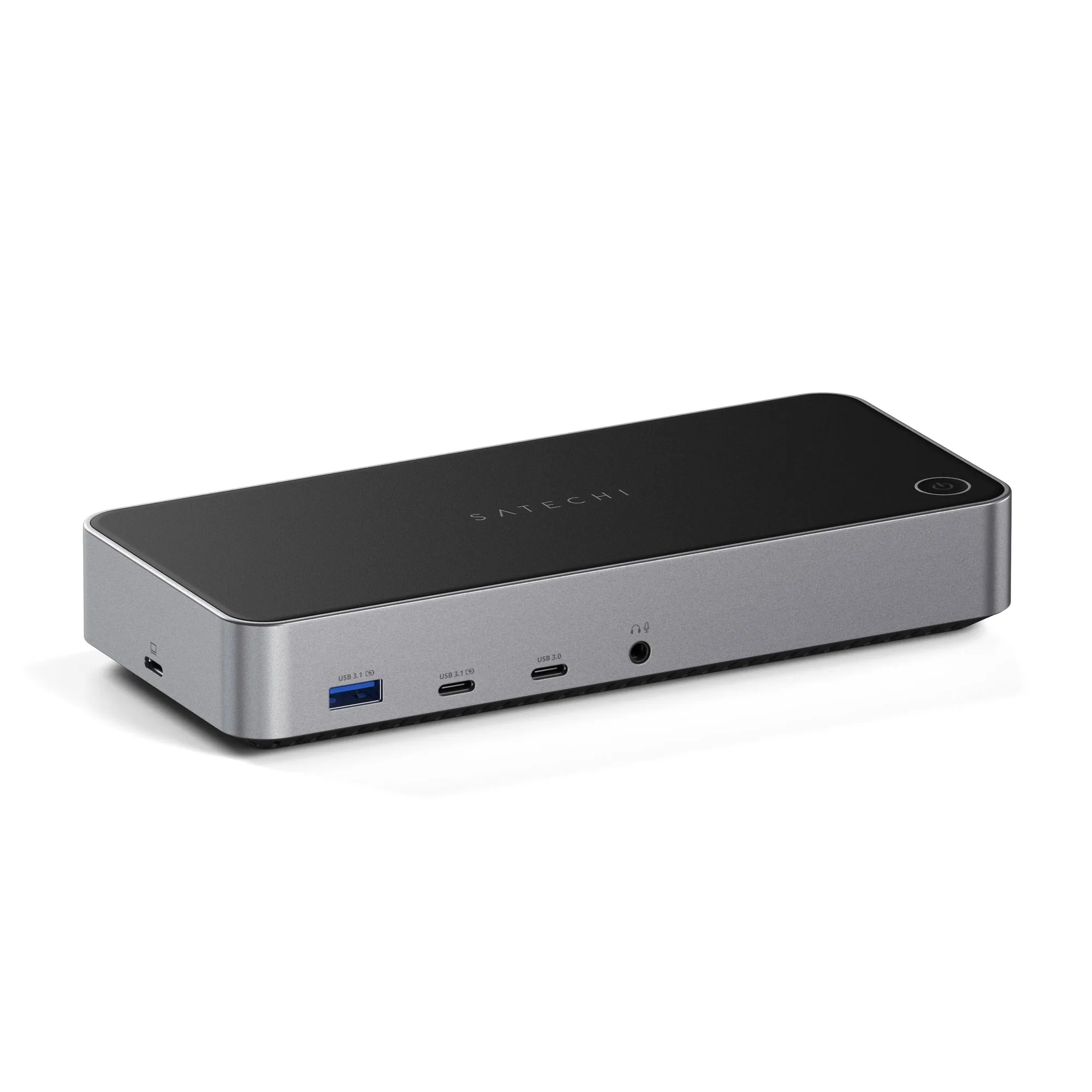
Triple 4K Display Docking Station
Who should buy a triple 4K display docking station?
Best for
- Professionals who need three external 4K monitors for data analysis, coding, or financial modeling
- Users with Thunderbolt 4 or Thunderbolt 3 laptops who want a single-cable setup for maximum display performance
Not ideal for
- Users with laptops that only support two external displays (e.g., many MacBook Air models)
- People who only need one or two external monitors and can use a simpler, less expensive hub