Quick Answer
For CFexpress Type A users, choose a dedicated reader like the Sony CFexpress Type A Card Reader or the Delkin Devices CFexpress Type A & SD reader for speed and versatility. If you only need SD, a simple USB-A reader like the Promaster SD reader works fine.
Match the Reader to Your Card Format
The most important step is to match the reader to the card format you actually use. CFexpress Type A cards are physically different from SD cards and require a reader with a compatible slot. The Sony CFexpress Type A Card Reader is designed specifically for CFexpress Type A media, so it won't accept SD cards. The Delkin Devices reader includes both a CFexpress Type A slot and an SD UHS-II slot, giving you one device for two formats.
If you shoot with a camera that uses SD cards only, a dedicated SD reader is a lighter and more affordable choice. The Promaster SD Memory Card Reader with USB-A connection is compact and gets the job done without extra slots you won't use.
Consider Connection Type and Speed
Your computer's ports determine which reader will work best. USB-C is becoming the standard on newer laptops and desktops, but many older machines still have USB-A ports. The Delkin reader includes both Type-C to C and Type-C to A cables, so it adapts to either setup. The Promaster reader uses a USB-A connection, which is fine if your computer has that port.
Speed also matters when you're offloading large video files or high-resolution photos. The Lexar microSD reader supports USB 3.2 Gen 1 with speeds up to 170 MB/s, which is plenty for microSD cards. For CFexpress Type A, the Sony and Delkin readers are built for the higher performance of that media, so you won't bottleneck your workflow.
Think About Portability and Build
If you travel or shoot on location, a compact reader is a must. The Lexar microSD reader is designed for on-the-go use, and the Delkin reader is also described as compact. The Sony reader is purpose-built and compact as well. The Promaster reader is compact too, but it's a simple SD-only option.
Consider how many cards you need to read in a day. A dual-slot reader like the Delkin can save you from carrying two separate devices. If you only use one format, a single-slot reader is lighter and often cheaper.
Decision Rules
- CFexpress Type A only: If you only use CFexpress Type A cards, choose the Sony CFexpress Type A Card Reader. It's compact, purpose-built, and ensures reliable transfers without extra slots you don't need.
- CFexpress Type A + SD: If you use both CFexpress Type A and SD cards, choose the Delkin Devices reader. It has both slots and includes USB-C to C and USB-C to A cables for flexible connectivity. Check that the SD slot supports UHS-II if you use high-speed SD cards.
- SD only: If you only use SD cards, the Promaster SD Memory Card Reader is a simple, affordable USB-A option. It's compact and gets the job done without extra features. Make sure your computer has a USB-A port, or you'll need an adapter.
- microSD only: If you mainly offload from phones, action cameras, or drones, the Lexar microSD reader is a budget-friendly choice with USB 3.2 Gen 1 speeds up to 170 MB/s. This reader does not accept full-size SD cards, so it's not for traditional camera cards.
Product Facts
-
Sony CFexpress Type A Card Reader: The Sony CFexpress Type A Card Reader (model MRW-G3) is designed specifically for CFexpress Type A media. If you shoot with a camera that uses CFexpress Type A cards, this reader gives you a dedicated, purpose-built way to transfer files without needing an adapter.
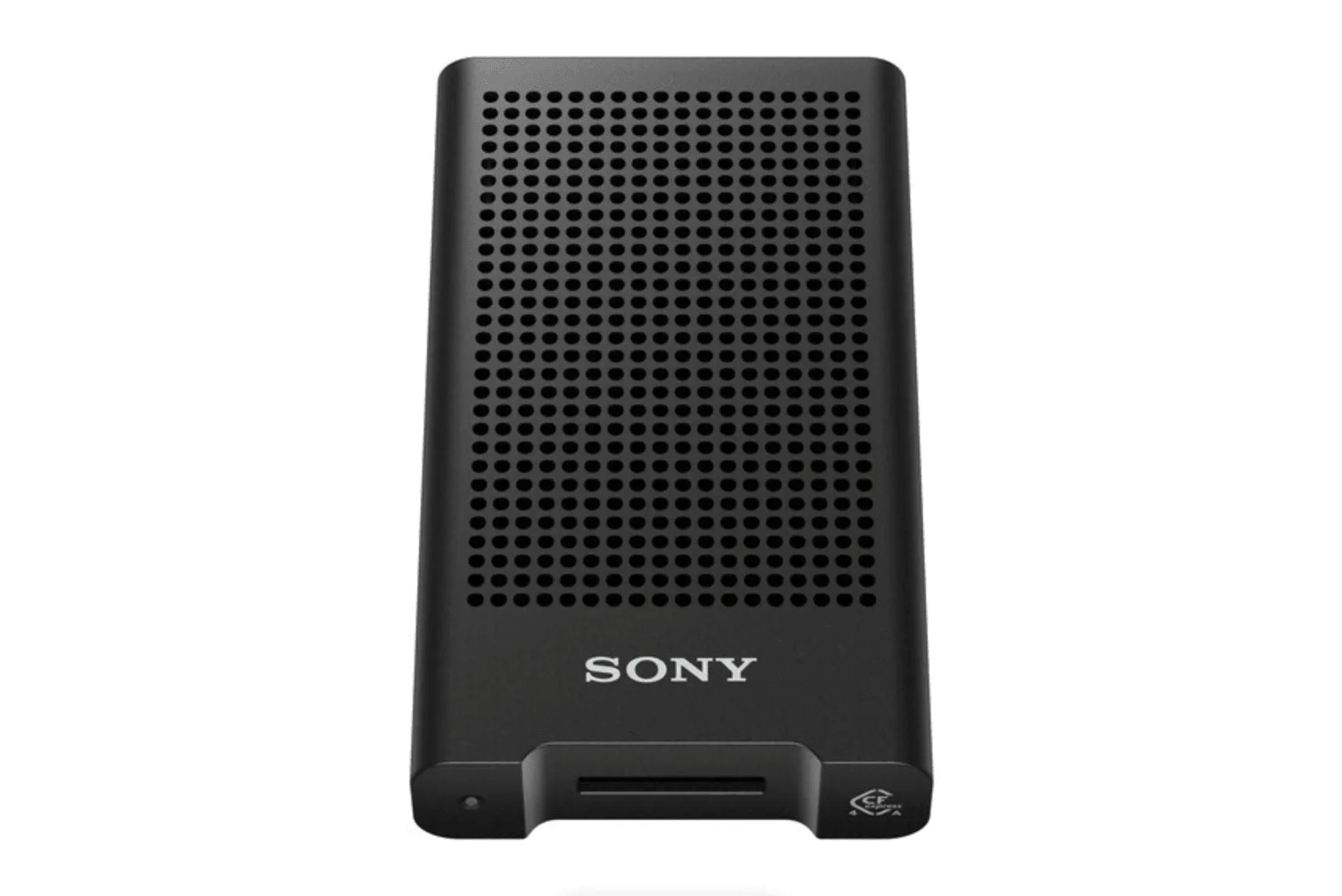
Sony CFexpress Type A Card Reader
-
Delkin Devices CFexpress™ Type A & SD Memory Card Reader - Type C to C & Typc C to A Cables: The Delkin Devices CFexpress Type A & SD Memory Card Reader supports USB 3.2 and includes both Type-C to C and Type-C to A cables. This reader handles both CFexpress Type A and SD UHS-II cards, and the included cables let you connect to modern USB-C laptops or older USB-A ports.
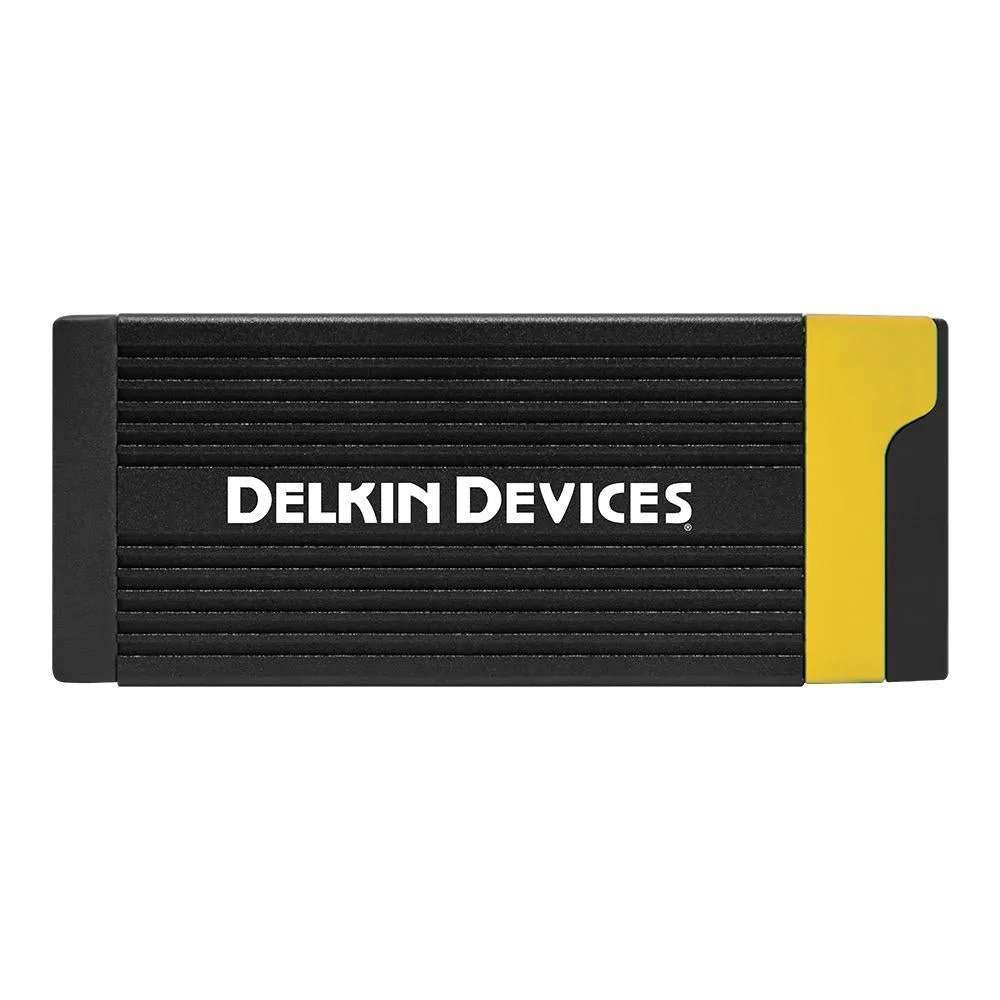
Delkin Devices CFexpress™ Type A & SD Memory Card Reader - Type C to C & Typc C to A Cables
Who Should Choose What
Best for
- Photographers using CFexpress Type A cards who want a dedicated, reliable reader
- Content creators who need both CFexpress Type A and SD support in one compact device
- Casual users who only need to read SD cards and want an affordable, simple solution
Not for
- Users who need to read CFexpress Type B or XQD cards—these readers don't support that format
- Professionals who require the absolute fastest transfer speeds for massive video files—check the specific speed ratings of each reader before buying