Quick Answer
To choose an anime gaming PC bundle, first decide which series you want to celebrate, then match the bundle's performance and included extras to the games you play and your room setup.
Why the Artwork Matters More Than You Think
The artwork on a themed PC bundle is the first thing you'll see every day. It sets the tone for your entire gaming room. If you're a fan of a specific series, the design can make your setup feel personal. But remember: the art is permanent. You can't easily swap the case artwork later, so choose a series and design you'll still love years from now.
Performance Should Match Your Games
A themed PC bundle still needs to run the games you actually play. Competitive shooters and fast-paced esports titles need higher frame rates, while story-driven RPGs and MMOs may be more forgiving. Check the bundle's components against the recommended specs for your favorite games. If you're unsure, aim for a mid-range GPU and CPU that can handle most modern titles at high settings.
Extras Can Save You Money
Many bundles include extras like desk mats, wall art, or lightboxes. These add-ons can save you money compared to buying them separately, and they help complete the themed look. But they also increase the total price. Decide if the extras are items you would actually use, or if you'd rather spend that money on better components.
Decision Rules for Choosing Your Bundle
- Pick the series first: Choose a bundle featuring a series you genuinely love. The artwork is permanent, so make sure it's something you'll enjoy looking at daily. List your top three favorite anime series and see which ones have available bundles.
- Match performance to your games: For competitive shooters, prioritize a higher refresh rate and stronger GPU. For slower-paced RPGs, a mid-range build is often enough. Check the bundle's specs against your most-played games. Write down the recommended specs for your main games before comparing bundles.
- Weigh the extras: If the bundle includes items like desk mats or wall art, decide if you'd buy them anyway. If yes, the bundle can be a better value. If not, you might prefer a cheaper bundle without extras. Calculate the standalone cost of the extras to see if the bundle price is justified.
- Set a realistic budget: Anime bundles range from around $1,700 to over $2,700. Decide your maximum spend before shopping, and remember that higher tiers usually mean better components and more extras. Set a hard budget and stick to it, even if a bundle looks tempting.
Anime-Themed Bundles to Compare
-
The Apothecary Diaries PC Bundle - Elite: The Apothecary Diaries PC Bundle - Elite features custom-printed artwork from the series and is priced at $2,708.99 (compare at $4,299.99). This bundle is for fans who want a high-end build with detailed, series-specific art and are willing to pay a premium for the Elite tier.
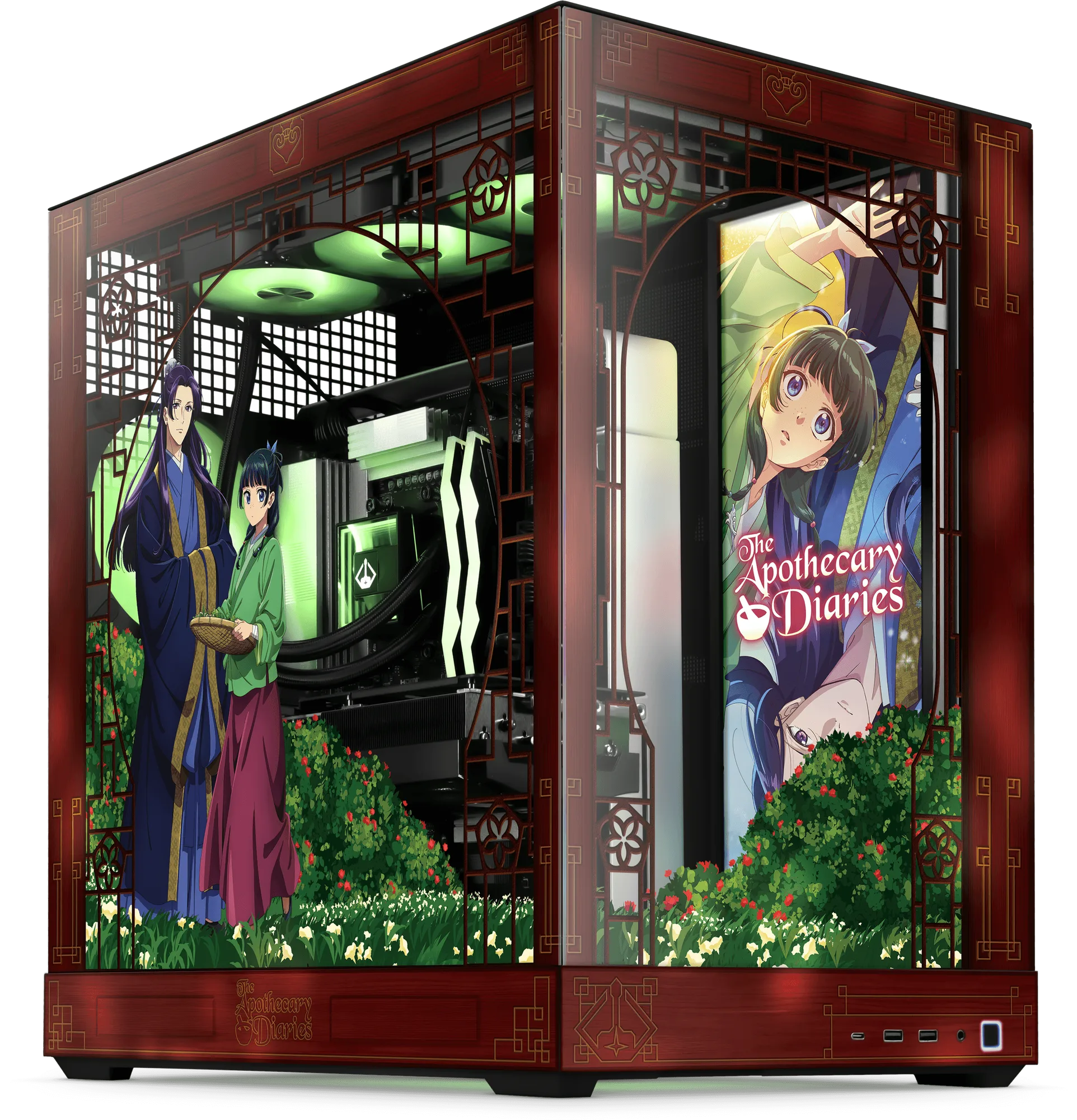
The Apothecary Diaries PC Bundle - Elite
-
Old School RuneScape PC Bundle - Core: The Old School RuneScape PC Bundle - Core is priced at $2,000.99 (compare at $2,899.99) and includes a Wise Old Man Platelight. It's a more budget-friendly option that still delivers a themed experience, with the Platelight adding a functional lighting piece to your setup.
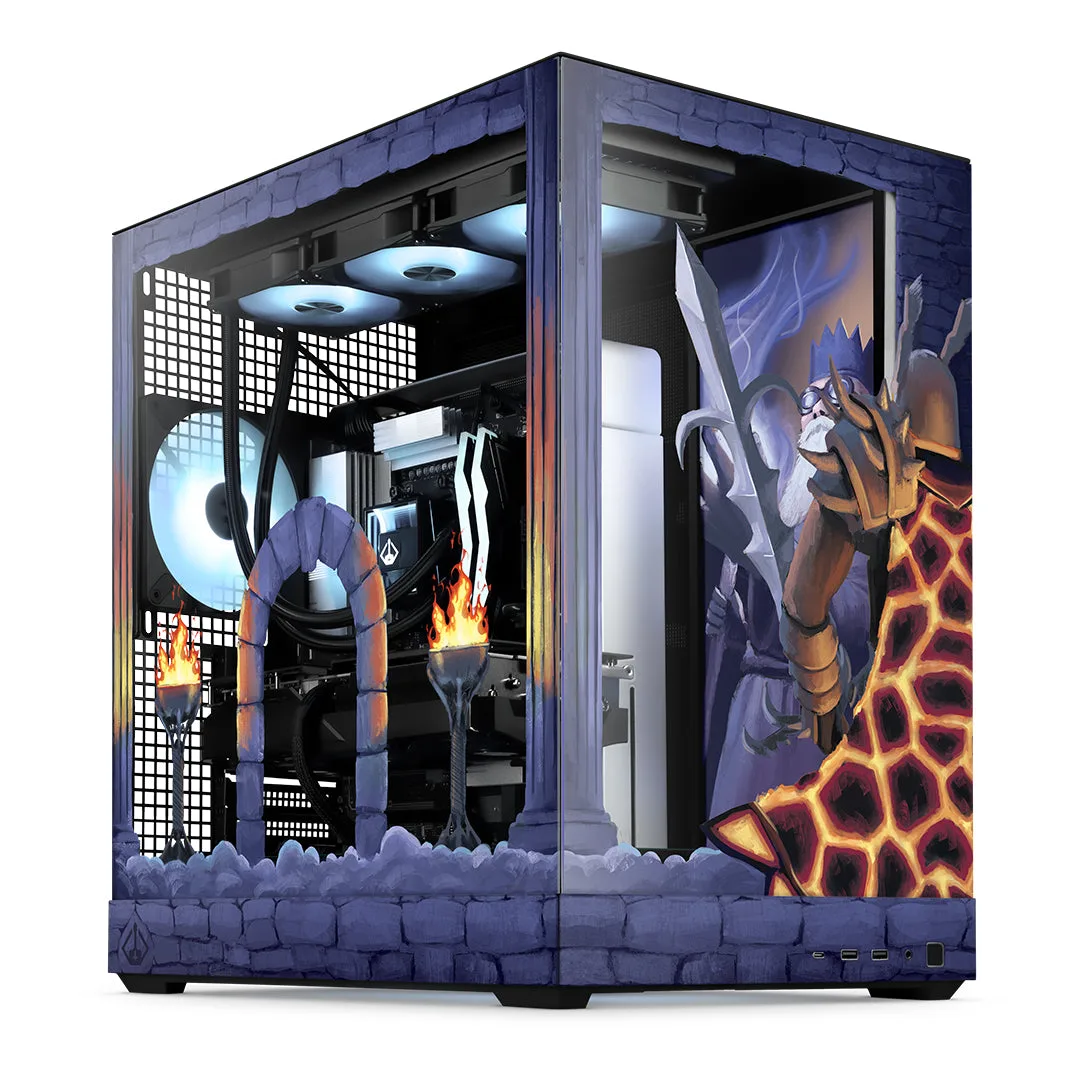
Old School RuneScape PC Bundle - Core
Who Each Bundle Fits Best
Best for
- Fans who want a complete themed setup with matching extras like desk mats and wall art
- Gamers who play a mix of titles and want a balanced mid-range to high-end performance
Not for
- Budget-focused buyers who prefer to build their own PC and buy separate decorations
- Competitive esports players who need the absolute highest frame rates and are willing to pay extra for top-tier components