Quick answer
Start with your camera's maximum write speed and video bitrate, then pick a card that exceeds both. For most mirrorless cameras shooting 4K, a V30 UHS-I card is the minimum; for high-bitrate 4K or raw bursts, choose a V60 or V90 UHS-II card. Capacity should match your shooting volume: 32GB for casual stills, 64GB or more for regular 4K and raw.
Check your camera's card slot and bus support
Not every mirrorless camera can use UHS-II speeds. Some have a single UHS-I slot, while others have one UHS-II and one UHS-I slot. If your camera only supports UHS-I, a UHS-II card will still work but will run at UHS-I speeds. Check your manual or the card slot symbol: two rows of pins usually mean UHS-II. For example, the Nikon Z50 has a single SD slot that supports UHS-I; a UHS-II card won't deliver its full speed benefit.
Match speed class to your video and burst needs
Speed class labels like V30, V60, and V90 indicate the minimum sustained write speed for video. V30 guarantees 30MB/s, enough for 4K at standard bitrates. V60 guarantees 60MB/s, and V90 guarantees 90MB/s, which you need for high-bitrate 4K or 6K/8K. For stills, look at the UHS speed class (U1 or U3) and the card's shot speed. A card with a higher shot speed clears the buffer faster during continuous shooting.
Choose capacity based on file sizes and workflow
Raw files from a 20MP camera are roughly 20–25MB each, while 4K video can consume 4GB per minute at higher bitrates. A 32GB card holds about 1,200 raw photos or 8 minutes of high-bitrate 4K. A 64GB card doubles that. If you shoot events or travel without a laptop, 64GB or 128GB reduces card swaps. But avoid buying one huge card and using it for everything; two 64GB cards are safer than one 128GB card because a single failure won't wipe all your work.
UHS-II vs UHS-I: when the extra speed pays off
UHS-II cards have a second row of pins and offer much faster transfer speeds, often 300MB/s versus 95MB/s for UHS-I. That speed matters if you shoot long bursts of raw, record high-bitrate video, or frequently offload large files. If you mostly shoot single frames or standard 4K, a UHS-I card is more cost-effective. Just remember: UHS-II cards cost significantly more, so only buy them if your camera and workflow can use the speed.
Step-by-step: pick your card
- Check your camera's card slot type: Look in the manual or at the slot: if it has two rows of pins, it supports UHS-II. If not, it's UHS-I only. Common mistake: buying a UHS-II card for a UHS-I camera and paying extra for speed you can't use. Checkpoint: confirm your camera's maximum supported bus speed before shopping.
- Match the video speed class to your recording mode: For 4K at standard bitrates, V30 is enough. For high-bitrate 4K or 6K, choose V60 or V90. If you're unsure, check your camera's manual for the recommended card class. Common mistake: using a V30 card for high-bitrate 4K and getting dropped frames. Checkpoint: your card's V rating should meet or exceed the camera's requirement.
- Pick a capacity that fits your shooting volume: Estimate how many raw files or minutes of 4K you shoot per session. A 32GB card holds about 1,200 raw photos or 8 minutes of high-bitrate 4K; 64GB doubles that. Common mistake: buying one huge card and risking all your work on a single point of failure. Checkpoint: two 32GB or 64GB cards are safer than one large card.
- Decide between UHS-I and UHS-II based on workflow: If you shoot long raw bursts, high-bitrate video, or offload large files often, UHS-II is worth the investment. For casual stills and standard 4K, UHS-I saves money. Common mistake: assuming UHS-II always improves camera performance; it only helps if the camera supports it. Checkpoint: buy UHS-II only if your camera has a UHS-II slot and you need the speed.
- Buy from a reputable source and format in-camera: Counterfeit cards are common online. Purchase from a trusted retailer like The Camera Gear Shop, then format the card in your camera before first use. Common mistake: formatting on a computer, which can create compatibility issues. Checkpoint: always format new cards in the camera you'll use them with.
Cards that fit these steps
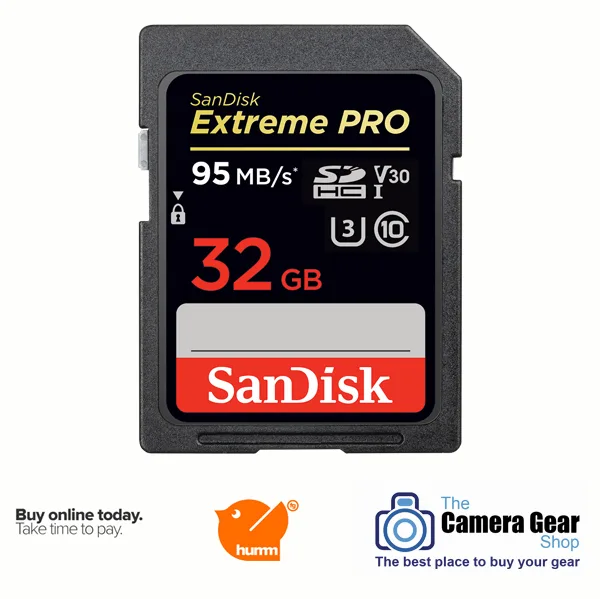
- SanDisk Extreme Pro 32GB SDHC UHS-I – 95MB/s: SanDisk Extreme Pro 32GB SDHC UHS-I – 95MB/s: shot speeds up to 90MB/s, UHS Speed Class 3 (U3), and supports 4K UHD video. A solid UHS-I choice for mirrorless cameras with UHS-I slots, like the Nikon Z50. The 32GB capacity suits casual stills or short 4K clips, and the 90MB/s shot speed helps clear bursts.
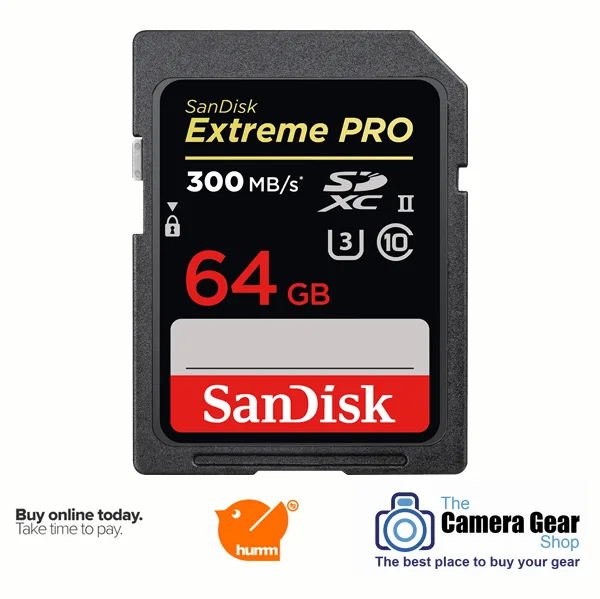
- SanDisk Extreme Pro 64GB SDXC UHS-II – 300MB/s: SanDisk Extreme Pro 64GB SDXC UHS-II – 300MB/s: shot speeds up to 260MB/s, transfer speeds up to 300MB/s, designed for continuous burst mode and high-performance video. If your camera has a UHS-II slot and you shoot raw bursts or high-bitrate 4K, this card's speed reduces buffer wait times and offloads footage faster. The 64GB capacity gives more room for large files.