Quick answer
Start with your exact MacBook screen size, then decide whether you want a slim sleeve for protection inside another bag or a structured case with its own pockets. A snug sleeve adds scratch and bump protection without bulk; a folio-style case adds organization for documents and pens. Match the interior dimensions to your model, not the marketing name.
A sleeve is the simplest piece of MacBook protection you can buy, but the wrong one either swims around your laptop or refuses to zip. The fix is to measure first, then choose based on how you carry the machine.
This guide walks through the decisions that actually change your purchase: screen size, sleeve versus case, pocket needs, and materials. It also flags where a sleeve is the wrong tool entirely.
Measure your MacBook before you shop
Screen size is the fastest filter, but it is not the whole story. A 13-inch MacBook Air and a 13-inch MacBook Pro can differ slightly in thickness and footprint, and a sleeve cut for one generation may fit the next loosely. Check the sleeve's stated compatibility against your exact model year.
If you use a hard shell or skin, add that thickness to your measurement. A sleeve sized for a naked laptop will feel tight once a shell is installed, and forcing the zipper stresses both the fabric and the laptop.
- Write down your screen size and model year before browsing.
- Measure the closed laptop's width, depth, and thickness if you use a shell.
- Prefer a sleeve that lists your model explicitly over a generic inch range.
Sleeve vs case: pick by how you carry
A sleeve is a protective layer, not a standalone bag. It slides into a backpack, tote, or briefcase and keeps the laptop from rubbing against keys, cables, and water bottles. That makes it the right choice if you already carry a bag you like.
A case or folio adds structure and organization. The Executive Folio for Laptops and Tablets includes a laptop compartment plus pockets for documents, pens, and a smartphone, so it can work solo for quick meetups. If you regularly carry a charger, notebook, and phone alongside the laptop, a folio often replaces a second bag.

Executive Folio for Laptops and Tablets
- Choose a sleeve if you already carry a backpack or tote.
- Choose a folio or case if you want one item for laptop plus daily documents.
- A sleeve plus a separate tech pouch can match a folio's organization, but adds one more thing to carry.
What to look for in materials and closure
Water resistance matters more than most buyers expect. A water-resistant exterior and a plush padded interior protect against rain and the small bumps of commuting. Look for a closure that stays shut in a bag, whether that is a zipper or a magnetic flap.
Leather accents and full-grain leather age well but add weight and cost. Lightweight technical textiles keep the sleeve thin, which matters if you are already carrying a loaded backpack. Neither is objectively better; pick based on whether you prioritize durability or low bulk.
- Check for a padded interior if you commute with the laptop daily.
- Confirm the closure type before buying if you dislike zippers or magnets.
- Water-resistant fabric is worth it if you walk or cycle to work.
Fit guidance: how snug is too snug
The best fit lets the laptop slide in with light resistance and sit without shifting. If you can shake the sleeve and feel the laptop move, it is too loose. If you have to force the last inch, it is too tight and the corners will wear.
Test the fit with everything you normally store inside, including a shell or a charging cable if the sleeve has a front pocket. A pocket that bulges inward can press on the laptop lid.
- Aim for light resistance on insertion and no movement when closed.
- Test with your shell, cable, and any dongles in place.
- If a pocket presses on the lid, size up or choose a different layout.
Decision rules for MacBook sleeve buyers
- If you already carry a backpack or tote: Buy a slim sleeve sized to your exact MacBook model and skip the extra pockets. Sleeve only; the bag handles organization.
- If you want one item for laptop and documents: Choose a folio-style case with a laptop compartment plus document and pen pockets, like the Executive Folio. Folio replaces a second bag for short trips.
- If you use a hard shell or skin: Measure the laptop with the shell on and confirm the sleeve's stated compatibility, because a tight fit stresses the zipper. Size up or pick a model-specific sleeve.
- If you commute in rain or on a bike: Prioritize a water-resistant exterior and padded interior over leather trim. Weather protection first, looks second.
- If you carry two devices: A single-device sleeve will not cover both; look at a two-device backpack like the Trigo or carry two separate sleeves. Match capacity to device count.
WaterField options that fit these decisions
- Executive Folio for Laptops and Tablets: Designed to accompany the Pro Executive Laptop Backpack, the Executive Folio works well solo too, with a laptop compartment and pockets for documents, pens, and a smartphone. This is the sleeve-plus-organization option: it replaces a separate document folder and phone pocket for short meetings.
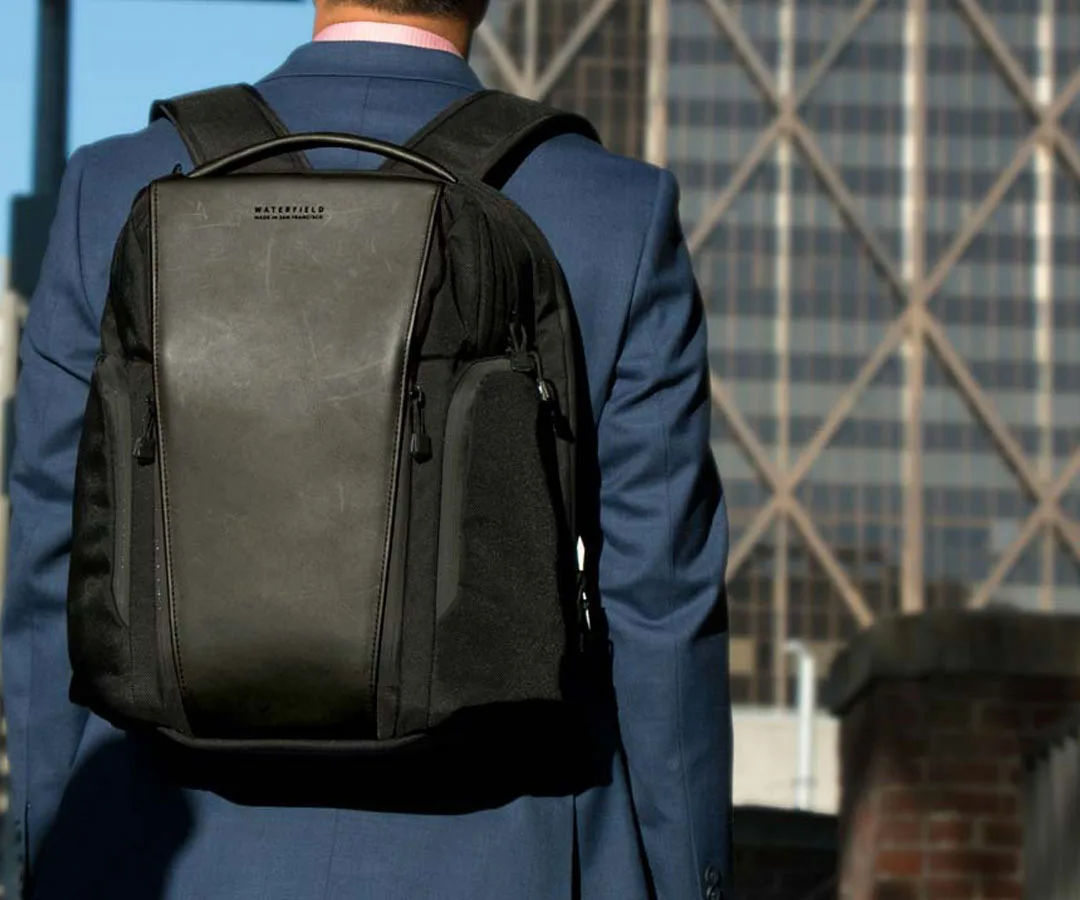
Pro Executive Laptop Backpack
- Trigo Laptop Backpack: Designed for everyday carry, the Trigo Laptop Backpack fits two devices and uses lightweight ECOPAK material from Challenge Sailcloth with full-grain leather accents. If you carry a laptop and a tablet, this is the bag a slim MacBook sleeve would go inside rather than a competing product.
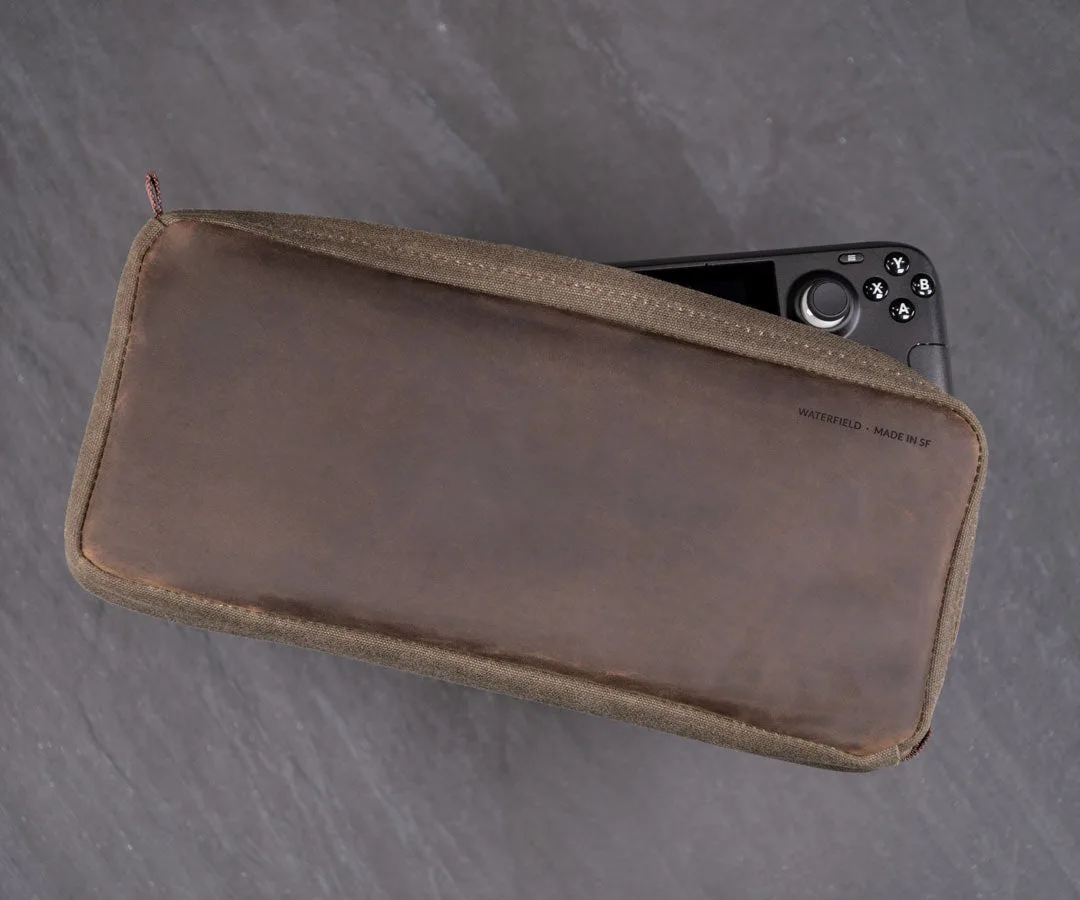
- Steam Deck Magnetic Case: The Steam Deck Magnetic Case keeps a Steam Deck or Steam Deck OLED and charging cord together in a compact, water-resistant case with a magnetic closure and plushly padded interior. It shows the same padded, water-resistant approach WaterField uses for device protection, which is the standard to expect from their laptop sleeves.
Who this sleeve advice fits
Best for
- MacBook Air or Pro owners who want scratch and bump protection inside an existing bag
- Commuters who need a water-resistant layer without adding bulk
- Buyers who want to organize documents and a phone in one folio-style case
Not for
- Anyone who needs to carry a charger, lunch, and gym clothes in the same item
- Owners of a 16-inch MacBook Pro who need maximum padding and a shoulder strap
- Buyers who want a hard-shell case for drop protection
Measure your exact MacBook, decide whether you need a sleeve or a folio, and check the fit with your shell and accessories in place. That sequence prevents the two most common mistakes: a sleeve that is too loose to protect and one that is too tight to zip.