Quick Answer
For most 4K video work, choose a V30 UHS-I SD card with a minimum write speed of 30 MB/s. A card like the SanDisk Extreme PRO 64GB offers the speed and reliability you need without overspending.
Why Speed Class Matters for 4K
4K video requires a steady, high-speed write stream. If your card can't keep up, the camera may stop recording or drop frames. The speed class rating (like V30) guarantees a minimum sustained write speed, which is more important than the maximum read speed often printed on the card.
The Video Speed Class (V30) ensures at least 30 MB/s continuous write speed, sufficient for most 4K codecs. Higher classes like V60 or V90 are needed for high-bitrate 4K or 8K, but they cost more and may not be necessary for your camera.
UHS-I vs. UHS-II: What's the Difference?
UHS-I cards are the most common and work in nearly every camera. They offer speeds up to about 200 MB/s. UHS-II cards have a second row of pins and can reach faster speeds, but they require a camera that supports UHS-II to benefit. If your camera only supports UHS-I, a UHS-II card will work but won't be faster.
For most 4K video, a UHS-I card with V30 rating is the sweet spot. It's affordable and widely compatible. Only consider UHS-II if you shoot high-bitrate 4K or need to offload files quickly.
Capacity: How Much Do You Need?
4K video files are large. A 64GB card can hold roughly 1-2 hours of footage depending on bitrate. If you shoot long events or all-day shoots, consider 128GB or higher. But remember: larger cards mean more to lose if a card fails, so some pros prefer multiple smaller cards.
Also check your camera's compatibility: some older cameras may not support SDXC cards (which include 64GB and above). Most modern cameras do.
Decision Rules: Picking the Right Card
- Check your camera's requirements: Look in your camera manual or manufacturer's website for the recommended or required SD card speed class. If it says U3 or V30, a V30 card is the minimum you need.
- Match the speed class to your bitrate: If you shoot standard 4K (100 Mbps or less), V30 is sufficient. For higher bitrates (200 Mbps or more), consider V60 or V90 to avoid recording interruptions.
- Choose capacity based on your shoot length: Estimate how much footage you shoot in a session. A 64GB card holds about 1-2 hours of 4K video; pick 128GB or higher for longer shoots, but balance with the risk of losing more data if the card fails. Always format the card in the camera before first use to ensure optimal performance.
A Reliable Choice: SanDisk Extreme PRO 64GB
-
SanDisk Extreme PRO SDXC 64GB 200MB/s R 90MB/s W UHS-I U3 C10 V30 Card: This UHS-I card has a V30 rating with a minimum write speed of 30 MB/s and a maximum write speed of 90 MB/s. It meets the speed requirement for most 4K video, ensuring smooth recording without dropped frames.
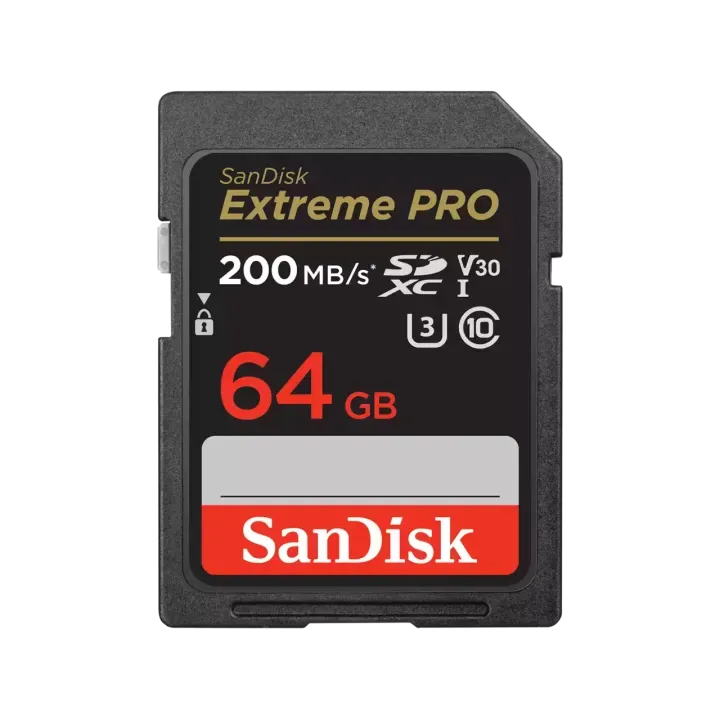
SanDisk Extreme PRO SDXC 64GB 200MB/s R 90MB/s W UHS-I U3 C10 V30 Card
Who Should Buy a V30 UHS-I Card?
Best for
- Amateur and semi-pro videographers shooting standard 4K with mirrorless or DSLR cameras
- Content creators who need a reliable, budget-friendly card for everyday video work
Not for
- Professionals shooting high-bitrate 4K or 8K who need V60 or V90 cards
- Users with older cameras that only support SDHC cards (up to 32GB)