Quick Answer
Start with a blower to remove loose dust, then use a microfiber cloth with a drop of lens cleaning solution for smudges. Never use household cleaners or paper towels, and always work in a dust-free area to avoid scratching the lens.
What You Need for Safe Lens Cleaning
A rocket-style air blower, a microfiber cloth designed for optics, and a lens cleaning solution are the only tools you really need. Avoid canned air—it can spray propellant onto the glass. If you wear glasses, the same microfiber cloth you use on them works well on camera lenses, but keep a separate one for your lens to avoid transferring oils.
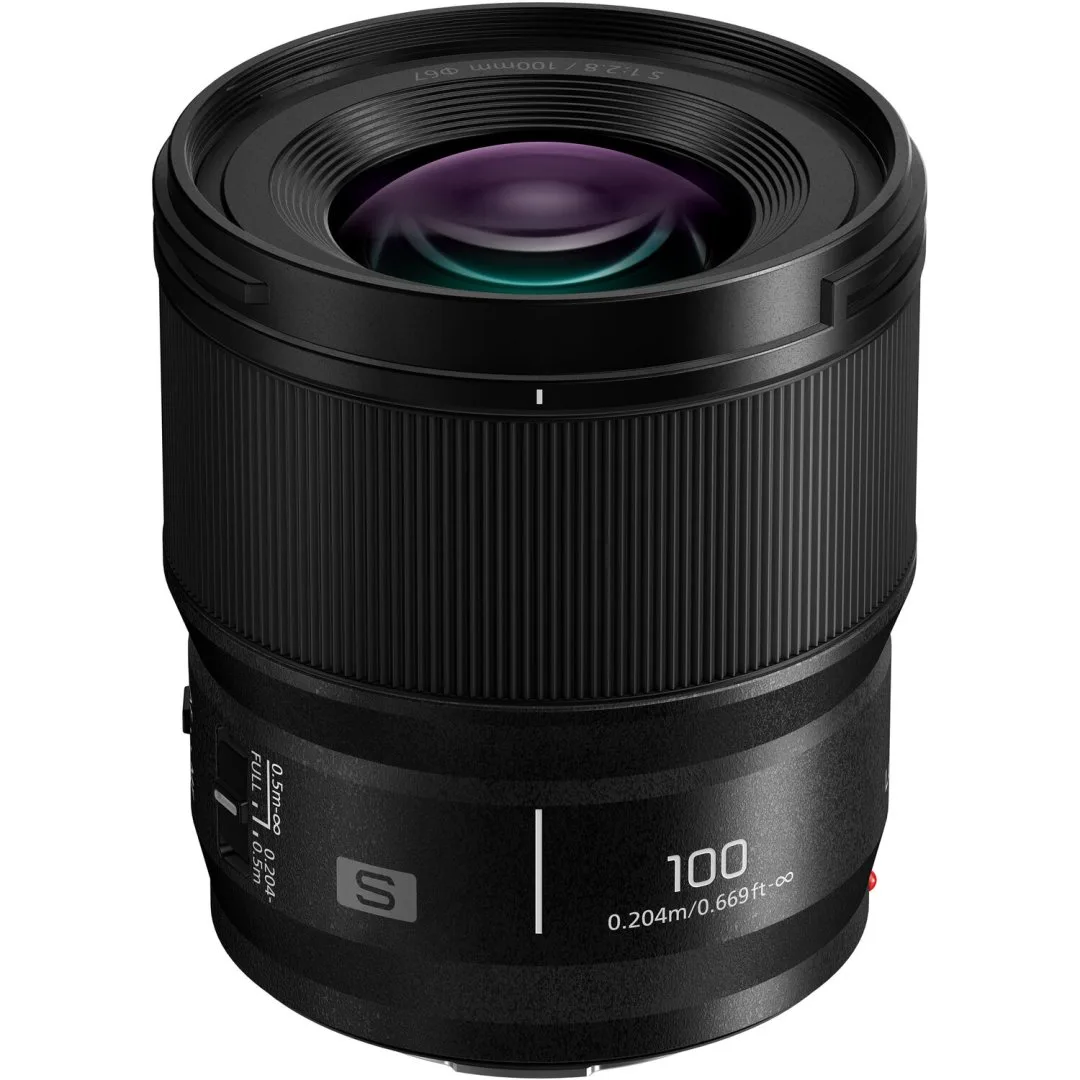
A lens cleaning kit can bundle these items together, but the individual components matter more than the kit name. For example, the Panasonic S 100mm F2.8 Macro Lens has a deeply recessed front element that traps dust, so a blower with a narrow tip is especially useful for that design.
When to Clean vs. When to Leave It Alone
A few dust specks on the front element rarely affect image quality. Only clean when you see visible smudges, fingerprints, or haze that softens your photos. Over-cleaning wears down the anti-reflective coatings, so resist the urge to polish a perfectly clean lens.
If you notice spots in the same place on every image, especially at small apertures like f/16, the dust may be on the sensor rather than the lens. Sensor cleaning is a separate, more delicate process that usually requires a dedicated kit or a professional service.
Step-by-Step Lens Cleaning Routine
- Step 1: Blow Off Loose Dust: Hold the lens facing downward so falling dust doesn't settle back on the glass. Use a rocket blower to puff air across the front and rear elements. Do not touch the glass with the blower tip. Common mistake: using compressed air from a can, which can spray liquid propellant onto the lens.
- Step 2: Brush Away Stubborn Particles: If dust remains after blowing, use a soft, clean brush (like a sensor brush or a makeup brush reserved for this purpose). Gently sweep from the center outward. Never press hard—you're dislodging particles, not scrubbing them off. Checkpoint: if you see grit, do not wipe it. Brush or blow again to avoid scratching the coating.
- Step 3: Dampen a Cloth for Smudges: Put one drop of lens cleaning solution on a clean microfiber cloth—never directly on the lens. Wipe in a gentle circular motion from the center outward. For stubborn fingerprints, breathe lightly on the glass first to add moisture, then wipe. Common mistake: using too much liquid, which can seep into the lens barrel and cause internal fogging.
- Step 4: Inspect and Repeat if Needed: Hold the lens up to a bright, diffuse light and look for streaks or remaining spots. If you see streaks, flip the cloth to a dry section and buff gently. If spots remain, repeat step 3 with a fresh area of the cloth. Final checkpoint: if the lens still looks hazy after two attempts, the issue may be internal haze or fungus—time for a professional service.
Product Mention
- Panasonic S 100mm F2.8 Macro Lens: In stock – Order NOW 1 Year Warranty FREE UK DELIVERY Brand New Stock The deeply recessed front element on this macro lens traps dust more easily, so having a good blower and a careful cleaning routine is especially important to keep the glass clear for close-up work.