Quick answer
First confirm the dust is on the sensor, then use a bulb blower before any contact. If spots remain, use a correctly sized sensor swab and dedicated sensor cleaning solution with one gentle pass per swab. Never reuse a swab, and stop if you feel resistance.
You spot a dark smudge in the sky of an otherwise clean shot. It shows up in the same place on every frame, even after you change lenses. That is usually sensor dust, and the good news is that most of it comes off with a blower and a careful swab.
The bad news is that sensor cleaning is one of the few camera jobs where the wrong tool or too much pressure can turn a five-minute fix into a repair bill. This guide walks through the safe order of operations, the sensor cleaning tools worth owning, and the checkpoints that tell you when to stop.
Confirm the dust is actually on the sensor
Set your camera to its smallest aperture, around f/16 or f/22, and point it at a plain bright surface such as a white wall or clear sky. Defocus slightly and take a frame. Dust on the sensor shows up as dark, soft-edged spots in the same position every time. If the spots move when you change lenses, the dust is on the rear element, not the sensor.
This test separates sensor dust from lens dust, viewfinder dust, and even dust on the mirror of a DSLR. It also gives you a before-and-after reference so you can confirm whether your cleaning actually worked instead of guessing.
- Shoot at f/16 or smaller for the clearest dust shadows.
- Check the same spot on two lenses before blaming the sensor.
Start with air, not contact
A rocket-style bulb blower removes loose dust without touching the sensor. Lock the mirror up on a DSLR or use the sensor cleaning mode on a mirrorless body, hold the camera face-down, and puff air across the sensor in short bursts. Gravity helps the dust fall away instead of settling back.
Never use canned compressed air. It can spit propellant onto the sensor and the force is hard to control. If the blower clears the spot, stop there. Contact cleaning is only for dust that air cannot move.
- Keep the blower nozzle a few centimeters away and never touch the sensor.
- Work in a low-dust room, away from fans and open windows.
Use the right sensor cleaning tools for contact cleaning
When air fails, you need a sensor swab sized to your sensor and a dedicated sensor cleaning solution. Swabs come in sizes matched to full-frame, APS-C, and Micro Four Thirds sensors, and using the wrong width leaves streaks or misses edges. A sensor cleaning kit usually bundles swabs, solution, and sometimes a loupe so you can see what you are doing.
Do not substitute lens tissue, cotton swabs, or lens cleaner. Those are not made for sensor glass and can leave residue or scratch the cover glass. Buy a kit that matches your camera format and keep it sealed until use.
- Match swab width to your sensor size before you buy.
- One swab equals one pass; never reuse a swab.
Swab with one smooth pass and check the result
Apply two or three drops of solution to the swab, not the sensor. Place the swab at one edge of the sensor and draw it across in one steady, gentle pass, then use the other side of the swab for a return pass if your kit instructs it. Use light pressure. Resistance means something is wrong, so stop.
After the pass, let the sensor dry for a few seconds, remount a lens, and repeat the small-aperture test. If a faint streak remains, that is usually residual solution and it will evaporate. If a spot remains, wait and try again with a fresh swab rather than scrubbing the same area.
- Never press down hard or scrub back and forth.
- If the first pass leaves streaks, let the sensor dry and recheck before another attempt.
Prevent dust between cleanings
Most sensor dust arrives when you change lenses. Turn the camera off, point the mount downward, and swap lenses quickly in a sheltered spot. Keep body caps and rear lens caps clean, and store gear in a bag rather than an open shelf. A rocket blower in your bag handles most field dust before it becomes a swab job.
For mirrorless sensor cleaning, the sensor is exposed whenever the camera is powered off, so the same habits matter even more. A little prevention keeps you from cleaning the sensor every month.
- Change lenses with the camera off and the mount facing down.
- Blow off rear lens caps and body caps before they go back on.
Sensor cleaning steps at a glance
- Test for dust: Shoot a plain surface at f/16 or smaller and look for fixed dark spots. If spots move with the lens, clean the lens instead.
- Blow with a bulb blower: Lock the mirror up or use cleaning mode, hold the camera face-down, and puff air across the sensor. Stop here if the spots are gone.
- Swab with the correct size: Use a fresh swab matched to your sensor and two or three drops of dedicated sensor solution. Never reuse a swab or use lens tissue.
- Make one gentle pass: Draw the swab steadily across the sensor with light pressure, then recheck. Resistance means stop and reassess.
- Recheck and prevent: Repeat the small-aperture test, then change lenses with the camera off and mount down. If spots persist after two attempts, consider professional service.
Gear that supports safe sensor cleaning
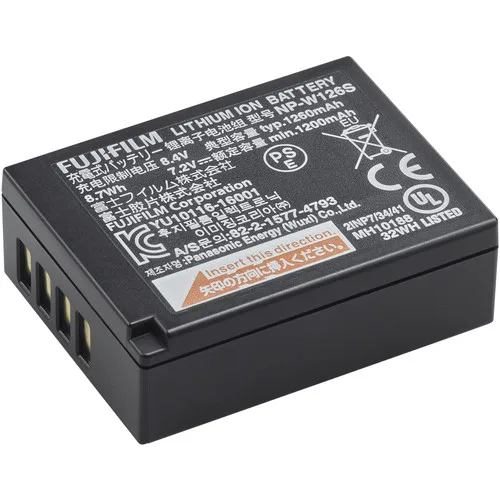
- FUJIFILM NP-W126S Li-Ion Battery Pack: The NP-W126S is designed to better manage heat and support fast camera performance in bodies like the X-T2 and X-Pro2, and it is compatible with older cameras that use the NP-W126 pack. Sensor cleaning modes and mirror-lock-up routines draw power, so a healthy battery keeps the process stable and avoids a mid-clean shutdown.
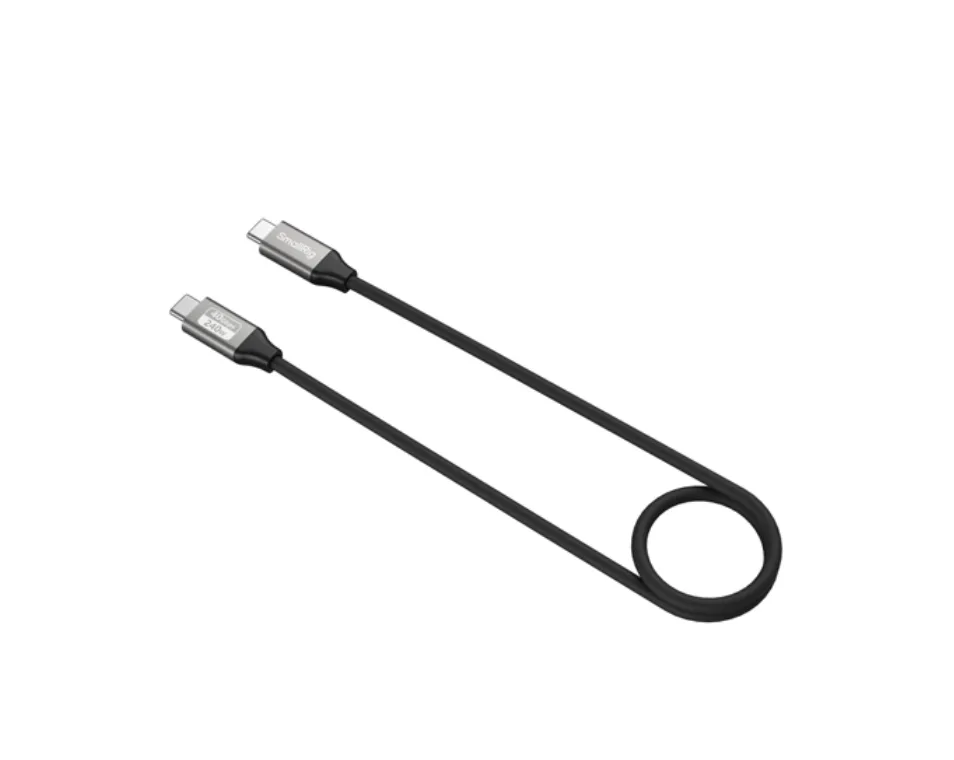
- SmallRig USB-C Data Cable (Straight to Straight, 60cm / 23.6in) (40Gbps + 240W + 8K): This 60cm straight-to-straight USB-C cable is listed with 40Gbps data transfer, 240W power delivery, and 8K support. After cleaning, tether or transfer files with a cable rated for the job instead of pulling the card and exposing the sensor chamber to more dust.
Sensor dust is normal, and most of it clears with air and one careful swab pass. Keep a correctly sized sensor cleaning kit on hand, work slowly, and stop when the test frame is clean. Your sensor will thank you.