Why Porta Pro Maintenance Matters
The Koss Porta Pro has been a favorite since 1984, thanks to its impressive sound and portable design. To keep them sounding great and fitting comfortably, a little regular care goes a long way. This guide covers simple cleaning and maintenance steps that protect your investment without requiring special tools or expertise.
Porta Pro at a Glance
-
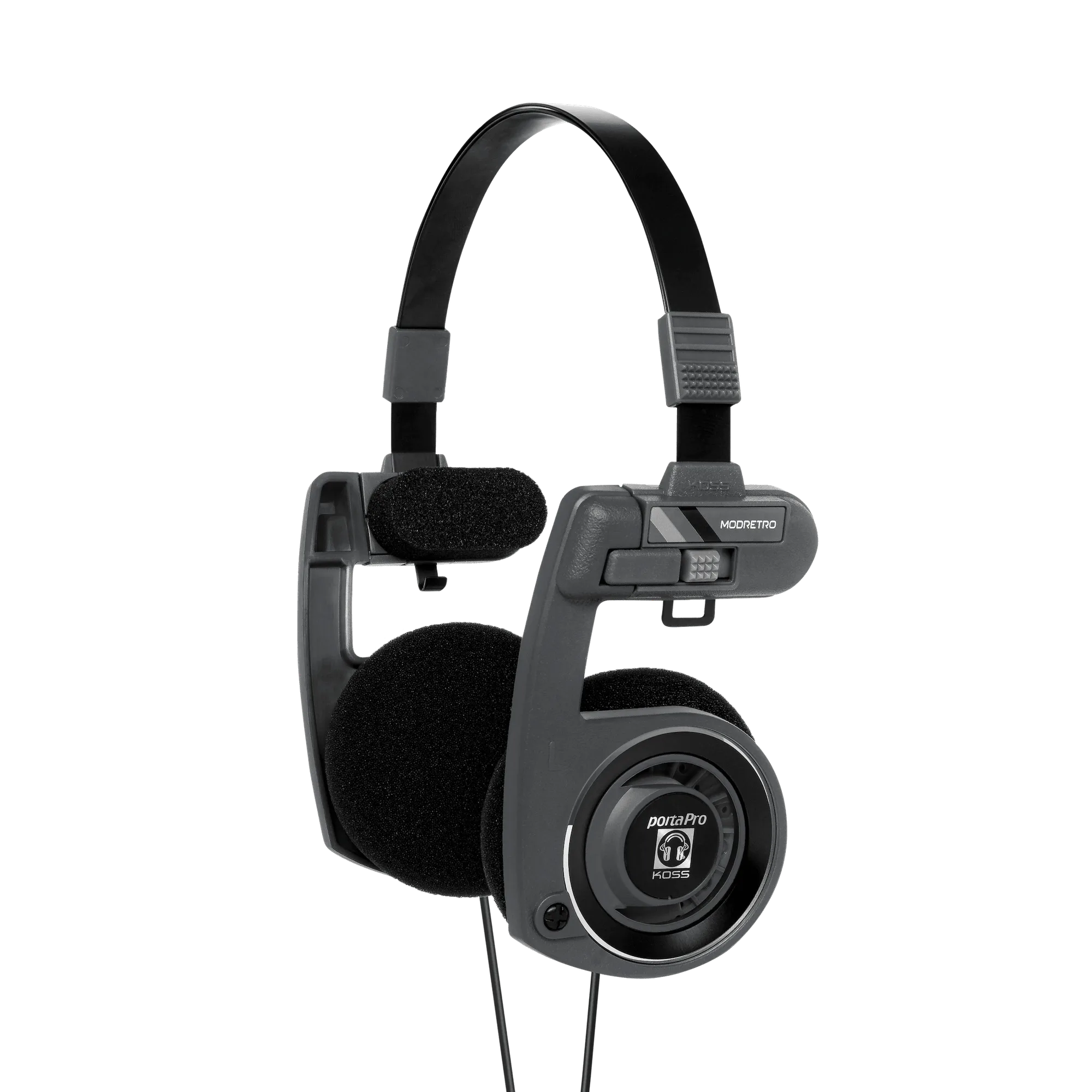
Porta Pro: The Porta Pro features dynamic drivers that deliver a wide frequency response and deep bass, with foam ear cushions for comfort. Knowing the materials helps you choose the right cleaning methods—gentle care for the foam and sensitive drivers.
-
Porta Pro: The headphones fold up neatly into a compact size for easy carrying in a bag or pocket. Portability is a key feature, but folding also means hinges and joints need occasional attention to stay smooth.
-
Porta Pro: The adjustable headband ensures a snug fit, and the foam ear cushions provide long-lasting comfort. The headband adjustment mechanism is a moving part that can collect dust or loosen over time; periodic cleaning keeps it working well.
How to Clean Your Porta Pro Headphones
These steps use common household items. Always handle the headphones gently, especially around the drivers.
- Clean the foam ear cushions: Remove the foam cushions if possible (they are designed to be replaceable). Wipe them with a slightly damp cloth—no soaking. Use mild soap if needed, then air-dry completely before reattaching. Avoid rubbing alcohol or harsh cleaners that could degrade the foam.
- Wipe the headband and frame: Use a soft, dry microfiber cloth to remove dust and oils from the plastic and metal parts. For stubborn spots, lightly dampen the cloth with water. Do not let moisture seep into the adjustment sliders or hinge joints.
- Clean the driver grilles carefully: Use a soft, dry brush (like a clean makeup brush or a soft toothbrush) to gently sweep away debris from the mesh grilles. Never poke anything into the openings—damaging the driver can permanently affect sound.
- Tend to the cable: Wipe the cable with a dry cloth. Avoid wrapping it tightly around the headphones when storing, as sharp bends can stress the internal wires. A loose figure-eight coil is gentler on the cable.
Headband Adjustment and Joint Care
The adjustable headband is a signature feature of the Porta Pro design. Over time, dust and grime can make the sliders feel gritty or stiff. To fix this, slide the headband to its full extension and wipe the exposed rails with a dry cloth. If they still feel sticky, a tiny amount of silicone lubricant on a cotton swab can help—but avoid oil-based lubes that attract dust. Work the slider back and forth a few times to distribute it evenly.
Storage Tips for Longevity
When not in use, fold the Porta Pro headphones into their compact shape and store them in a dust-free pouch or case. Avoid leaving them in direct sunlight or hot cars, as heat can warp the foam and plastic. Keeping them in a moderate environment preserves both the comfort and the sound quality.
When to Consider Foam Replacement
The foam ear cushions are the part that wears fastest, especially with daily use. If they become flattened, crusty, or no longer spring back after compression, replacement cushions are available. Swapping them restores comfort and helps maintain consistent sound isolation. The catalog does not specify a replacement interval, so use your own feel for when the foam has lost its resilience.
What the Supplied Information Doesn't Cover
The available records do not include specific cleaning instructions from Koss, nor do they list replacement part numbers or warranty details for the foam cushions. For those, check the manufacturer's website or contact their support. The steps here are based on general best practices for on-ear headphones with foam pads and are safe for the Porta Pro design.