Quick answer
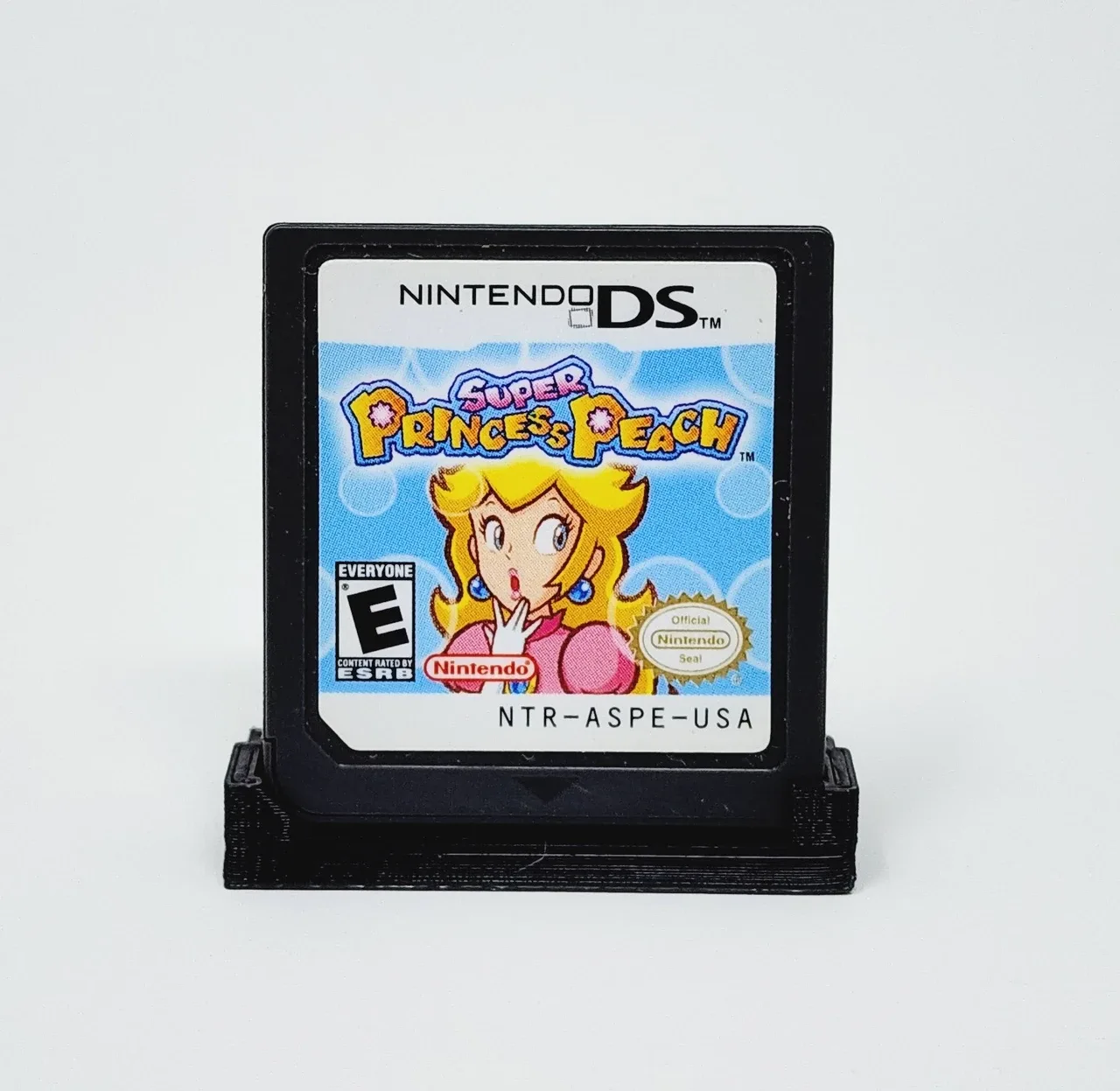
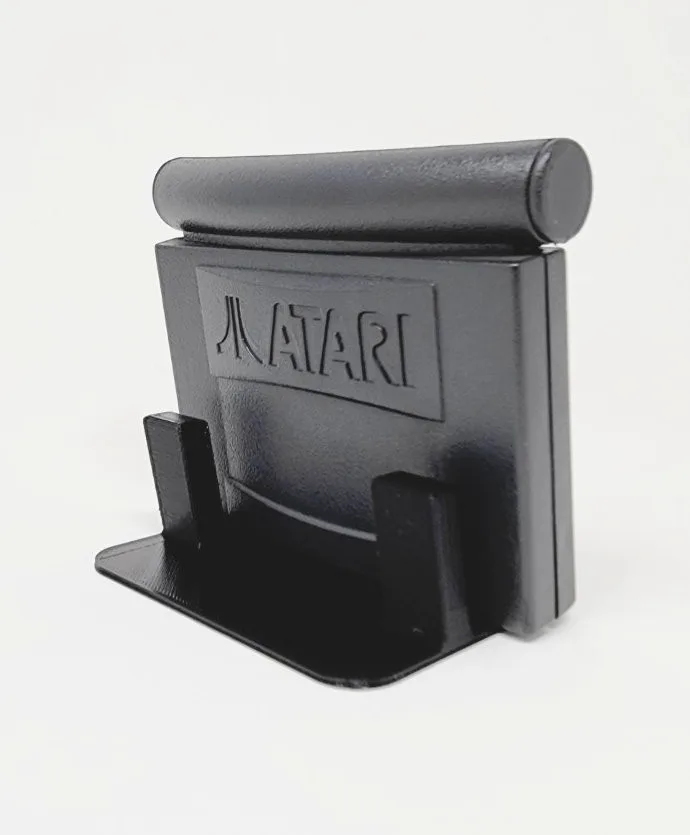
Display cartridges upright using stands that hold them at a slight angle, keep them out of direct sunlight, and avoid stacking or tight shelving that presses on labels. For loose carts, a dedicated display stand like the Trogg Tech stand for Atari Jaguar or Nintendo DS keeps games visible and stable without adhesive or pressure.
Why upright display protects labels
Labels on retro cartridges are vulnerable to three main threats: UV light, dust, and physical pressure. Laying cartridges flat stacks weight on the label and can cause scuffing when you slide them out. Leaning them against each other creates friction and edge wear. Upright display in a stand eliminates these problems by holding each cartridge separately and securely, so the label faces outward without touching anything else.
Choose the right stand for your cartridge type
Not all stands fit all cartridges. Atari Jaguar carts are wider and thicker than Nintendo DS or 3DS game cards, so a stand designed for one won't properly support the other. Look for stands that hold the cartridge by its bottom edge or back shell, leaving the label completely unobstructed. A slight angle, around 10 degrees, improves visibility and reduces the chance of tipping. The Trogg Tech line includes specific stands for Jaguar and DS/3DS games, each with a slim profile that saves shelf space.
Control light and environment
Even indirect sunlight can fade label ink over months or years. Place your display shelf away from windows, or use UV-filtering film on nearby glass. Keep humidity stable; fluctuating moisture can warp cartridges and loosen labels. A simple hygrometer helps you monitor conditions. Dust is the enemy of clean labels, so dust gently with a soft brush or microfiber cloth rather than blowing on them, which can force particles into crevices.
Handle cartridges correctly during setup
Always hold cartridges by the plastic shell, never by the label. When inserting into a stand, support the cart from the bottom and slide it in gently. Avoid touching the label surface with bare fingers; oils can leave permanent marks. If you need to clean a label, use a dry, soft eraser in a light circular motion, but test on a corner first. For valuable carts, consider archival bags for extra protection, though they can reduce display appeal.
Step-by-step display process
- Sort and inspect cartridges: Gather the cartridges you want to display. Check each label for existing damage, loose corners, or residue. Clean only if necessary, using a dry method. Mistake to avoid: using liquid cleaners, which can seep under the label and cause staining.
- Select stands that fit your cartridge type: Match the stand to the cartridge format. Jaguar carts need a wider stand; DS/3DS games need a thinner slot. Do not force a cartridge into a stand that doesn't fit. Checkpoint: the cartridge should sit securely without wobbling or requiring pressure.
- Position the display away from light and heat: Choose a shelf or cabinet that avoids direct sunlight and heat sources like radiators or vents. If using a glass cabinet, consider UV film. Mistake to avoid: placing displays on windowsills, even if the light seems indirect.
- Insert cartridges gently: Hold the cartridge by its edges and slide it into the stand until it rests at the intended angle. Never push on the label area. Checkpoint: the label should face outward and be fully visible, with no part of the stand covering it.
- Maintain the display regularly: Dust with a soft brush or microfiber cloth every few weeks. Rotate cartridges if you notice any fading or dust accumulation. Mistake to avoid: using compressed air, which can force dust into the cartridge shell and scratch labels.
Products that help
- Display Stand for Atari Jaguar Game Cartridges - Trogg Tech: Display Stand for Atari Jaguar Game Cartridges - Trogg Tech: 3D printed, slim profile, about 10 degree angle, holds cartridges upright. Keeps Jaguar carts stable and visible without leaning or stacking, reducing label wear.
- Display Stand for Nintendo DS and Nintendo 3DS Games - Trogg Tech: Display Stand for Nintendo DS and Nintendo 3DS Games - Trogg Tech: 3D printed, slim profile, games plug in for a perfect fit, about 10 degree angle. Provides a secure, space-saving way to display DS/3DS games with labels fully visible.
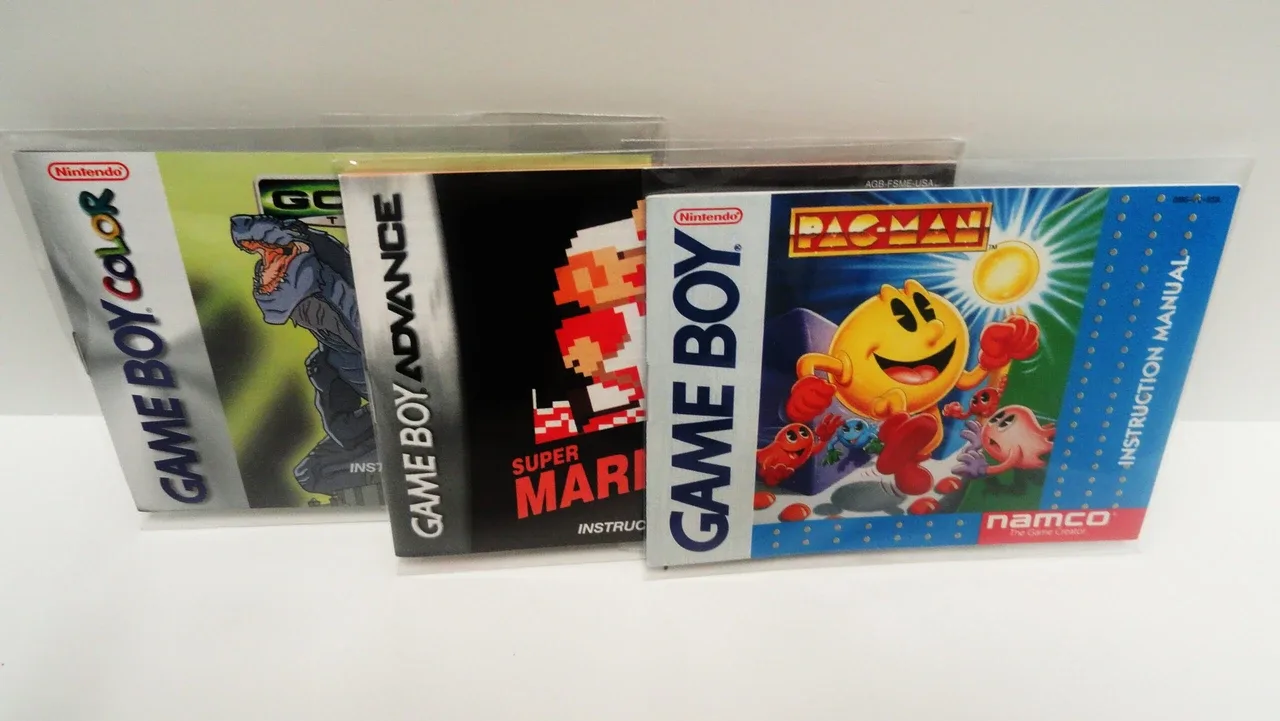
- Storage Bags for Game Boy Manuals (GB, GBC, GBA): Storage Bags for Game Boy Manuals (GB, GBC, GBA): archive grade, crystal clear, resealable, acid-free, lead-free, phthalate-free. Protects manuals from dust and handling, complementing your cartridge display for a complete collection.