Quick answer
To fit cards in Mini Super Series Silver sleeves, choose cards that match the 89mm x 62mm interior size, insert them top-first while holding the sleeve open, and gently press down to seat the card fully.
Why sleeve size matters for mini cards
Mini Super Series Silver sleeves are designed for mini cards measuring 89mm x 62mm. Using them with cards that are too large can cause bending or tearing, while cards that are too small may slide out. Always check your card dimensions before sleeving.
The sleeves have a smooth back and a 0.10mm thickness, which provides a snug fit without adding excessive bulk. This makes them ideal for everyday play or storage of mini-sized game pieces.
Common mistakes when inserting cards
A frequent error is forcing the card in from the wrong end. Mini sleeves have a sealed bottom and an open top—inserting from the bottom can damage both the sleeve and the card. Another mistake is not opening the sleeve mouth fully, which can cause the card to catch and crease.
Also, avoid overstuffing the sleeve. If the card fits too tightly, it may warp over time. If it's too loose, the card might not stay protected. The Mini Super Series Silver sleeves are designed for a precise fit when used with correctly sized mini cards.
Step-by-step guide to fitting cards in Mini Super Series Silver sleeves
- Step 1: Verify card size: Measure your mini card's width and height. It should be no larger than 89mm x 62mm. If your card is smaller than 85mm x 58mm, consider using a different sleeve size for a snug fit. Using a card that is too large can split the sleeve or damage the card.
- Step 2: Open the sleeve mouth: Hold the sleeve with the open end facing up. Gently pinch the sides of the sleeve near the opening to create a gap. Do not blow into the sleeve—this can introduce moisture or dust. Always open the sleeve from the top; the bottom is sealed.
- Step 3: Insert the card top-first: Slide the card into the sleeve with the top edge entering first. Keep the card straight and push gently until it reaches the bottom. If you feel resistance, stop and realign the card. Inserting the card at an angle can cause the corner to poke through the sleeve.
- Step 4: Seat the card fully: Once the card is inside, press down lightly on the top edge to ensure it sits flat against the bottom of the sleeve. Run your finger along the sleeve to remove any air bubbles. A fully seated card should not wiggle or protrude from the top.
- Step 5: Check the fit: Hold the sleeved card up to the light. The card should be centered with even margins on all sides. If the card is crooked, remove it carefully and start again. A crooked fit can lead to uneven wear or the card slipping out during play.
Product details
-
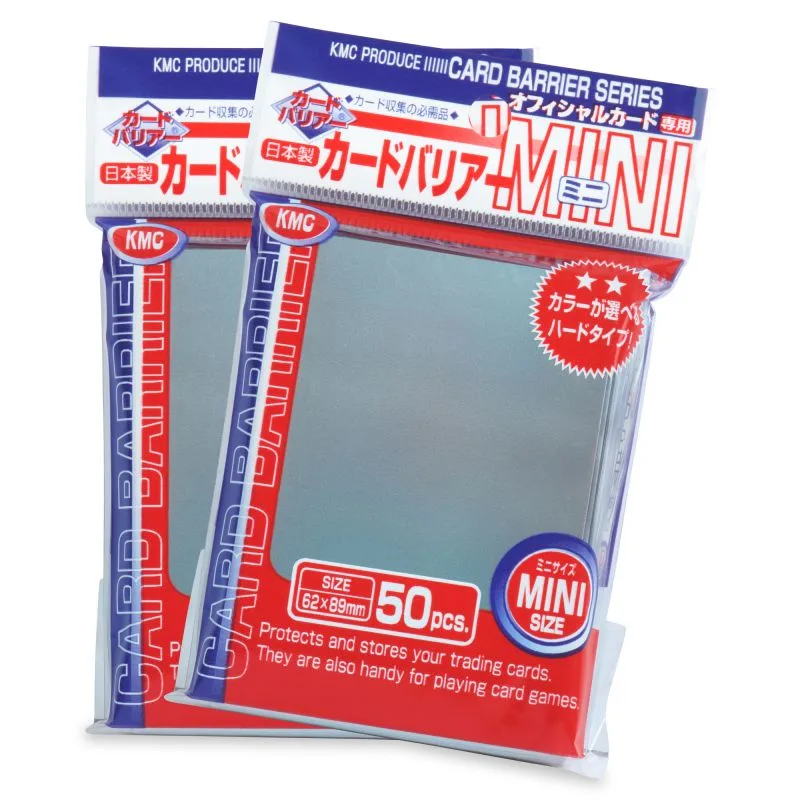
Mini Super Series Silver: Size = 89mm x 62mm, Thickness = .10mm, Backs = Smooth The 89mm x 62mm interior ensures a snug fit for standard mini cards, and the 0.10mm thickness keeps the sleeve flexible yet protective.
Mini Super Series Silver