Quick answer
Use the dedicated interior laptop pocket inside the main compartment, then balance lighter items on top to keep the pack stable and your device secure.
Why the top-loader design works for laptops
The Montana Top Loader Backpack has a single large main compartment with a top zipper opening. This makes it easy to slide a laptop into the interior padded sleeve without wrestling with side zippers or flaps. The trade-off is that you must pack from the top, so you need a consistent loading order to avoid the laptop shifting against other items.
What the interior laptop pocket can and cannot do
The Montana includes an interior laptop pocket that adds a layer of padding and keeps the device separated from books or gear. It does not have a false bottom or a separate zippered compartment, so the laptop rests at the bottom of the bag. This is fine for daily commuting and casual use, but if you often set the bag down hard, consider adding a padded sleeve for extra protection.
How to pack your laptop in the Montana Top Loader Backpack
- Open the main compartment fully: Unzip the top zipper all the way so you can see the interior pocket. A common mistake is to only open it partway, which makes it hard to slide the laptop in flat. Always open the zipper fully to avoid bending the laptop.
- Slide the laptop into the interior pocket first: Place the laptop screen-side facing the back panel so the padded back rests against your spine. This keeps the screen away from hard objects you add later. Screen facing your back = less risk of pressure damage.
- Add heavier items on top, not against the laptop: Place books or a water bottle on top of the laptop pocket, not directly against the laptop. The pocket acts as a buffer, but stacking heavy items sideways can still transfer pressure. Keep the laptop pocket as the bottom layer for even weight distribution.
- Secure loose cables and small items in front pockets: Use the multiple front pockets for chargers, mouse, and pens. This prevents sharp objects from pressing into the laptop area when you close the bag. Front pockets keep clutter away from the main compartment.
- Check the fit before zipping closed: Make sure the zipper runs smoothly without forcing. If the bag bulges, redistribute items. Overstuffing a top-loader can strain the zipper and compress the laptop. A smooth zipper run means the load is balanced.
Product facts
-
Montana Top Loader Backpack: The Montana Top Loader Backpack features an interior laptop pocket and a padded back and straps. The interior pocket keeps your laptop separated and cushioned, while the padded back reduces pressure points when carrying a heavier load.
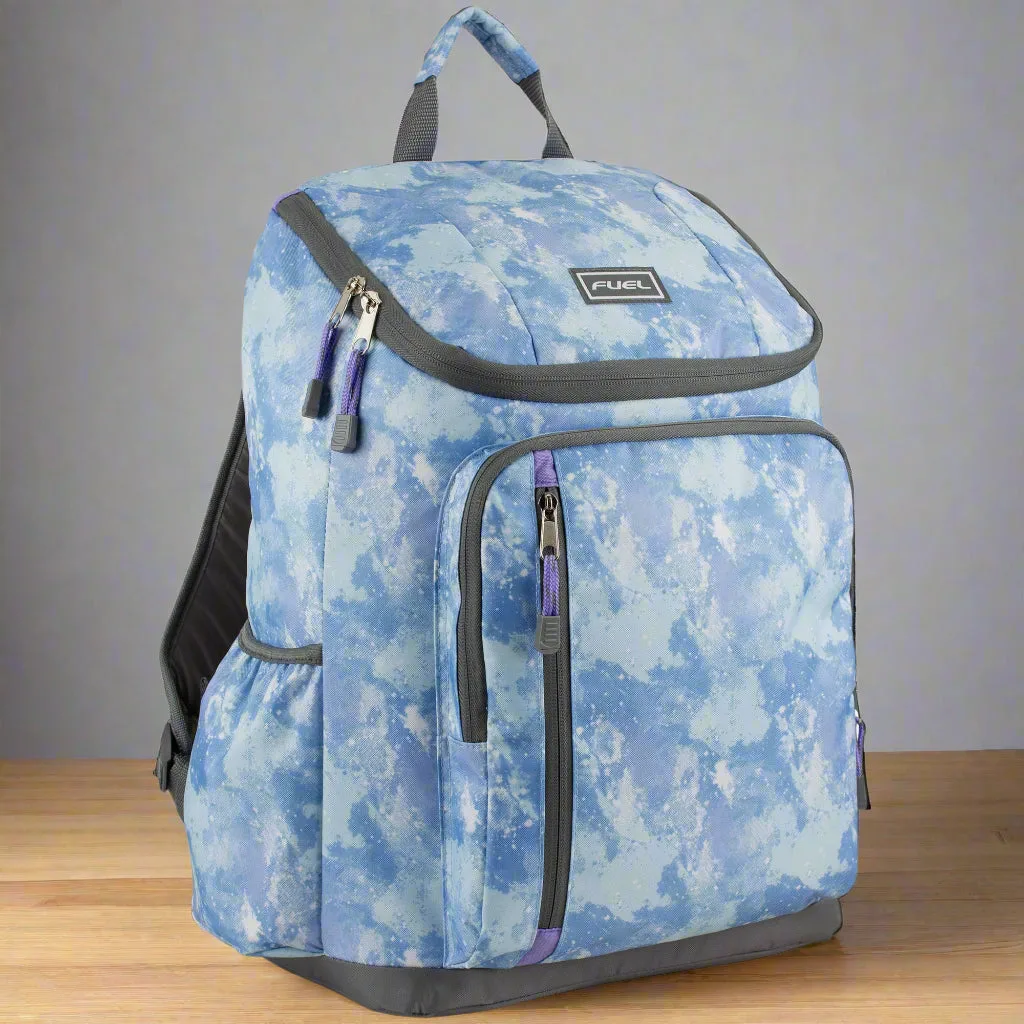
Montana Top Loader Backpack