Quick answer
To fit a SquareHood safely, power off the camera, clean the lens thread, and align the hood perfectly before turning. For the Model V, slide the inner sleeve in first, then twist the outer hood until it seats—never force it. For the X100 Glass hood, screw it directly onto the lens until snug; no adapter is needed. Always check that the hood does not block the optical viewfinder or the focus ring.
Why the X100 lens thread needs extra care
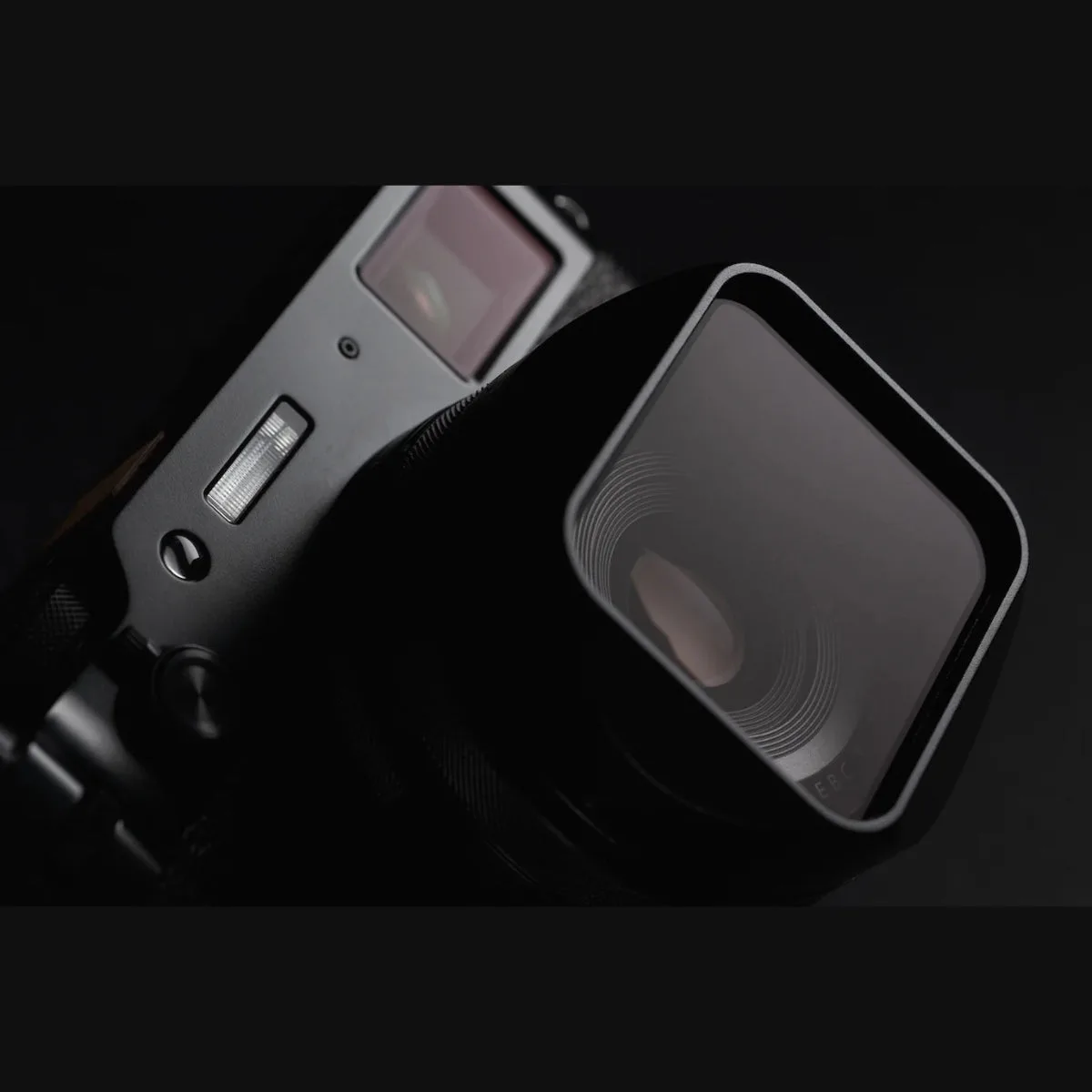
The Fuji X100 series has a fixed lens with a filter thread that also accepts hood adapters. That thread is fine-pitched and easy to cross-thread if you start the hood at an angle. Unlike a bayonet mount, you cannot feel a click—you feel resistance. If it binds, stop immediately and restart. A cross-threaded hood can damage the lens thread, which is expensive to repair. Also, the X100's optical viewfinder sits close to the lens axis, so a bulky hood can intrude into the corner of your view. SquareHood designs address this with a small window or a compact profile, but you still need to check after fitting.
What you need before you start
You do not need tools for most SquareHood models. You will need a microfibre cloth, a blower or soft brush, and good lighting. If you wear rings, remove them to avoid scratching the lens barrel. Work over a table or soft surface so a dropped hood does not dent. For the Model V, confirm you have both the inner sleeve and the outer hood. For the X100 Glass, confirm the hood includes the built-in filter and the slip-on metal cap. If you plan to use a filter under the Model V, have it ready—the inner sleeve supports filters, so you install the filter before the hood.
Step-by-step fitting for SquareHood Model V
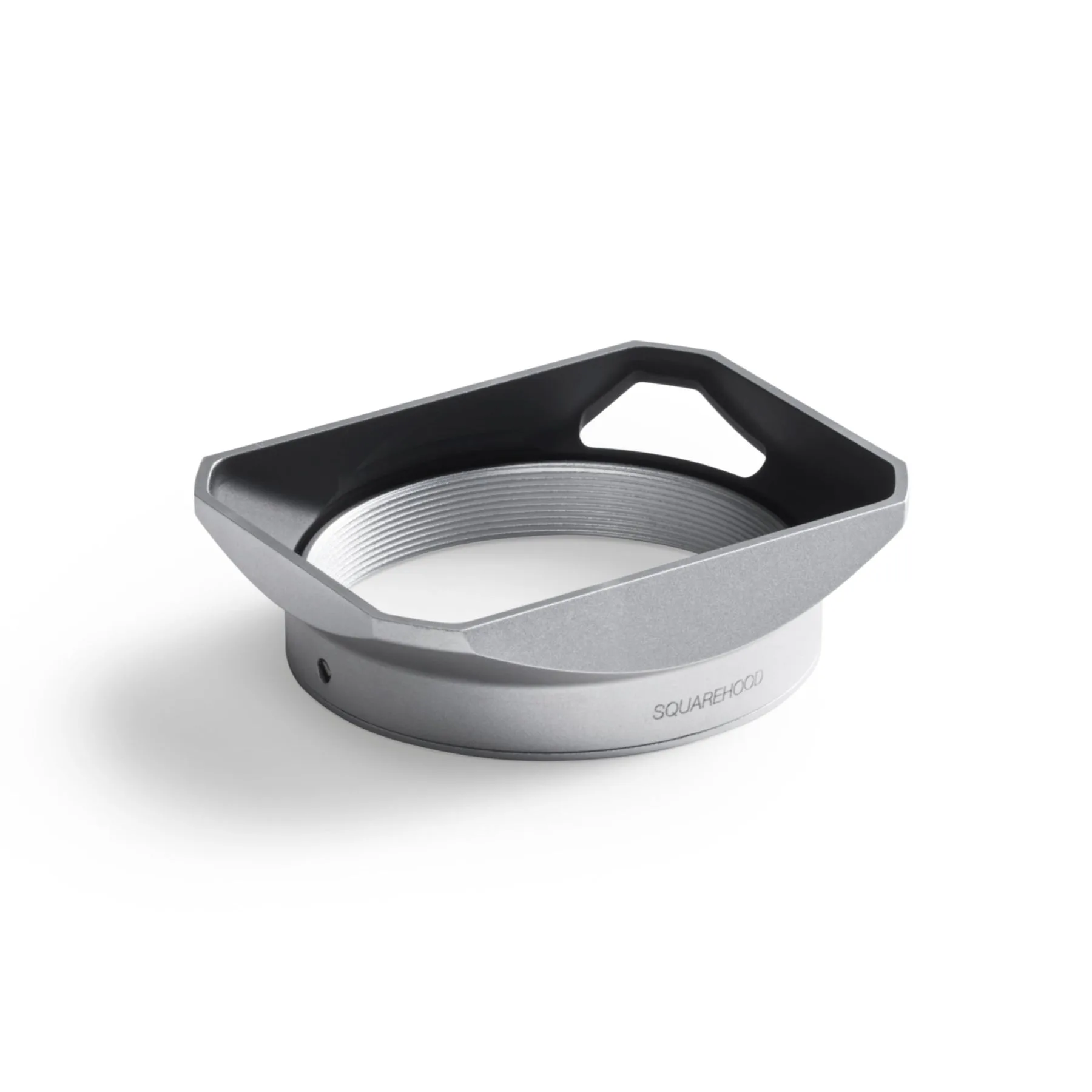
The Model V is a two-piece design: an inner sleeve that supports filters and an outer hood with a small window to minimise viewfinder obstruction. It is the updated model that fixes the gap on the X100VI. Start by powering off the camera and removing any existing filter or step-up ring. Clean the lens thread with a blower and microfibre cloth. If you are using a filter, screw it onto the lens first, then slide the inner sleeve over it until it sits flush against the lens front. Do not force the sleeve—it should slide smoothly. Next, align the outer hood's thread with the sleeve's thread. Turn counterclockwise until you feel the thread start, then turn clockwise gently until snug. Do not overtighten. Finally, look through the optical viewfinder and check the small window—rotate the hood slightly if the window is not positioned to give you a clear view. The hood should not block the focus ring or the aperture ring.
Step-by-step fitting for SquareHood X100 Glass
The X100 Glass hood is an all-in-one solution with a built-in 10% haze or bloom filter. It screws directly onto the lens—no adapter is needed. Power off the camera and clean the lens thread. Remove any existing filter. Align the hood's thread with the lens thread and turn counterclockwise until you feel the threads engage, then turn clockwise until snug. Do not force it. Because this hood also weather seals the camera against moisture and dust, make sure it is fully seated. The hood comes with a slip-on metal cap; use it when the camera is not in use to protect the glass. Check that the hood does not obstruct the viewfinder; its compact design is intended to minimise that, but your shooting style may require a slight adjustment.
Common mistakes and how to avoid them
The most common mistake is cross-threading: starting the hood at an angle and forcing it. Always start counterclockwise to find the thread start, then turn clockwise. Another mistake is overtightening, which can bind the hood or damage the thread. Tighten only until snug. A third mistake is forgetting to remove a step-up ring or old filter before fitting a hood that screws directly onto the lens—this can prevent the hood from seating and may cause damage. Finally, not checking viewfinder obstruction: after fitting, look through the viewfinder and confirm the hood does not block the corner. If it does, rotate the hood slightly or consider a different model.
Safe fitting steps at a glance
- Power off and clean: Turn off the camera and use a blower and microfibre cloth to remove dust from the lens thread. A single grain of sand can cause cross-threading. Checkpoint: the thread should look clean and shiny under good light.
- Remove old filters or adapters: Unscrew any existing filter, step-up ring, or adapter. The SquareHood X100 Glass screws directly onto the lens, and the Model V's inner sleeve expects a bare thread or a filter only. Checkpoint: the lens front should be bare metal thread.
- Start the thread counterclockwise: Align the hood with the lens and turn it counterclockwise until you feel a slight drop, then turn clockwise. This finds the thread start without cross-threading. Checkpoint: if you feel resistance after a quarter turn, stop and restart.
- Tighten until snug, not gorilla-tight: Turn clockwise until the hood stops with light pressure. Overtightening can bind the hood or damage the lens thread. Checkpoint: the hood should not wobble, but you should be able to remove it without excessive force.
- Check viewfinder and controls: Look through the optical viewfinder and confirm the hood does not block the corner. Also check that the hood does not interfere with the focus ring or aperture ring. Checkpoint: if the view is blocked, rotate the hood slightly or consider a model with a window like the Model V.
SquareHood models for Fuji X100
- SquareHood Model V for Fuji X100 Cameras - Silver: This lens hood is the updated model that fixes the gap on the X100VI. Model V features a two piece design with an inner sleeve that supports filters. It also incorporates a small window to minimise obstruction of the optical viewfinder. The two-piece design lets you use filters without removing the hood, and the window helps you see through the viewfinder without the hood blocking your view. The update ensures a proper fit on the X100VI.
- SquareHood - X100 Glass (Haze or Clear): The latest hood for the Fujifilm X100 series cameras - an all-in-one hood with filter that screws directly onto the lens. This hood comes with a built-in 10 % haze / bloom filter. No adapter is needed, this hood will screw directly onto the lens. It is the most compact solution to protect your x100 the hood also weather seals the camera against moisture and dust. The hood comes with a slip on metal cap to make sure... If you want a compact, protective hood that also adds a creative haze effect and seals against weather, this is the simplest option. No extra adapter means fewer parts to lose or cross-thread.