Quick answer
To install an 8KHz aviator keyboard cable, first detach the aviator connector from the cable, route the cable through your keyboard case, then reconnect the connector and plug into your device. Ensure the connection is secure to maintain high-speed signal integrity.
Why proper installation matters for 8KHz cables
8KHz keyboards require a clean, uninterrupted signal path to register every keystroke at high polling rates. A loose or improperly routed aviator connection can introduce noise or signal loss, causing missed inputs or erratic behavior. Taking a few extra seconds during installation prevents these issues.
What makes the braided aviator cable different
The detachable aviator connector is a two-piece design: a plug that stays in your keyboard and a collar that screws onto the cable. This lets you pass the cable through tight spaces without forcing a bulky connector through. The braided outer jacket adds durability but is less flexible than rubber—plan your routing path to avoid sharp bends.
Installation steps
- 1. Detach the aviator connector: Unscrew the collar from the aviator plug. Keep the plug separate—it will stay in your keyboard while you route the cable. Common mistake: trying to push the full connector through a small opening. Always detach first.
- 2. Route the cable through your keyboard case: Feed the cable end (without the plug) through the designated cable channel or hole in your keyboard case. Pull enough slack so the plug can reach the port without tension. Checkpoint: avoid sharp bends or kinks in the braided jacket—these can degrade signal quality over time.
- 3. Reconnect the aviator plug: Insert the aviator plug into your keyboard's port until it clicks or seats firmly. Then screw the collar back onto the plug. Hand-tighten only—do not use tools. Common mistake: overtightening the collar can damage the connector threads. Stop when you feel resistance.
- 4. Connect the USB end to your device: Plug the USB end of the cable into your computer or hub. Ensure the connection is fully seated. For 8KHz operation, use a USB 3.0 port or higher to avoid bandwidth bottlenecks. Checkpoint: if your keyboard isn't recognized, try a different USB port. Some older hubs may not supply enough power for high-speed polling.
- 5. Test the connection: Open your keyboard's configuration software or a key tester to verify all keystrokes register correctly. Wiggle the cable near the aviator connector to confirm it's secure. If you see intermittent drops, re-check the aviator connection and try a different USB cable path to rule out interference.
Product facts
-
8KHz Braided Aviator Keyboard Cable — Violet, 3m Flex: Built for responsive 8KHz keyboard setups with a two-piece braided aviator build and flexible 3m stretched reach. The detachable aviator connection allows easy cable routing through keyboard cases, while the braided jacket protects the cable from wear in high-use environments.
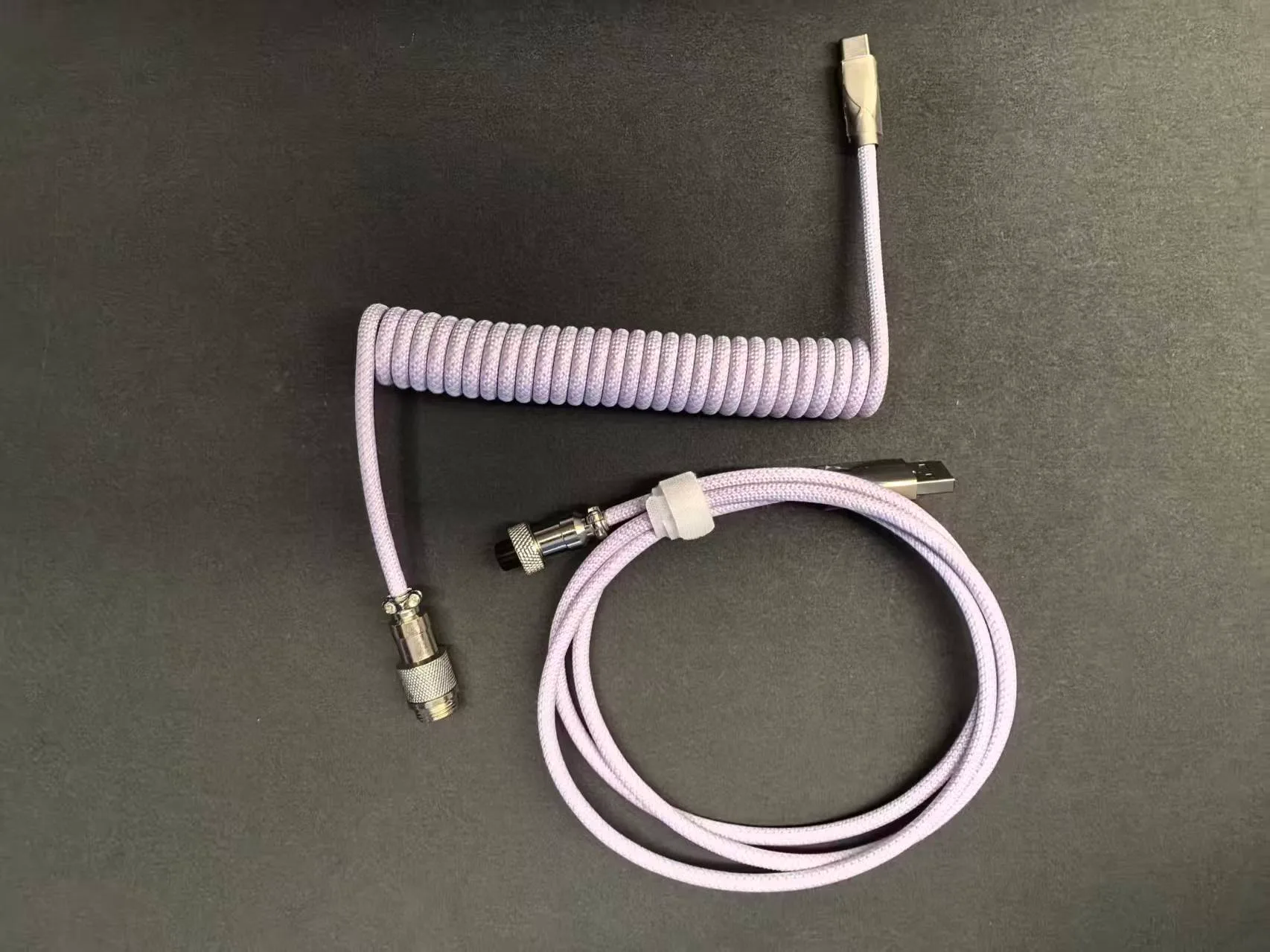
8KHz Braided Aviator Keyboard Cable — Violet, 3m Flex