Quick Answer
To install the eufy Smart Lock C30 on a traditional door, you’ll replace your existing deadbolt with the included hardware, mount the interior and exterior assemblies, and complete setup in the eufy Security app.
What to Check Before You Start
Before you begin, confirm your door is compatible. The C30 fits standard doors with a 2-1/8-inch bore hole and a 1-inch latch hole, and it works with both 2x3/8-inch and 2x3/4-inch backset. Measure these dimensions first to avoid surprises.
Also, ensure your door thickness is between 1-3/8 and 2 inches. If your door is thicker or thinner, the included screws may not fit properly. If you’re unsure, measure carefully and consult eufy support before purchasing additional hardware.
Wiring and Wi-Fi Considerations
The C30 has built-in Wi-Fi, so you don’t need a separate bridge. That simplifies installation, but it also means the lock must be within range of your 2.4 GHz Wi-Fi network during setup. If your router is far from the door, consider a Wi-Fi extender before you start.
The lock is battery-powered, so no hardwiring is needed. Just insert the included batteries into the interior assembly. You’ll get real-time notifications and remote control through the eufy Security app once connected.
Step-by-Step Installation
- Remove the Existing Deadbolt: Unscrew and remove your current deadbolt from the door. Keep the screws aside; you may need them if the new ones don’t fit. Check that the bore hole is clean and free of debris. Check that the door prep matches the C30 template; if not, you may need to enlarge the hole.
- Install the Latch and Strike Plate: Insert the new latch into the edge of the door with the bevel facing the correct direction (toward the door frame). Secure it with the included screws. Then, attach the strike plate to the door frame, aligning it with the latch. Ensure the latch moves freely; a misaligned strike plate will cause binding.
- Mount the Exterior Assembly: Place the exterior keypad assembly over the bore hole on the outside of the door. Route the cable through the hole to the interior side. Make sure the tailpiece aligns with the latch mechanism. Double-check that the cable is not pinched between the door and the assembly.
- Connect and Mount the Interior Assembly: On the inside, connect the cable from the exterior to the interior unit. Insert the provided batteries. Then, align the interior assembly over the mounting screws and tighten them evenly. Test the physical buttons and key override. Tighten screws gradually in a cross pattern to avoid warping the assembly.
- Complete Setup in the eufy Security App: Download the eufy Security app, create an account, and add the C30. Follow the in-app instructions to connect to your 2.4 GHz Wi-Fi. Once paired, test remote lock/unlock and set up access codes. If the lock doesn’t connect, move your router closer or check that you’re using 2.4 GHz, not 5 GHz.
Product Facts
-
eufy Security Smart Lock C30, Traditional, Nickel: The eufy Security Smart Lock C30 features built-in Wi-Fi, so no bridge is required for remote control from anywhere via the eufy Security app. This means you can monitor and control your lock immediately after setup without buying extra accessories, and you’ll receive real-time notifications and event history.
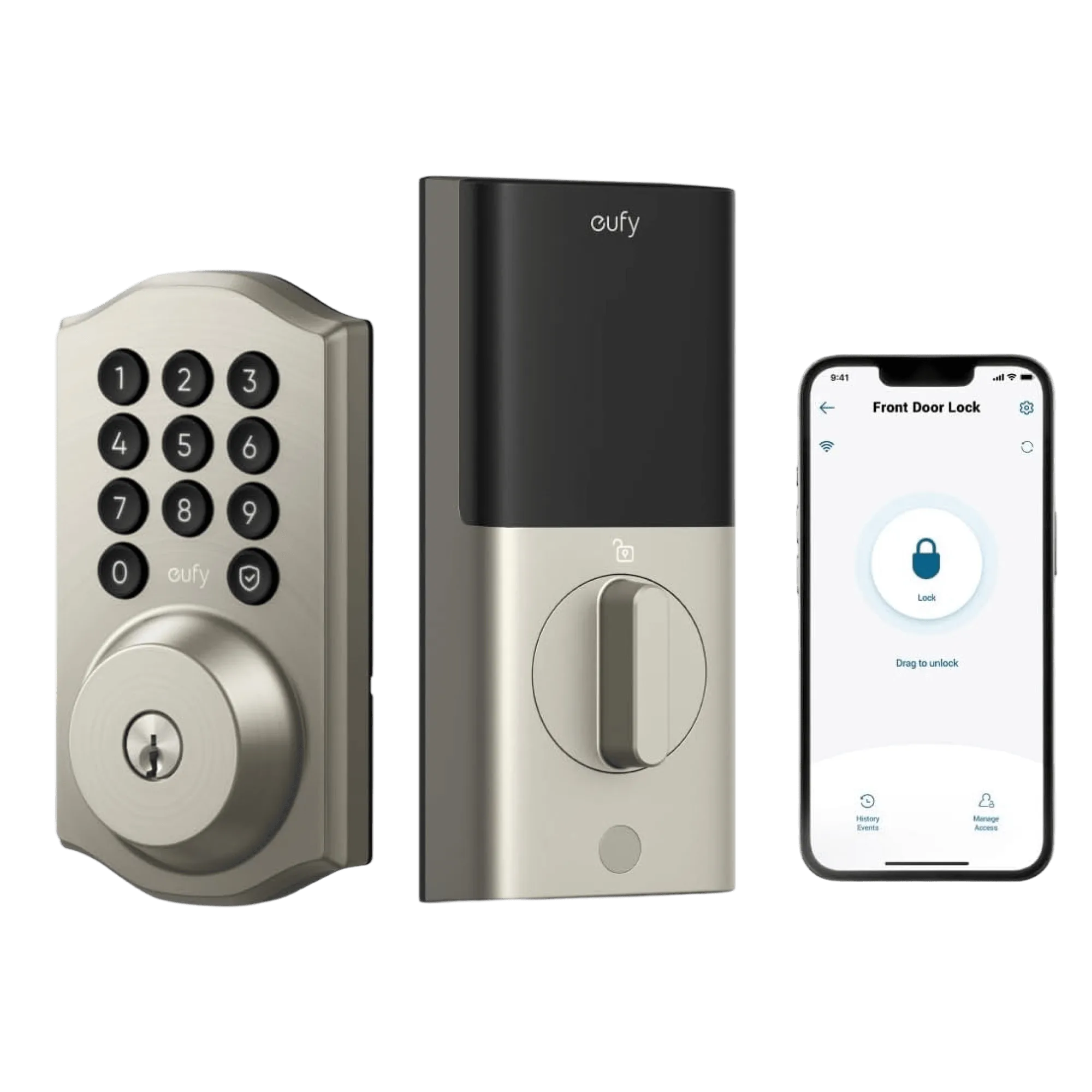
eufy Security Smart Lock C30, Traditional, Nickel