Quick Answer
To install glass mouse skates, first clean the mouse base thoroughly, then peel the old skates off carefully. Apply the new glass skates by aligning them precisely with the recessed areas, press firmly, and avoid touching the adhesive side. Let the skates settle for a few hours before heavy use to ensure full adhesion.
Why Glass Skates Are Different to Install
Glass mouse skates, like those from Lethal Gaming Gear, are harder and more brittle than PTFE skates. They require extra care during installation to avoid cracking or misalignment. The adhesive backing is also stronger, so placement must be accurate on the first try.
What You Need Before Starting
Gather a clean, flat work surface, a microfiber cloth, isopropyl alcohol (70% or higher), tweezers (optional), and the replacement glass skates. Avoid using sharp tools that could scratch the mouse base or the skates themselves.
Step-by-Step Installation Guide
- Remove Old Skates: Use a plastic spudger or your fingernail to gently lift a corner of the old skate and peel it off. Avoid metal tools that can scratch the mouse base. Common mistake: pulling too fast can tear the adhesive layer, leaving residue. If residue remains, use isopropyl alcohol to soften it.
- Clean the Mouse Base: Wipe the recessed areas with a microfiber cloth dampened with isopropyl alcohol. Remove all dust, oil, and adhesive residue. Let it dry completely. Checkpoint: any leftover debris under the new glass skates can cause uneven glide or micro-scratches on the skate surface.
- Align and Apply the Glass Skates: Hold the new glass skate by its edges, align it with the recessed area precisely. Lower it straight down without sliding it sideways. Press firmly with even pressure for 10-15 seconds. Common mistake: sliding the skate after contact can misalign the adhesive. If the skate is crooked, remove it immediately and re-clean the base before reapplying.
- Let the Skates Set: After installation, place the mouse on a flat surface and avoid using it for at least 2-3 hours. For best results, wait 12 hours before gaming. Checkpoint: glass skates have strong adhesive that bonds fully over time. Rushing this step can cause skates to lift or shift during use.
Products Mentioned in This Guide
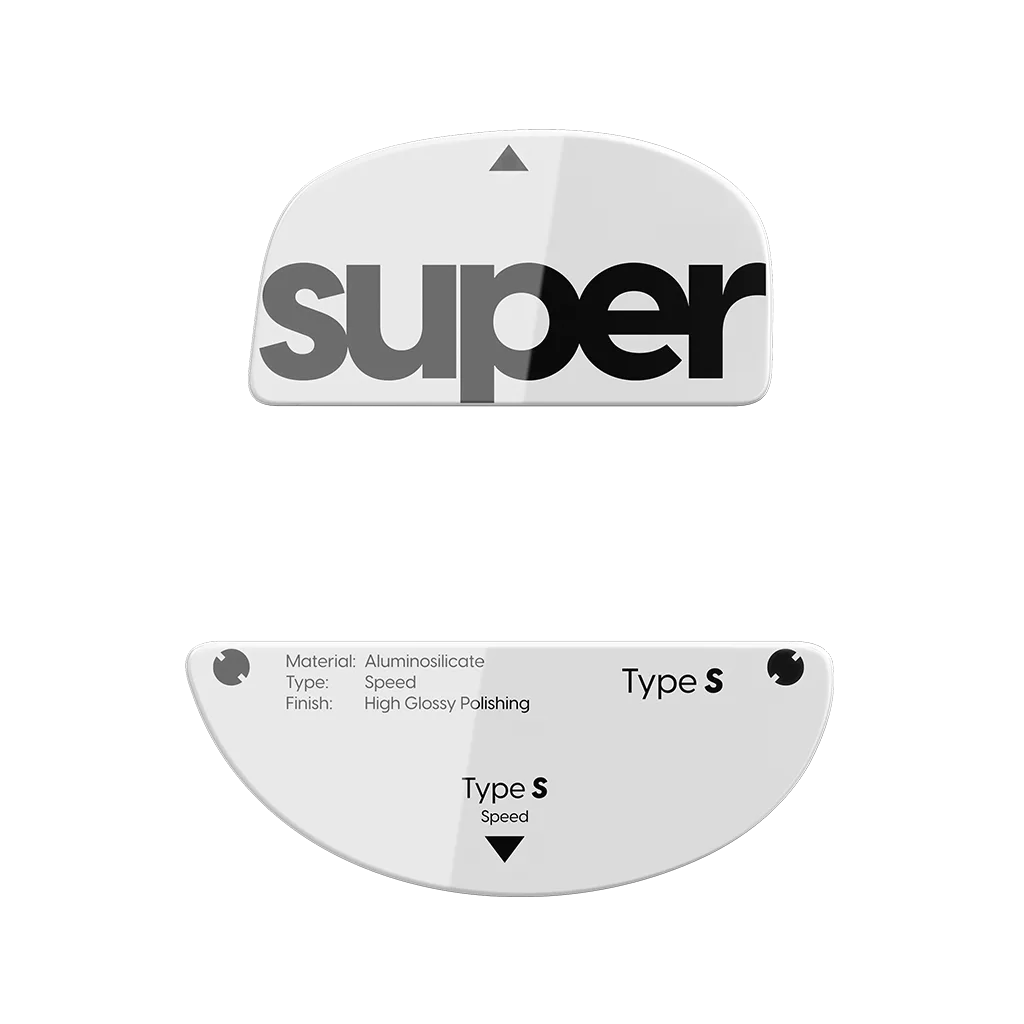
- Glass Skates (Type-S) for ZywOo The Chosen Mouse: New Controllable Speed Surface. Superglide 2 (Type-S) features a revolutionary micro-surfaced texture that covers the entire surface, including the round edges. This innovative texture not only maintains the fast speed and smooth glide of its predecessor but also provides exceptional stopping power. The micro-texture on these glass skates offers controlled glide, making them a good choice if you want stopping power without sacrificing speed. The full-surface texture also helps with consistent installation alignment.
- Lethal Skates V2 - Logitech G303 Shroud Edition - Made of Glass: WARNING: GLASS DOES NOT HANDLE HUMIDITY OR MOISTURE WELL. IF YOUR GAMING AREA HAS HIGH HUMIDITY OR MOISTURE, THEY WILL FEEL VERY SLUGGISH. GLASS MAY CAUSE ADDITIONAL WEAR ON CLOTH AND PLASTIC SURFACES COMPARED TO PTFE DUE TO ITS HARDNESS. Before installing glass skates, consider your environment. High humidity can make them feel sluggish, and the hardness may wear hybrid mousepads faster. These factors affect long-term performance after installation.