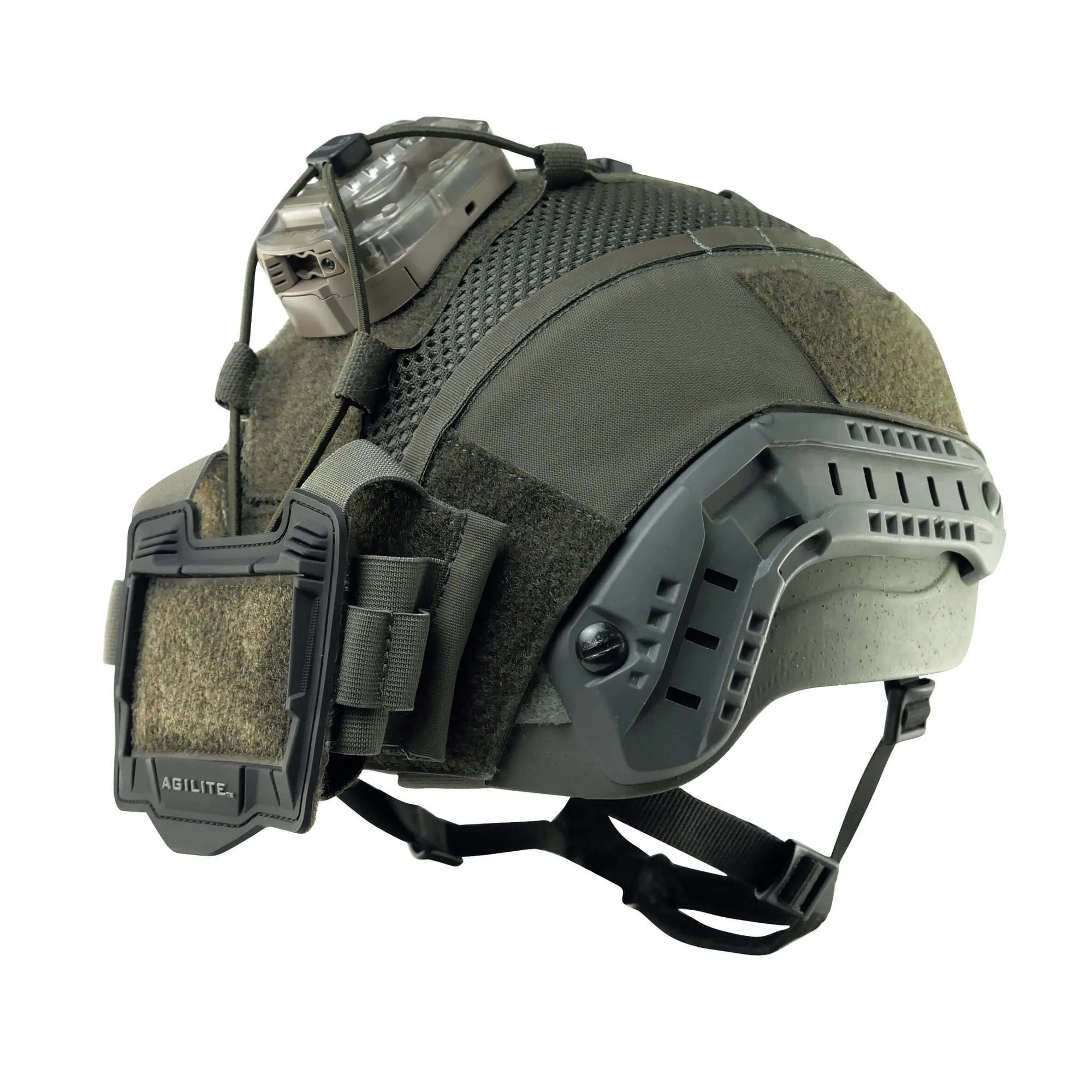
Bump helmets are a popular choice for tactical professionals and enthusiasts who need lightweight head protection without the bulk of a ballistic helmet. Whether you're using yours for training, airsoft, or low-risk operations, adding a helmet cover can enhance camouflage, reduce glare, and provide a platform for mounting accessories. In this guide, we'll walk you through the process of installing a helmet cover on a bump helmet, ensuring a secure and professional fit.
We'll cover the tools you need, the step-by-step installation process, and tips for maintaining your cover. We'll also highlight some excellent options like the Ops-Core Sentry Mid Cut Helmet Cover-Gen4 and the 3M ULW Ultra Light Weight Helmet Cover, both of which are designed to fit specific helmet models. By the end, you'll have the confidence to install and care for your helmet cover like a pro.
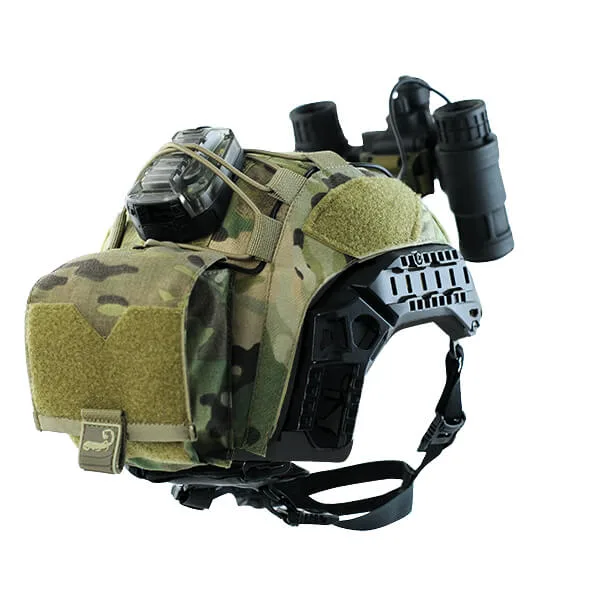
3M ULW Ultra Light Weight Helmet Cover
Why Use a Helmet Cover on a Bump Helmet?
A helmet cover serves multiple purposes. Primarily, it breaks up the outline of your helmet, helping you blend into your environment. This is crucial for hunters, photographers, and tactical operators who need to remain concealed. Additionally, covers protect the helmet's shell from scratches, dirt, and UV damage, extending its lifespan.
Covers also provide a versatile platform for attaching accessories like patches, lights, or even a small admin pouch. Many covers come with hook-and-loop panels that allow you to customize your setup. For bump helmets, which are often used in training or recreational activities, a cover adds a layer of durability and style without adding significant weight.
- Camouflage and concealment
- Protection from scratches and UV rays
- Attachment points for accessories
- Easy to clean and replace
Tools and Preparation
Before you begin, gather the necessary tools. You'll need a clean, dry cloth, a mild soap solution (if the cover is dirty), and possibly a small flathead screwdriver or plastic pry tool to help tuck edges. It's also helpful to have a friend assist you, especially for larger helmets.
Ensure your bump helmet is clean and free of any debris. If the helmet has any protruding mounts or rails, you'll need to work the cover around them carefully. Check the cover's compatibility with your helmet model – some covers are designed for specific shapes and cuts, like mid-cut or high-cut helmets.
- Clean the helmet surface with a damp cloth
- Check for compatibility with your helmet model
- Have a pry tool ready for stubborn edges
Step-by-Step Installation Process
Start by orienting the cover correctly. Most covers have a front and back – look for any markings or the shape of the brim. Place the cover over the helmet, aligning the front edge with the helmet's front. If your cover has an adjustable strap or cord, leave it loose for now.
Gently pull the cover down over the helmet, working from front to back. Use your fingers to press the cover into the helmet's contours, ensuring it sits snugly. If the cover has a hole for a mounting shroud or rails, align it carefully. For covers like the Ops-Core Sentry Mid Cut Helmet Cover-Gen4, you may need to tuck the edges around the helmet's cutouts.
Once the cover is in place, tighten any drawstrings or adjust hook-and-loop closures. Make sure the cover is evenly stretched and there are no wrinkles. If your cover has a nape strap or chin strap opening, ensure it's aligned properly. Finally, give the helmet a gentle shake to confirm the cover stays put.
- Align the front edge with the helmet's front
- Work from front to back to avoid wrinkles
- Tighten all adjustment points for a secure fit
Installing Popular Helmet Covers
The Ops-Core Sentry Mid Cut Helmet Cover-Gen4 is a top choice for those with Ops-Core bump helmets. It's designed to fit mid-cut helmets and features a durable construction that resists snags. To install, simply follow the general steps above, but pay extra attention to the cutouts for the accessory rails. The cover uses a hook-and-loop closure system that allows for quick adjustments.
Another excellent option is the 3M ULW Ultra Light Weight Helmet Cover, which lives up to its name by adding minimal weight to your setup. This cover is ideal for those who prioritize lightweight performance. Its installation is straightforward, with a stretchable fabric that conforms to the helmet's shape. Ensure you stretch it evenly to avoid bunching.
- Ops-Core Sentry Mid Cut Helmet Cover-Gen4: designed for mid-cut helmets with rail cutouts
- 3M ULW Ultra Light Weight Helmet Cover: stretchable fabric for a snug fit
Tips for a Secure Fit and Maintenance
To ensure your cover stays in place during rigorous activities, consider using additional retention methods like hook-and-loop strips or adhesive patches. Some covers come with built-in retention bands that can be tightened. Always check the fit before heading out – a loose cover could catch on branches or equipment.
Maintaining your helmet cover is simple. Most covers can be hand-washed with mild soap and water. Avoid using harsh chemicals or machine washing, as this can damage the hook-and-loop material. Allow the cover to air dry completely before reattaching it to your helmet. Regular cleaning will keep the cover's camouflage pattern effective and prevent odors.
- Use retention bands for extra security
- Hand wash with mild soap and air dry
- Inspect the cover regularly for wear and tear
Installing a helmet cover on your bump helmet is a straightforward process that can significantly enhance your tactical setup. Whether you choose the Ops-Core Sentry Mid Cut Helmet Cover-Gen4 or the 3M ULW Ultra Light Weight Helmet Cover, following these steps will ensure a professional and secure fit. For more high-quality tactical gear, explore our range of helmet covers and other accessories to complete your loadout.