Quick answer
Installing LegCoat Wraps 315 Single is a straightforward process: clean your tripod legs, wrap the neoprene snugly around the upper section, and secure with the Velcro closure. The backing grips tightly so the wrap stays put.
Why use LegCoat Wraps on your tripod?
LegCoat Wraps 315 Single are made from soft neoprene that acts as a thermal barrier, making metal or carbon-fiber tripod legs more comfortable to handle in hot or cold weather. The spongy cushion also protects the tripod from minor bumps and reduces noise when carrying it. The Velcro closure allows easy removal for cleaning or swapping colors.
Installation steps
- Clean your tripod legs: Wipe the upper section of each tripod leg with a dry cloth to remove dust, sand, or moisture. A clean surface helps the LegCoat backing grip firmly. Skipping this step can cause the wrap to slip, especially in humid conditions.
- Position the wrap around the leg: Hold the LegCoat Wrap 315 Single so the Velcro strip faces outward. Wrap it around the upper leg section, starting just below the tripod head or where you want the protection. The neoprene should fit snugly but not stretch excessively. Wrapping too tightly can distort the neoprene; too loosely and it may slide. Aim for a firm, even fit.
- Secure with Velcro closure: Press the Velcro tab firmly against the wrap's surface. Run your finger along the closure to ensure full contact. The wrap should not rotate or shift when you gently twist it. If the Velcro doesn't catch fully, reposition the wrap slightly and try again. A loose closure can come undone while carrying the tripod.
Product details
-
LegCoat® Wraps 315 Single: LegCoat Wraps 315 Single are made from soft neoprene with a Velcro closure and a backing that grips tightly to tripod legs. The grip backing prevents the wrap from sliding down during use, so you don't have to readjust it mid-shoot.
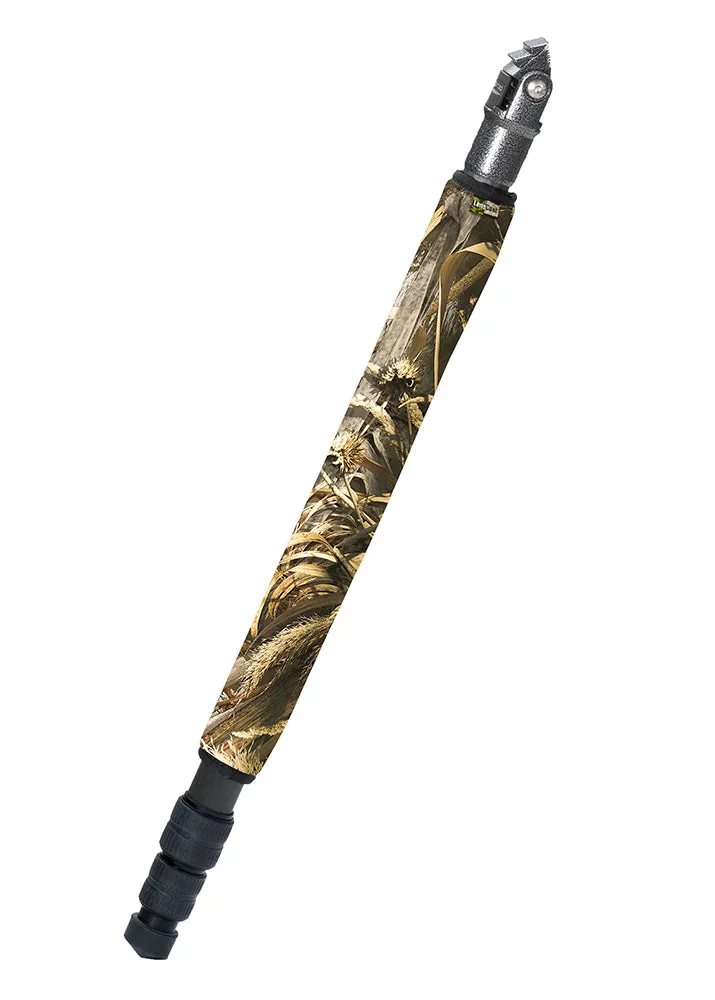
LegCoat® Wraps 315 Single