Quick answer
Mount the metal junction box to a wall or eave, route your PoE cable through a weatherproof gland, connect the cable inside the box, and seal the lid. This protects connections from rain, dust, and tampering.
Why a metal junction box matters
Outdoor security cameras are only as reliable as their cable connections. A metal junction box protects the vulnerable splice point where the camera cable meets the building's Ethernet or power wiring. Without it, moisture, insects, and UV exposure can cause intermittent failures or permanent damage.
Metal construction offers better durability than plastic boxes. It resists cracking from temperature swings and provides a solid mounting surface for heavier cameras. The Defender Professional-Grade Metal Outdoor Junction Box, for example, is built with sturdy metal for enhanced protection in outdoor installations.
What you need before starting
You will need the junction box, a compatible outdoor-rated PoE camera, a weatherproof Ethernet cable (or conduit), a drill with metal bits, silicone sealant, and stainless steel screws. If your camera uses a pigtail connector, you may also need a waterproof coupler.
Check the junction box's entry points. Most metal boxes have knockouts on the back and bottom. Choose the one that keeps the cable path shortest and least exposed to rain runoff.
Installation steps
- Mount the junction box: Hold the box against the wall or eave where the camera will be installed. Mark the mounting holes through the box's backplate. Drill pilot holes, insert wall anchors if needed, and screw the box securely. Make sure the box is level and the rubber gasket sits flush against the mounting surface. A common mistake is over-tightening the screws, which can warp the metal base and break the seal. Snug is enough.
- Prepare the cable entry: Remove the knockout plug on the bottom or back of the box. Install a weatherproof cable gland (not included) into the hole. Run the Ethernet cable from your PoE switch or injector through the gland, leaving about 12 inches of slack inside the box. Tighten the gland's compression nut to seal around the cable. If you skip the gland and just drill a hole, water will wick into the box. Always use a gland rated for outdoor use.
- Connect the camera cable inside the box: Strip the Ethernet cable jacket about 2 inches and terminate it with an RJ45 connector, or use a waterproof coupler if your camera has a factory-fitted pigtail. Plug the cable into the camera's Ethernet port. Tuck the excess cable neatly inside the box, avoiding sharp bends that could damage the conductors. Leaving a service loop is good, but coiling the cable too tightly can pinch it. Use a loose figure-eight coil.
- Seal and close the box: Apply a bead of silicone sealant around the inside edge of the box lid or the gasket channel. Close the lid and tighten the screws evenly in a crisscross pattern. Wipe away any excess sealant that squeezes out. Allow the sealant to cure per the manufacturer's instructions before exposing the box to rain. If you skip the sealant, the gasket alone may not keep out driven rain. Silicone provides a reliable secondary seal.
- Mount and test the camera: Attach the camera to the junction box's mounting bracket or directly to the box's faceplate. Route the camera's cable back into the box through the provided opening. Power on the camera and verify the video feed, night vision, and motion detection work before permanently tightening all hardware. Testing before final tightening saves you from climbing back up to fix a loose connection or misaligned camera.
Product facts
-
Professional-Grade Metal Outdoor Junction Box: The Defender Professional-Grade Metal Outdoor Junction Box provides a sturdy and weather-resistant housing for your security camera connections. Built with durable metal, it is designed for reliable outdoor use. A metal box like this one resists corrosion and impact better than plastic, so your cable splice stays protected for years even in direct sun or heavy rain.
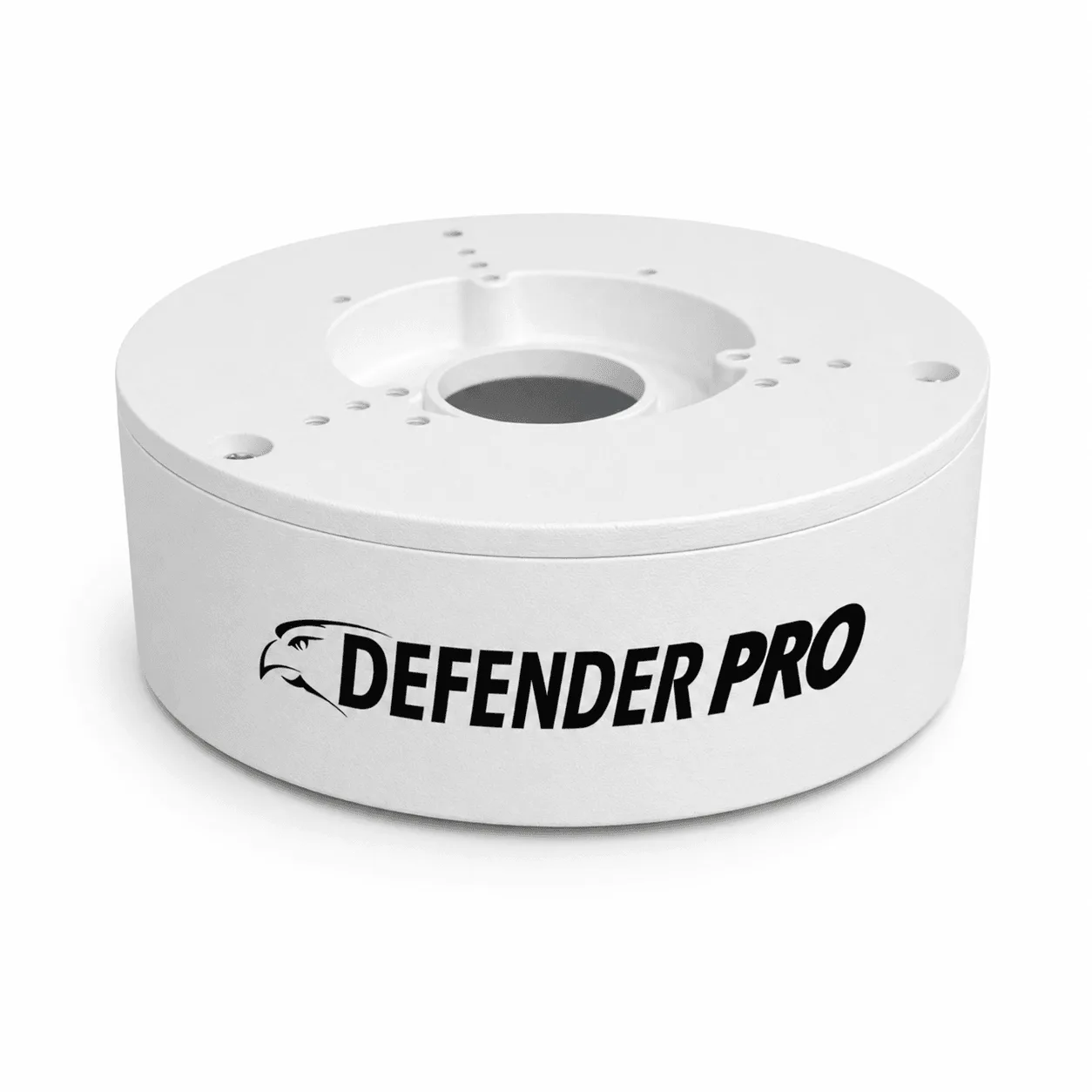
Professional-Grade Metal Outdoor Junction Box