Quick answer
Replacing the skates on a Zowie ZA13-DW takes about 15 to 20 minutes. Peel off the old feet with a plastic tool, clean the base plate with isopropyl alcohol, then press new PTFE skates into the original recesses and let the adhesive set before gaming. Work slowly, keep the mouse unplugged, and test glide on your pad before you screw the shell back together.
Worn mouse feet are one of the most common reasons a ZA13-DW starts to feel scratchy or inconsistent. The mouse itself is fine, but the PTFE has flattened, picked up grit, or started to lift at the edges. Swapping the skates restores the glide you had when the mouse was new, and it is a job you can do at a desk with a few basic tools.
This guide walks through the full process for the Zowie ZA13-DW: removing the old feet, preparing the base, aligning new skates, and checking the result. It also covers the mistakes that cause uneven glide, plus how to pick skates that suit your pad and grip.
What you need before you start
Gather a plastic pry tool or a guitar pick, isopropyl alcohol, a lint-free cloth or cotton swab, and your replacement skates. A hair dryer on low heat helps soften stubborn adhesive. Keep the mouse unplugged and work on a clean, well-lit surface so you can see the recesses clearly.
If you are unsure which skates fit, check the product listing for your exact model. The ZA13-DW uses its own cut, so skates made for other Zowie shapes will not line up. Corepad Skatez makes model-specific sets, including options for several popular gaming mice, so match the name on the packaging to your mouse before you peel anything.
- Do not use metal tools such as flathead screwdrivers; they gouge the base plate and can crack the shell.
- If the old adhesive is stubborn, warm it for 10 to 15 seconds rather than pulling harder.
Remove the old skates without damaging the base
Slide a plastic pry tool under one corner of a skate and lift slowly. Work around the edge rather than prying from the middle, which bends the PTFE and can tear it into pieces that are harder to remove. Once the skate lifts, pull it away in one steady motion and set it aside.
Adhesive residue usually stays behind. Wipe it off with isopropyl alcohol and a lint-free cloth, then let the surface dry completely. Any leftover residue creates a high spot under the new skate, which shows up later as a wobble or a scratching sound on the pad.
- Common mistake: rushing the peel and snapping the skate, leaving fragments stuck in the recess.
- Checkpoint: the recess should look flat, dry, and free of sticky patches before you continue.
Clean and prepare the recesses
After the old adhesive is gone, clean each recess again with isopropyl alcohol and let it air dry for a minute. Do not touch the cleaned surface with your fingers; skin oils reduce how well the new adhesive bonds. If you see dust or lint, blow it off rather than wiping with a used cloth.
This step matters more than most people expect. PTFE skates sit in a shallow recess, so even a small piece of grit or a smear of old glue changes the contact angle. A clean, dry base gives the new skates a flat seat and consistent contact with the mousepad.
- Use a cotton swab for narrow recesses where a cloth will not fit.
- Let the base dry fully; alcohol trapped under a skate weakens the bond.
Align and press the new skates into place
Peel a new skate from its backing and line it up with the recess before letting the adhesive touch down. Lower it from one edge, then press evenly across the surface with your thumb for about 10 seconds. Repeat for each skate, checking that the edges sit flush with the base plate.
If a skate overhangs the recess or sits at an angle, lift it immediately and reposition. Once the 3M adhesive makes full contact, pulling it back up can stretch the PTFE and leave it misshapen. Take the extra few seconds to align it correctly the first time.
- Press from the center outward to push out any trapped air.
- Do not stack skates on top of each other; use the recess as intended.
Let the adhesive set and test the glide
Give the adhesive a few minutes to bond before you game. Then place the mouse on your pad and make slow circles, listening for scraping and feeling for wobble. A properly seated set glides evenly in every direction. If one corner catches, the skate is likely lifted or misaligned, so press it down again or reseat it.
New PTFE can feel slightly faster or slower than your worn-in set for the first session. That is normal. If the glide feels scratchy rather than smooth, check the pad for grit and confirm the skates are fully pressed into their recesses.
- Test on the pad you actually use; glide feels different on hard and cloth surfaces.
- If a skate keeps lifting, the recess may still have residue; clean and try again.
ZA13-DW skate installation checklist
- Unplug and clear your workspace: Power the mouse down and remove anything that could scratch the shell while you work. Checkpoint: a clean, flat surface with good light makes alignment much easier.
- Lift the old skates with a plastic tool: Pry from a corner and pull steadily; warm stubborn adhesive with low heat instead of forcing it. Common mistake: using metal tools, which gouge the base plate.
- Remove all adhesive residue: Wipe the recesses with isopropyl alcohol until the surface is dry and no longer tacky. Checkpoint: leftover residue causes wobble and uneven glide.
- Dry-fit the new skates before pressing: Set each skate into its recess without removing the backing to confirm the alignment. Common mistake: committing the adhesive before checking the fit.
- Press each skate down evenly: Lower from one edge and press from the center outward for about 10 seconds per skate. Checkpoint: edges should sit flush with the base plate.
- Let the adhesive set, then test: Wait a few minutes, then make slow circles on your pad and listen for scraping. If a corner catches, reseat that skate before you game.
Replacement skates worth considering
- Corepad Skatez - Lamzu Atlantis: Each pack contains 2 sets of Skatez, made from 100% pure quality PTFE with high-quality 3M adhesive and a thickness of 0.85mm. Two sets mean a spare for your next swap, and the 0.85mm thickness gives a defined, consistent feel once seated in the recess.
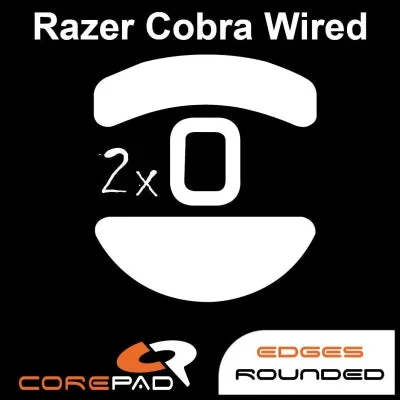
- Corepad Skatez - Razer Cobra Wired: Corepad Skatez consist of 100% pure quality PTFE and offer excellent lubrication at high load capacity, with a thickness of 0.80mm. The 0.80mm thickness is a useful reference point when comparing how much material sits between the mouse base and your pad.
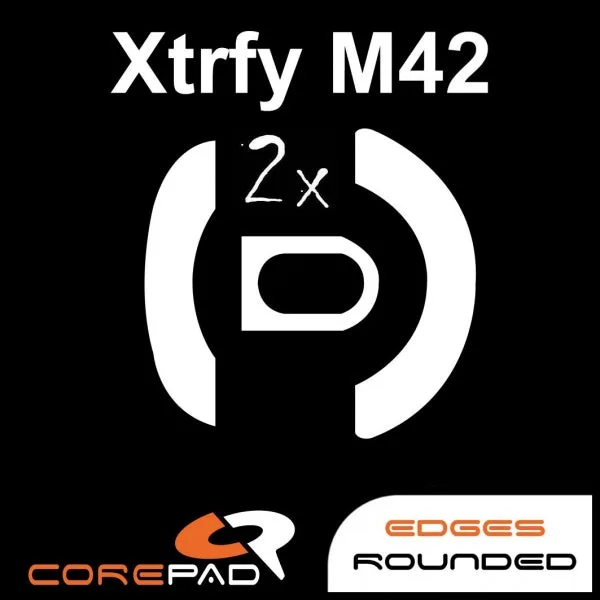
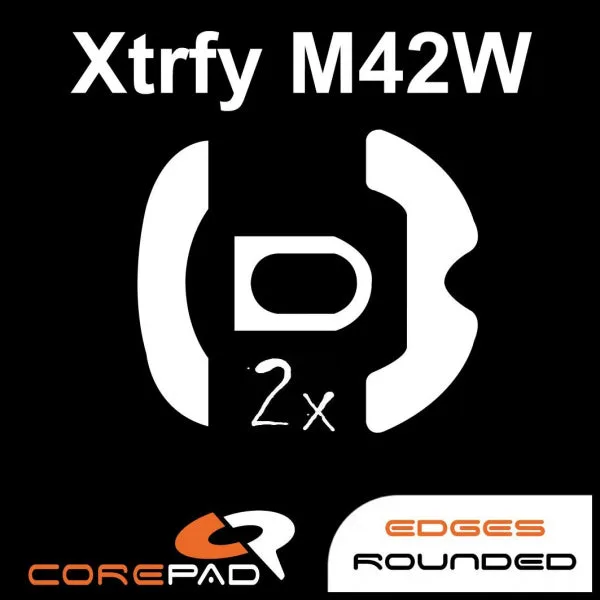
- https://lethalepo.com/products/corepad-skatez-xtrfy-m42-wireless-346c460f088899b664dc13ce-1743049Corepad Skatez - Xtrfy M42 Wireless: Each pack contains 2 sets of Skatez made from 100% pure quality PTFE with high-quality 3M adhesive and a thickness of 0.75mm. The thinner 0.75mm profile shows how model-specific cuts vary, so always match the skate set to your exact mouse rather than a similar shape.
Replacing the skates on a Zowie ZA13-DW is a short job that pays off every time you move the mouse. Take your time on the removal and cleaning steps, align each skate before pressing, and test the glide on your own pad. If you keep a spare set on hand, you can refresh the feel whenever the PTFE starts to wear.