Quick Answer
To replace the rear housing on your clipper, first choose the correct replacement part for your model, then follow the step-by-step installation process below. Avoid forcing any components to ensure a smooth fit.
Why Choose the Right Replacement Housing Matters
Using the correct rear housing assembly for your clipper model is essential for a seamless fit and optimal performance. A mismatched part may not align properly, leading to vibration or poor handling.
Before purchasing, confirm your clipper model and compare it with the replacement part's compatibility. This saves time and prevents frustration during installation.
What's Included in a Rear Housing Assembly
Most rear housing assemblies come with the essential components you need for a full replacement. For example, the Replacement Rear Housing For Instinct Clipper Assembly Part includes the battery, board, motor, lever, and housing, so you don't need to source these separately.
The Replacement Rear Housing for Ergo Clipper Assembly Part includes the battery, motor, and screws, saving you time and effort. Always check the product description to know exactly what's included before you start.
Step-by-Step Installation Guide
- Gather your tools and replacement part: Before you begin, make sure you have the correct replacement rear housing for your clipper model. You'll also need a screwdriver that matches the screws on your clipper. Check the product description to confirm all necessary components are included. Check that you have all included parts before starting; missing screws or brackets can delay the process.
- Remove the old rear housing: Unplug the clipper and remove any screws securing the old rear housing. Carefully detach the housing from the clipper body, taking note of how the internal components are connected. If wires are attached, disconnect them gently. Keep track of where each screw goes; using a magnetic tray can prevent losing them.
- Transfer components if needed: If your replacement housing does not include all internal parts (like the battery or motor), transfer them from the old housing. Make sure each component is seated properly and connectors are secure. Double-check that all connectors are firmly attached; loose connections can cause power issues.
- Attach the cover lid and bracket: Add your cover lid to the new housing, then screw it in place. Attach the sliding or stretch bracket according to your preference. Ensure the lever is set to your desired position before securing everything. Test the lever movement after attaching; it should move smoothly without resistance.
- Test the clipper: Once fully assembled, plug in the clipper and turn it on. Listen for unusual noises and check that the blade operates smoothly. If anything seems off, reopen the housing and inspect the connections. If the clipper doesn't turn on, recheck all wiring connections and ensure the battery is properly seated.
Replacement Parts We Recommend
-
Replacement Rear Housing For Instinct Clipper Assembly Part: This rear assembly package includes battery, board, motor, lever, and housing, and is designed for a seamless fit with Instinct clippers. You get everything needed for a full rear housing replacement in one package, reducing the chance of missing parts and simplifying installation.
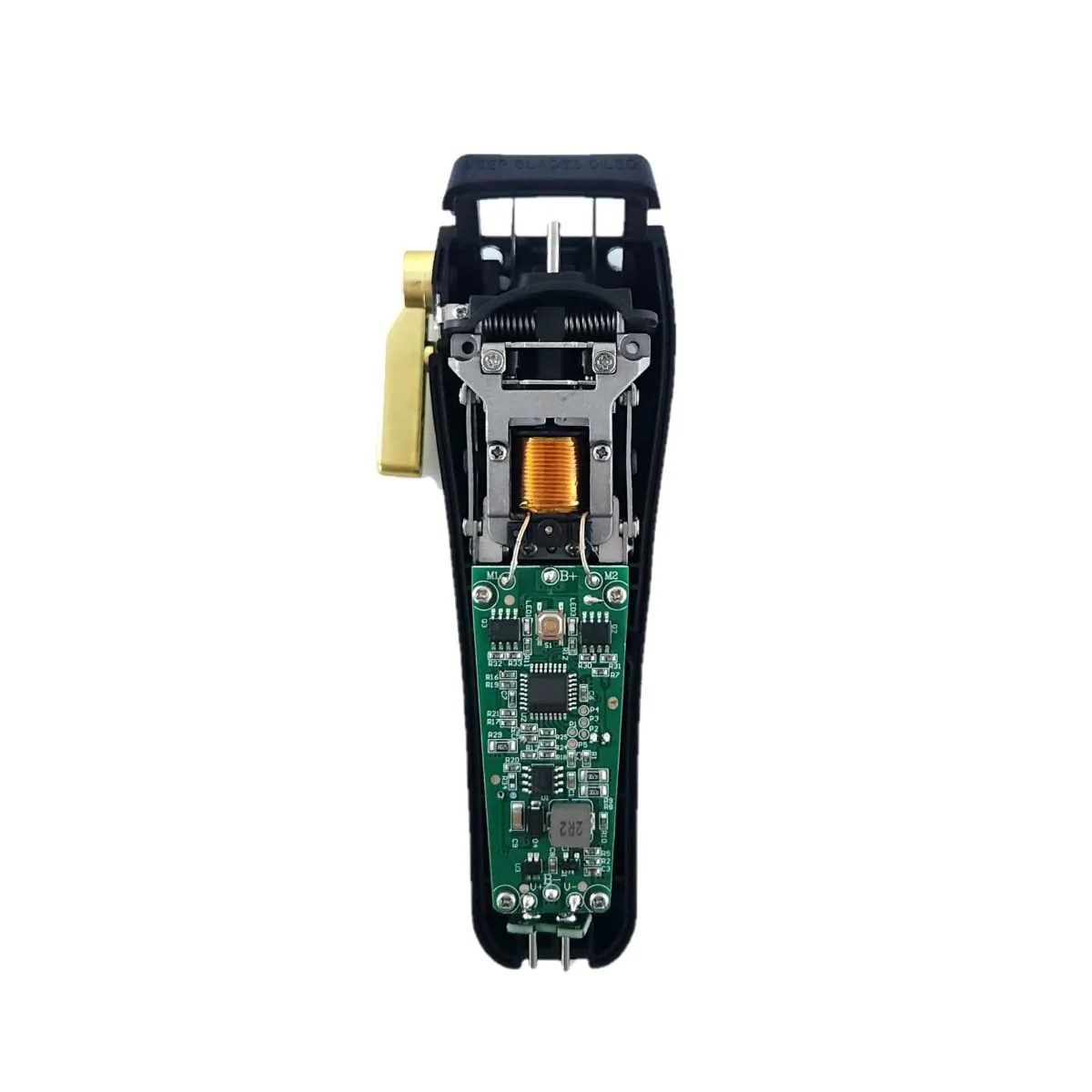
Replacement Rear Housing For Instinct Clipper Assembly Part
-
Replacement Rear Housing for Ergo Clipper Assembly Part: This rear assembly includes battery, motor, and screws, and is designed to be compatible with Ergo clippers. It's a cost-effective option that provides the core components you need, making it a straightforward upgrade for your Ergo clipper.
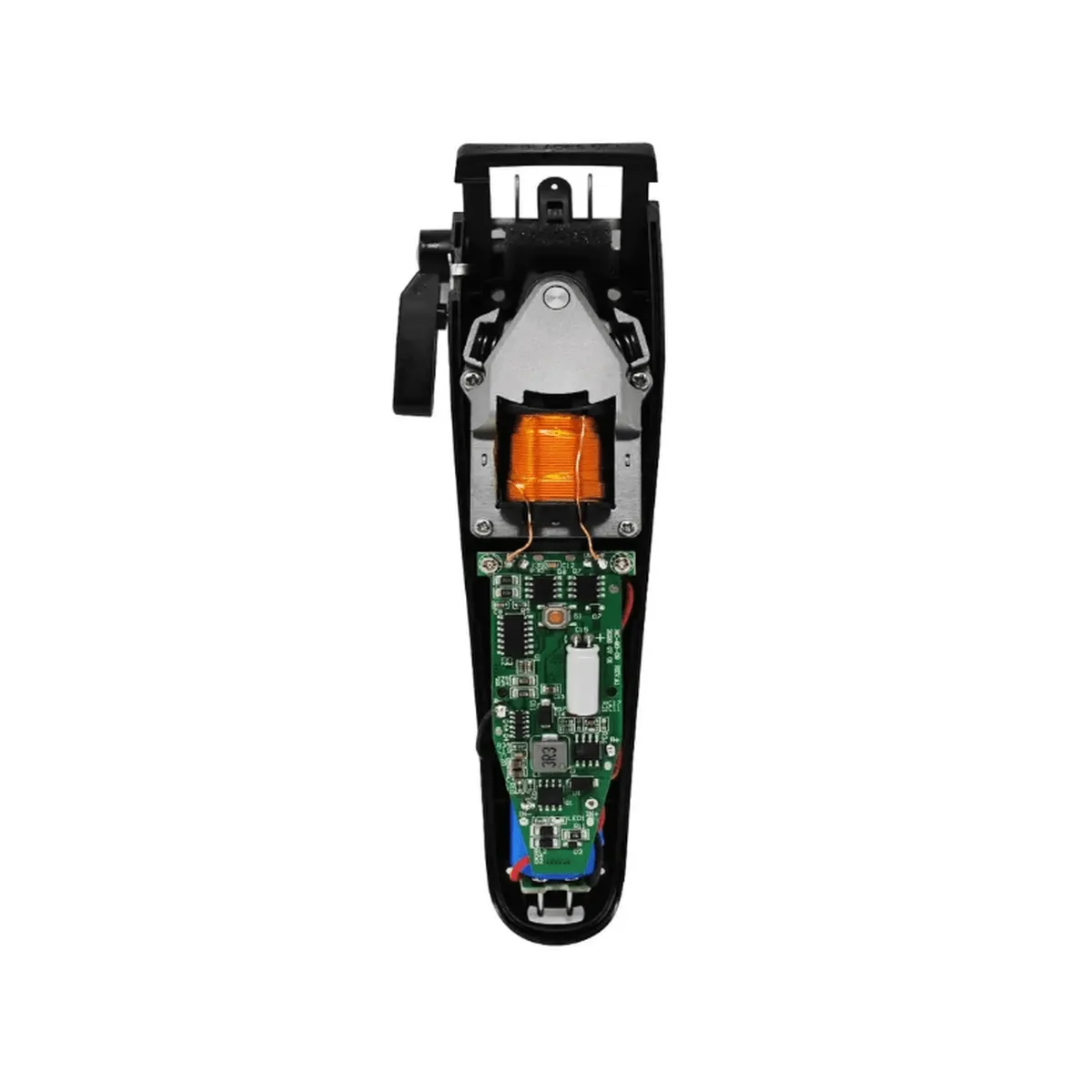
Replacement Rear Housing for Ergo Clipper Assembly Part