Quick answer
Mount the wheel side adapter to your steering wheel, then attach the quick release hub to the wheelbase side using the supplied bolts and spacers.
What you need before starting
The Simucube Quick Release Wheel Side Kit includes the wheel side quick release, a 30 mm wheel spacer, a 70 mm wheel adapter, and M5 x 15 mm bolts. You will also need a steering wheel with a standard 6 x 70 mm bolt pattern and a Simucube 2 wheelbase.
A common oversight is forgetting to check bolt pattern compatibility. The kit fits wheels with a 6 x 70 mm pattern; if your wheel uses a different pattern, you will need an additional adapter or a different quick release system.
Installation steps
- 1. Prepare the wheelbase: Ensure your Simucube 2 wheelbase is turned off and disconnected from power. Clean the wheelbase shaft and the mounting surface to remove any dust or grease. A dirty shaft can cause the quick release to bind or not seat fully.
- 2. Attach the wheel adapter to the wheel: Place the 70 mm wheel adapter against the back of your steering wheel, aligning the six bolt holes. Insert the M5 x 15 mm bolts through the adapter into the wheel and tighten them evenly in a star pattern to 4-5 Nm. Over-tightening can strip the threads in the wheel. Use a torque wrench if available.
- 3. Install the wheel spacer (optional): If you need extra clearance between the wheel and the wheelbase, slide the 30 mm wheel spacer onto the wheel adapter before attaching the quick release. The spacer is not required for most wheels. Using the spacer when not needed can push the wheel too far away, reducing leverage and feel.
- 4. Mount the quick release to the wheel side: Slide the wheel side quick release onto the adapter (or spacer) so the splines engage. Secure it with the remaining M5 bolts, tightening them evenly. The quick release should rotate freely but have no wobble. If the quick release wobbles, one or more bolts may be loose or the adapter may not be seated flat.
- 5. Attach the wheel to the wheelbase: Align the quick release hub on the wheel with the wheelbase shaft and push firmly until you hear a click. Pull gently on the wheel to confirm it is locked. Power on the wheelbase and test the connection by turning the wheel. A missing click means the quick release is not fully engaged. Do not force the wheel; remove and re-seat it.
Product facts
-
Simucube Quick Release Wheel Side Kit: The Simucube Quick Release Wheel Side Kit includes a wheel side quick release, 30 mm wheel spacer, 70 mm wheel adapter, and M5 x 15 mm bolts. The spacer and adapter let you adjust the wheel's distance from the wheelbase, which can improve ergonomics and clearance for your hands or shifters.
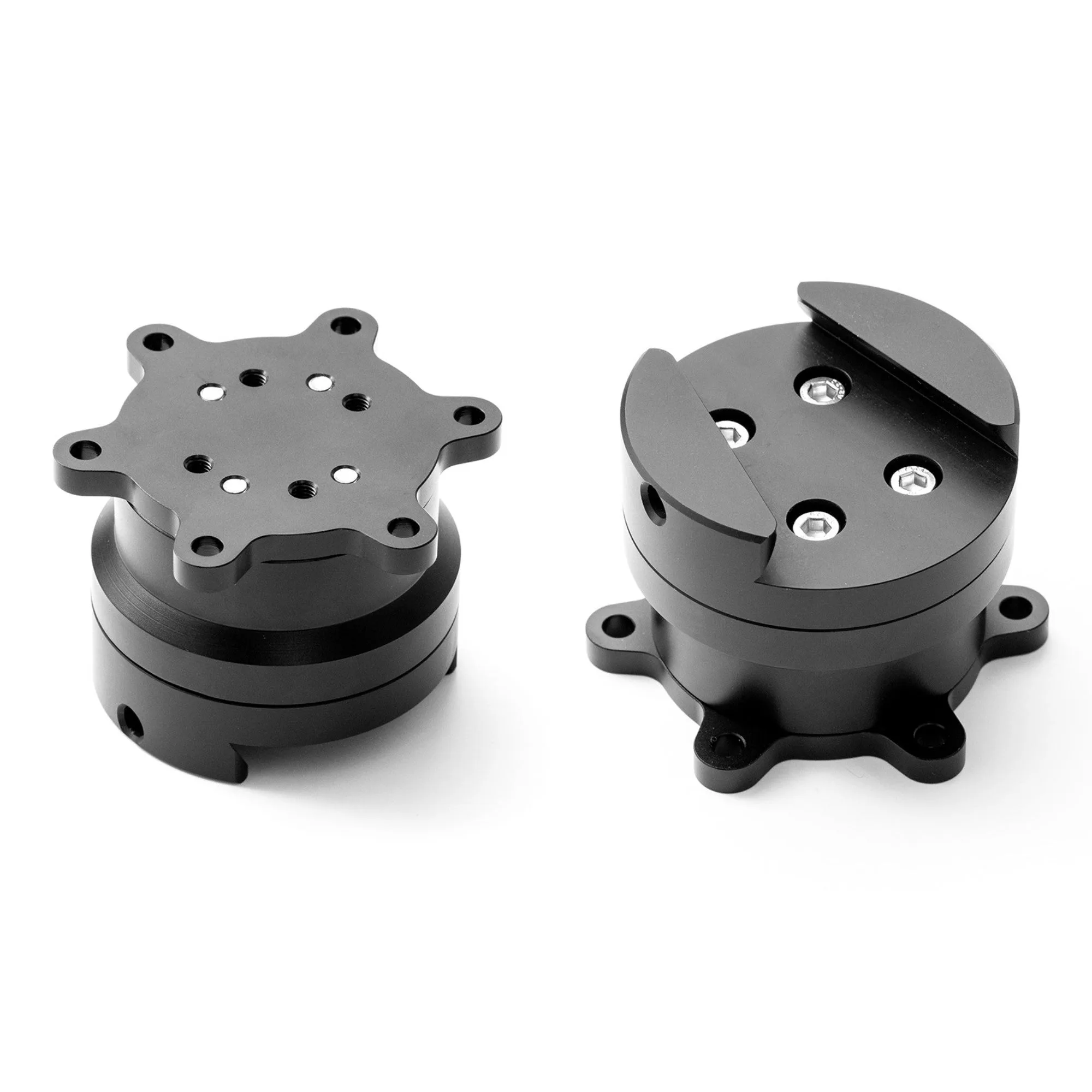
Simucube Quick Release Wheel Side Kit