Quick answer
You can install the Wyze Duo Cam Battery Doorbell without any existing wiring by using the included battery pack and mounting bracket. The doorbell runs entirely on battery power, connects to Wi-Fi, and includes a Wyze Wi-Fi Chime for alerts. No electrical work or hardwiring is required.
What You Need for a Wire-Free Installation
The Wyze Duo Cam Battery Doorbell comes with everything you need for a no-wire setup: the doorbell unit, a removable battery pack, mounting bracket, screws and anchors, a Wyze Wi-Fi Chime, and a USB charging cable. You will also need a smartphone with the Wyze app and a 2.4 GHz Wi-Fi network. A MicroSD card is optional if you want 24/7 local recording later, but it requires hardwiring the doorbell to enable that feature.
One trade-off of running on battery is that you lose 24/7 continuous recording unless you hardwire the doorbell. The battery-powered mode still records motion events and sends real-time AI detections and alerts, which covers most security needs. If you later decide to hardwire, you can enable 24/7 recording by adding a MicroSD card.
Installation Steps for a Wire-Free Setup
- Step 1: Charge the Battery Pack: Remove the battery pack from the doorbell and charge it fully using the included USB cable. A full charge takes about 4-6 hours. While charging, download the Wyze app and create an account if you don’t have one. Common mistake: Starting installation with a partially charged battery can lead to a low-battery warning soon after setup. Always charge fully first.
- Step 2: Mount the Bracket Without Wiring: Hold the mounting bracket at your desired location (typically 48 inches from the ground). Use a level to ensure it is straight. Mark the screw holes, drill pilot holes if mounting into wood or siding, and insert wall anchors for masonry or drywall. Screw the bracket firmly into place. No wires need to be connected. Checkpoint: Make sure the bracket is level and secure. A loose mount can cause the doorbell to shift or fall over time.
- Step 3: Insert the Battery and Attach the Doorbell: Slide the charged battery pack into the doorbell until it clicks. Align the doorbell with the mounting bracket and press down until it locks. The doorbell is now powered on and ready for pairing. Common mistake: Forgetting to fully seat the battery can cause the doorbell to power off unexpectedly. Listen for the click.
- Step 4: Connect to Wi-Fi via the Wyze App: Open the Wyze app, tap the plus icon, and select Add Device > Cameras > Wyze Duo Cam Doorbell. Follow the in-app prompts to scan the QR code on the doorbell, connect to your 2.4 GHz Wi-Fi network, and complete setup. The app will guide you through naming the doorbell and adjusting detection settings. Checkpoint: If the doorbell fails to connect, ensure your phone is on the same 2.4 GHz network. The doorbell does not support 5 GHz Wi-Fi.
- Step 5: Pair the Wyze Wi-Fi Chime: Plug the included Wyze Wi-Fi Chime into an indoor outlet within range of your Wi-Fi. In the Wyze app, go to the doorbell settings and select Chime to pair it. The chime will play a test tone. You can customize the chime sound and volume in the app. Common mistake: Placing the chime too far from the router or doorbell can cause delayed or missed rings. Keep it within 30 feet of the doorbell for best performance.
- Step 6: Test and Adjust Placement: Press the doorbell button to verify the chime sounds and you receive a notification on your phone. Check the live view in the app to confirm the camera angle covers the desired area. If needed, adjust the bracket angle or use the included wedge mount to tilt the doorbell. Final check: Walk in front of the doorbell to test motion detection range. Adjust the detection zone in the app to avoid false alerts from passing cars or trees.
Product Used in This Guide
- Wyze Duo Cam Battery Doorbell: Wyze Duo Cam Doorbell is our most advanced battery-powered video doorbell yet. Dual camera views for people and packages, 2K video and local storage, two-way audio, real-time AI detections and alerts, and motion-activated voice deterrence. Includes Wyze Wi-Fi Chime and Wyze Removable Battery Pack. The removable battery pack and included Wi-Fi Chime make this doorbell fully functional without any existing doorbell wiring. You can mount it anywhere within Wi-Fi range and still get alerts and two-way talk.
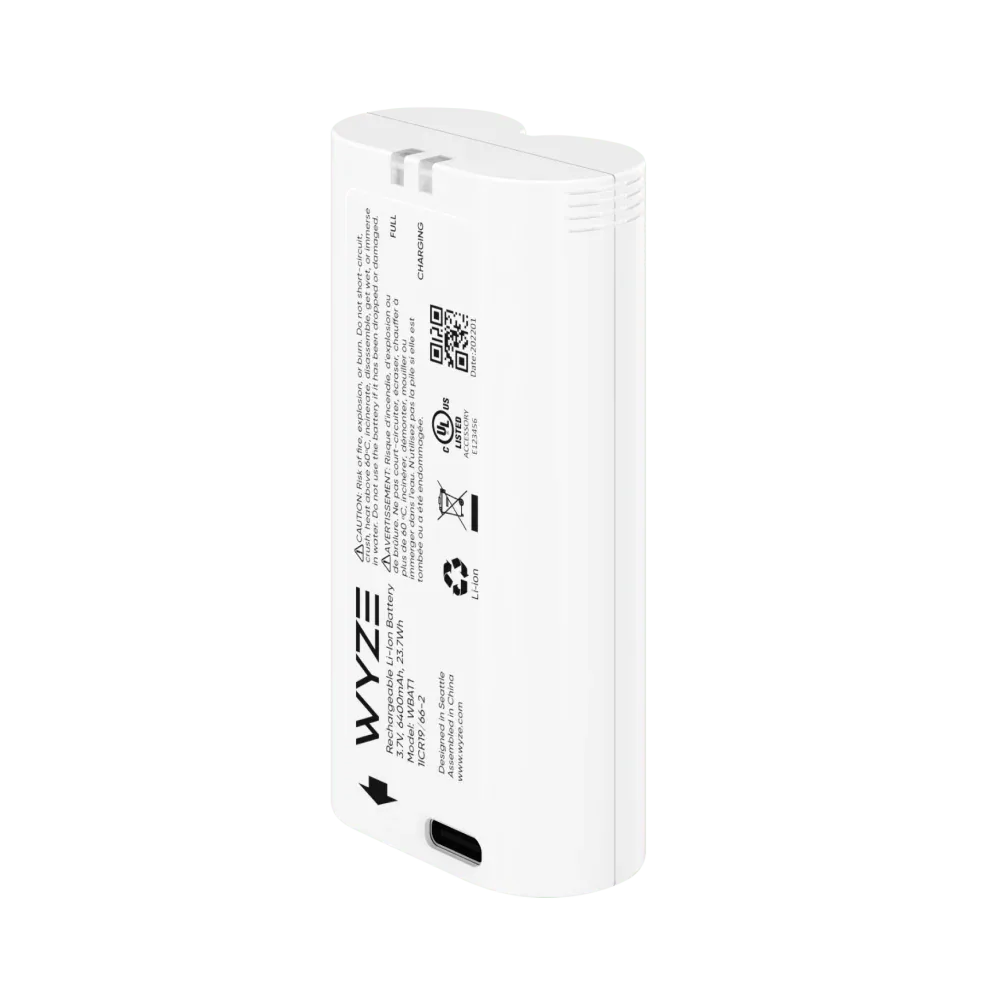
Wyze Removable Battery Pack