Quick answer
Install your Zendure SolarFlow AB2000L by pairing it with a compatible host (like SolarFlow 1600 AC+ or SolarFlow Hub 2000), connecting the battery cable, mounting it securely, and configuring charge/discharge settings in the Zendure app.
What you need before you start
The AB2000L is a plug-in expansion battery—it does not work standalone. You must have a compatible Zendure host unit such as the SolarFlow 1600 AC+, SolarFlow 800 Pro 2, SolarFlow 800 Plus, SolarFlow 800, SolarFlow Hyper 2000, SolarFlow Hub 2000, or ACE 1500. Check that your host firmware is updated via the Zendure app before connecting the battery.
The battery cable included with the AB2000L is designed for the specific host port. Do not substitute cables from other devices. Ensure the host is powered off and disconnected from AC input during the physical connection.
Choosing a mounting location
Mount the AB2000L on a flat, dry surface away from direct sunlight and water sources. The battery is not rated for outdoor exposure unless installed inside a weatherproof enclosure. Leave at least 6 inches (15 cm) of clearance around the ventilation grilles to prevent overheating.
If you plan to stack multiple AB2000L units, confirm that your host supports daisy-chaining. The host automatically manages charging and discharging of all connected batteries based on your app settings.
Installation steps
- 1. Power off the host and disconnect AC: Turn off your Zendure host unit and unplug it from the wall outlet. This prevents electrical shock or damage during connection. Common mistake: leaving the host powered on can cause a spark when connecting the battery cable.
- 2. Connect the battery cable to the AB2000L: Insert the cable firmly into the battery’s DC input port until it clicks. Do not force the connector—if it does not seat easily, check alignment. Make sure the cable is fully seated; a loose connection can cause intermittent charging.
- 3. Connect the cable to the host unit: Plug the other end of the cable into the designated battery port on your host (labeled “BAT” or “Battery”). Tighten any locking ring if present. Common mistake: plugging into the solar input port instead of the battery port. Double-check the label.
- 4. Mount the battery securely: Place the AB2000L on a stable shelf or use the optional mounting bracket (sold separately). Ensure the battery cannot slide or tip over. If stacking multiple batteries, leave a small gap between units for airflow.
- 5. Power on the host and configure in the app: Reconnect AC power to the host and turn it on. Open the Zendure app, navigate to the battery section, and confirm the AB2000L is detected. Set your preferred charge/discharge schedule or solar priority. If the battery is not detected, check the cable connection and restart the host. Update the host firmware if needed.
Product facts
-
Zendure SolarFlow Battery AB2000L: The AB2000L can be paired with different hosts such as SolarFlow 1600 AC+, SolarFlow 800 Pro 2, SolarFlow 800 Plus, SolarFlow 800, SolarFlow Hyper 2000, SolarFlow Hub 2000, and ACE 1500. This means you must verify host compatibility before purchasing—the AB2000L cannot function alone.
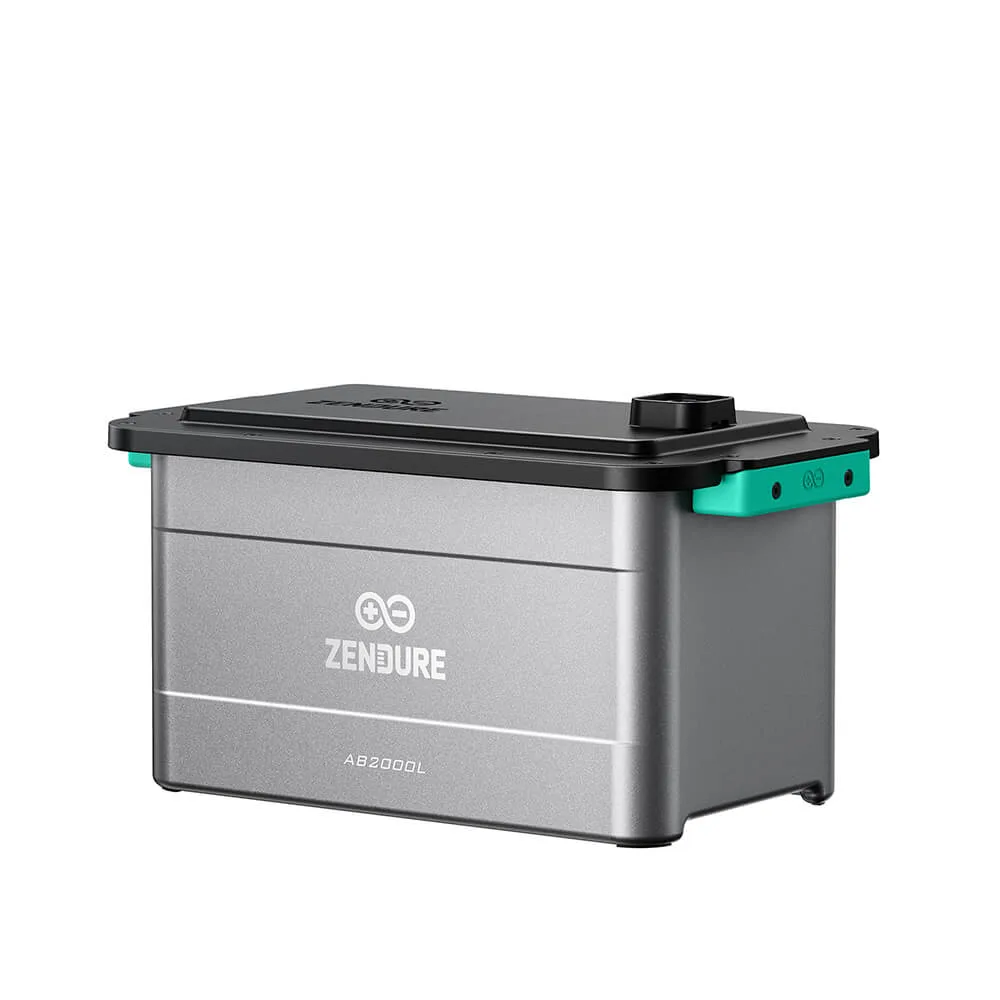
Zendure SolarFlow Battery AB2000L