Quick answer
To load 120 film, open the camera back, place the roll in the supply chamber, thread the paper leader into the take-up spool, and advance until the start mark aligns with the index mark. Close the back and advance to frame 1. The most common mistake is misaligning the start mark, which causes uneven spacing or lost frames.
Prepare your camera and film
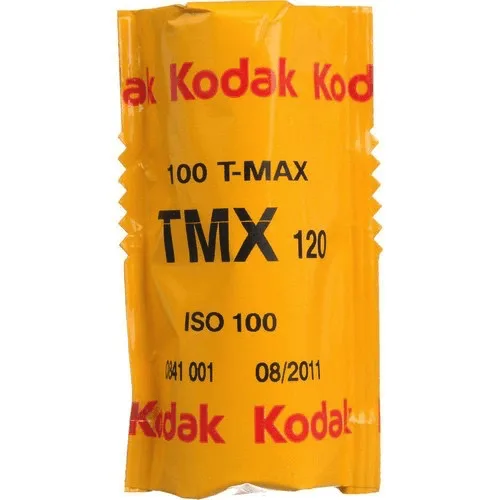
Before you load, make sure the camera is empty and the take-up spool is in place. If your camera uses a removable insert or film back, remove it and set it on a clean surface. Work in shade or indoors to avoid direct sunlight on the film. Unwrap the 120 roll just before loading; the paper backing protects the film, but it can still be fogged if left in bright light. Have your film stock ready, such as Kodak Professional T-Max 100, which is a medium-speed black-and-white film suitable for detailed subjects.
Insert the roll and thread the leader
Open the camera back or remove the film back. Place the full 120 roll in the supply chamber so the paper leader unwinds toward the take-up spool. The leader has a tapered end; slide it into the slot of the take-up spool. Turn the take-up spool slightly to catch the leader, then advance a few inches until the paper is snug. Do not force it; if the leader won't catch, check that you're feeding it in the correct direction. For cameras with a removable back, you can often thread the leader before inserting the back into the camera body.
Align the start mark and close the back
Continue advancing the film until the start mark—usually an arrow or the word 'START' printed on the paper leader—lines up with the index mark on the camera body or film back. This alignment ensures the first frame is positioned correctly. Once aligned, close the back securely. If the back doesn't close easily, do not force it; recheck that the film is seated flat and the spool is properly engaged. After closing, advance the film to frame 1 using the camera's advance lever or knob. You may need to advance a few extra turns if the camera doesn't have an automatic stop.
Step-by-step loading process
- Open the camera back and prepare the film: Open the back or remove the film back. Place the 120 roll in the supply chamber so the leader unwinds toward the take-up spool. Checkpoint: The roll should sit flat and not wobble.
- Thread the leader into the take-up spool: Insert the tapered leader into the take-up spool slot and turn the spool to catch it. Advance a few inches until the paper is snug. Common mistake: Forcing the leader if it doesn't catch; recheck direction and slot alignment.
- Advance to the start mark: Turn the advance lever or knob until the start mark on the paper aligns with the index mark on the camera or film back. Checkpoint: The marks must line up exactly; misalignment causes uneven frame spacing.
- Close the back and advance to frame 1: Close the back securely, then advance the film until the counter reads 1. If your camera lacks an automatic stop, advance slowly and watch for resistance. Common mistake: Not closing the back fully, which can fog the film or cause the advance to jam.
Film and gear to consider
- Kodak Professional T-Max 100 Black and White Negative Film (120 Roll): Kodak Professional T-Max 100 is a continuous-tone panchromatic black-and-white negative film for general outdoor and indoor photography, especially useful for detailed subjects when you need maximum image quality. Its fine grain and sharpness make it a strong choice for medium format work where you want to capture fine detail, such as landscapes or architecture.