Quick answer
To match fabric collections across prints and solids, start with one focal print, pull two or three colors directly from it, and fill the rest of your palette with blenders or solids in those exact shades. Keep scale varied—one large print, one medium, one small—and let a dark or light blender anchor the group. This method works with any collection because it relies on color relationships rather than matching every piece from the same line.
Matching fabric collections can feel like a puzzle when you are mixing prints, solids, and blenders from different designers. The good news is that you do not need every bolt to come from the same collection. You need a repeatable process for pulling colors and scales together so the finished quilt looks intentional rather than accidental.
This guide walks through an ordered method you can use at the fabric shop or with your stash. Each step includes a checkpoint so you can catch the most common mistakes before you cut. Along the way, you will see how specific blender fabrics—like Grunge or Thatched—can tie a mixed palette together.
Start with one focal print and pull its colors
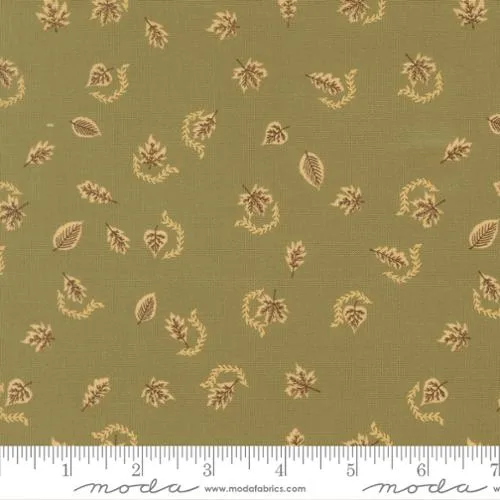
Choose a single print you love as your starting point. It can be a large-scale novelty, a floral, or a geometric—anything with at least three visible colors. Lay it flat in good daylight and identify the two or three shades you want to repeat. These become your palette anchors. For example, a print with dusty mauve, cream, and soft green gives you three directions to build from.
The most common mistake here is trying to match every single color in a busy print. You do not need to. Pick the colors that stand out most and ignore the tiny accents. If a print has more than five colors, it will fight with everything else unless you simplify. Checkpoint: can you name your two or three anchor colors out loud? If not, the print is too busy to lead.
- Use natural daylight, not store fluorescents, to judge color.
- If two colors in the print are nearly identical, treat them as one anchor.
Add blenders that echo your anchor colors
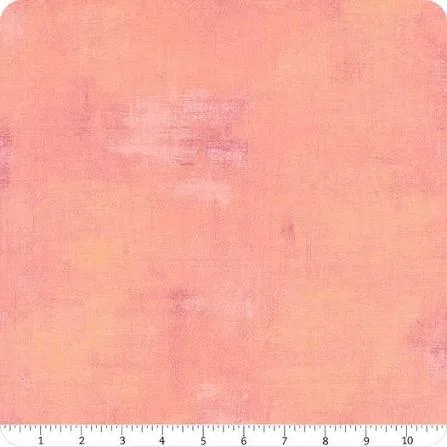
Blenders are fabrics with subtle texture or pattern that read almost like solids from a distance. They are the secret to mixing fabric prints without visual chaos. Look for blenders in your anchor colors—soft pinks, dusty mauves, denim blues, warm neutrals. A blender like Grunge – Apple Blossom, a delicate light pink with mottled texture, can bridge a floral print and a solid without competing for attention.
The mistake to avoid is choosing blenders that are too similar in value to your focal print. If everything is medium-toned, the quilt looks flat. Instead, pick one blender that is noticeably lighter or darker than the print. Checkpoint: squint at your group. If the blender disappears into the print, choose a different value.
- Blenders with visible weave or mottle hide seams better than flat solids.
- A dark blender can anchor a palette the same way a dark solid does.
Vary print scale to avoid competition
Scale is as important as color. A quilt made entirely of large-scale prints feels loud; one made entirely of small prints feels busy in a different way. Aim for a mix: one large-scale focal print, one medium-scale secondary print, and one small-scale or tonal print. This hierarchy gives the eye places to rest.
A common mistake is pairing two large-scale prints in similar colors. They compete and neither stands out. If you love two large prints, separate them with a solid or a blender in a neutral tone. Checkpoint: take a photo of your fabrics in black and white. If the scales still look distinct, you are on track.
- Small-scale prints and tonals work well as backgrounds.
- If you are unsure, choose a smaller print for the secondary fabric.
Use solids to create breathing room
Solids are not boring—they are rest stops. After two or three prints, a solid in one of your anchor colors gives the eye a break and makes the prints look more deliberate. A solid also helps if your prints are from different collections and you worry they do not quite match. The solid becomes the common thread.
The mistake is choosing a solid that is too close in color to a print without enough contrast. If the solid and print blend together from a distance, you lose the separation. Checkpoint: place the solid next to each print. If you cannot tell where one ends and the other begins, pick a lighter or darker solid.
- Solids in cream, white, or soft gray are versatile neutrals.
- A solid in the darkest anchor color can serve as a border or binding.
Test the palette before you cut
Before you rotary cut, lay your fabrics together in the proportions you plan to use. If your pattern calls for mostly background fabric, make sure your background choice does not overpower the focal print. A quick mock-up on a design wall or even a table helps you see balance. This is also the time to check that your blenders and solids actually read as intended from a few feet away.
The most common mistake is falling in love with a fabric in the store and forcing it into a palette where it does not belong. If one fabric keeps pulling your eye in a bad way, set it aside for another project. Checkpoint: step back three feet. Does the group look harmonious, or does one fabric jump out? If it jumps out and you do not want it to, replace it.
- Take a photo with your phone and view it small to check balance.
- If you are short on time, limit yourself to five fabrics total.
Your step-by-step fabric matching process
- Pick one focal print: Choose a print with at least three colors you love. Identify two or three anchor colors to repeat. Checkpoint: if you cannot name the anchors, the print is too busy to lead.
- Add two or three blenders: Select blenders in your anchor colors. Vary their values so at least one is lighter or darker than the focal print. Mistake to avoid: blenders that match the print's value exactly and disappear.
- Mix print scales: Pair the large focal print with a medium and a small-scale print. Avoid two large prints in similar colors. Checkpoint: view fabrics in black and white to confirm scale variety.
- Insert a solid for contrast: Choose a solid in one anchor color. Make sure it contrasts enough with adjacent prints. If the solid blends into a print, pick a lighter or darker shade.
- Audition the palette: Lay fabrics together in planned proportions. Step back and squint. Replace any fabric that jumps out unintentionally. Final check: photograph the group and view it small to confirm balance.
Blenders that make matching easier
- Grunge – Apple Blossom 1/2 Yard: A delicate light pink blender with the beloved Grunge mottled texture by BasicGrey for Moda Fabrics, 100% cotton, 44/45" wide, sold by the 1/2 yard. Its soft, airy tone bridges floral prints and solids without competing, making it a reliable choice for spring palettes and feminine quilts.
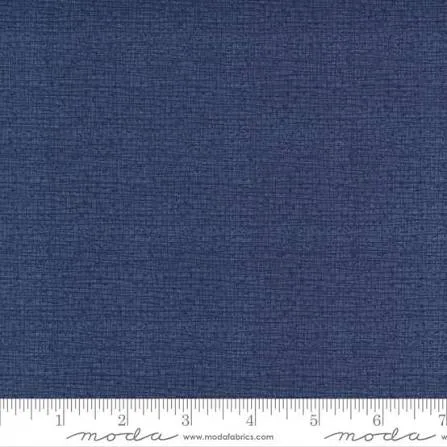
- Thatched – Dark Wash Indigo 1/2 Yard: A rich denim-blue blender with the Thatched woven texture by Robin Pickens for Moda Fabrics, 100% cotton, 44/45" wide, sold by the 1/2 yard. This dark neutral anchors a mixed palette the way a solid would, but the subtle texture adds depth that flat fabric lacks.
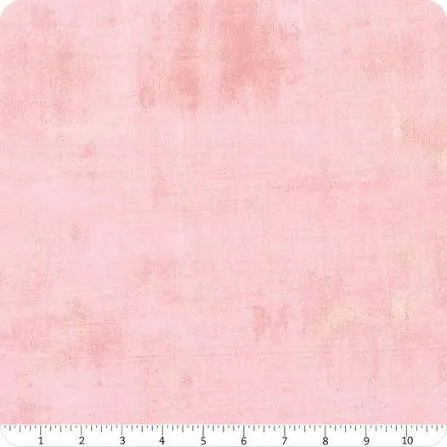
- Grunge – Duchess 1/2 Yard: A soft dusty mauve blender with Grunge mottled texture by BasicGrey for Moda Fabrics, 100% cotton, 44/45" wide, sold by the 1/2 yard. Dusty mauve is a versatile anchor for vintage-inspired quilts; it pairs well with creams, greens, and deeper reds without looking flat.
Matching fabric collections is less about buying everything from one line and more about using a consistent process. Start with a focal print, pull your colors, add blenders and solids in varied values and scales, and always audition the group before you cut. With a little practice, you will build palettes that look cohesive even when the fabrics come from different designers.