Quick answer
Start with the print, not the solids. Pull two or three colors directly from the print, then choose solid fabrics that match those colors in value and saturation. Add one solid that contrasts in lightness so the print reads as the focus, and test every combination at the size it will appear in the finished project before you cut.
Why solid-to-print matching fails more often than it should
Most mismatches happen because sewists choose solids that match the print's hue but not its value, the relative lightness or darkness of a color. A solid can be the same red as a print and still look wrong if one is dusty and the other is bright. Value and saturation control whether the print pops or turns muddy.
Scale is the second hidden variable. A solid that looks balanced next to a print on a small swatch can overwhelm it when the pieces are cut larger. Always judge the pairing at the size it will actually be used, whether that is a 2-inch square or a 10-inch block.
A five-step process for building a solid-and-print palette
Work in this order: pull colors from the print, match value before hue, decide how many solids you need, check scale, and test contrast. Skipping the value check is the most common reason a palette feels flat. Skipping the scale check is the most common reason it feels busy.
How many solids does a print actually need?
One print usually needs two or three solids: one that matches a dominant color, one that matches a secondary color, and optionally one neutral that gives the eye a rest. More than three solids around a single print often competes with the pattern instead of supporting it.
If you are working with several prints, count the total number of fabrics first. A common guideline is to let one print lead and use solids to separate the busier prints. That keeps the quilt from turning into visual noise without dulling the palette.
Blender fabrics versus true solids
A blender fabric is a low-contrast print that reads as a solid from a distance but has subtle texture up close. Blenders can soften the transition between a bold print and a flat solid, which helps when the print has a lot of movement. True solids give cleaner contrast and make a print look sharper.
Use a blender when you want the palette to feel cohesive and slightly softer. Use a true solid when you want the print to be the clear focal point. You can mix both in one project as long as the values stay distinct.
Step-by-step: matching solids to a print
- Pull colors directly from the print: Lay the print flat in daylight and identify two or three colors you actually see in it. Hold candidate solids right against the print, not next to it on a table. Checkpoint: if you cannot name the color you are matching, you are guessing.
- Match value before hue: Squint at the print and the solid together. If the solid disappears into the print, the values are too close. If it jumps out harshly, the values are too far apart. Common mistake: matching the exact hue but ignoring value, which makes the print look muddy.
- Choose one contrasting solid for structure: Add a solid that is clearly lighter or darker than the print. This gives the eye a resting place and keeps the print from blending into the background. Checkpoint: the contrast solid should be readable from across the room.
- Test the pairing at final cut size: Cut one piece of the print and one piece of each solid at the size they will be in the project. Small swatches lie about scale; a 2-inch square and a 6-inch square can tell different stories. Common mistake: approving a pairing on tiny swatches, then disliking it once the pieces are cut.
- Pre-wash solids and prints together: Wash the print and the solids in the same load before cutting so any shrinkage happens before piecing. This is especially important when one fabric is a lightweight cotton and the other is a different weight. Checkpoint: if the fabrics shrink at different rates, your matched edges will not stay matched.
- Audit the final palette in grayscale: Take a photo of the fabrics together and switch it to black and white. If the solids and print separate clearly in grayscale, they will separate in color too. Next step: remove any solid that turns into the same gray as the print.
Catalog facts that affect solid-to-print matching
- Pale Silver Painter's Palette Solid from Paintbrush Studio Fabrics: Pale Silver Painter's Palette Solid from Paintbrush Studio Fabrics is 100% cotton, 150GSM lightweight, 44 inches wide, with 62x62 thread count and 3-5% shrinkage. A pale silver solid works as a low-contrast neutral next to prints with gray, blue, or lilac tones. Because it is lightweight and has a tight thread count, it presses flat and behaves predictably in piecing, but the 3-5% shrinkage means pre-washing matters if the print you pair it with is not pre-shrunk.
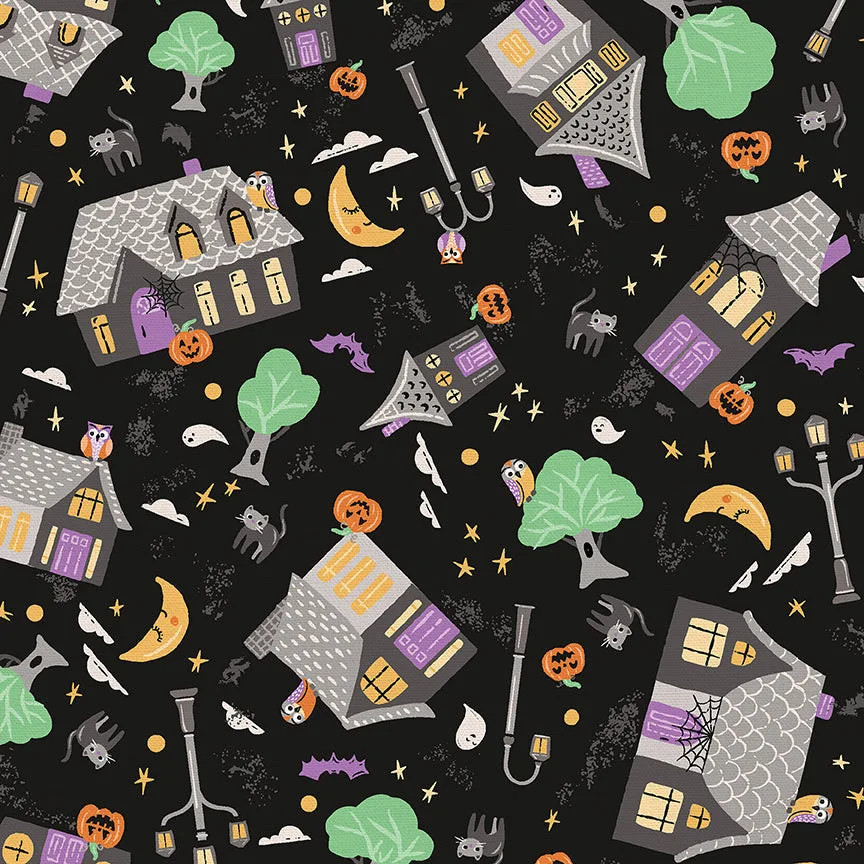
- Halloween Village by Zirkus Design for Paintbrush Studio Fabric: Halloween Village by Zirkus Design for Paintbrush Studio Fabric is a nostalgic neighborhood print with black cats, owls, jack-o-lanterns, and sleepy moons in lilac, grape, and other coordinating colors. This print has a clear color story, so pull solids from its lilac and grape tones rather than introducing new hues. A pale silver solid can separate the busier motifs without competing with the streetlight-and-moon details.
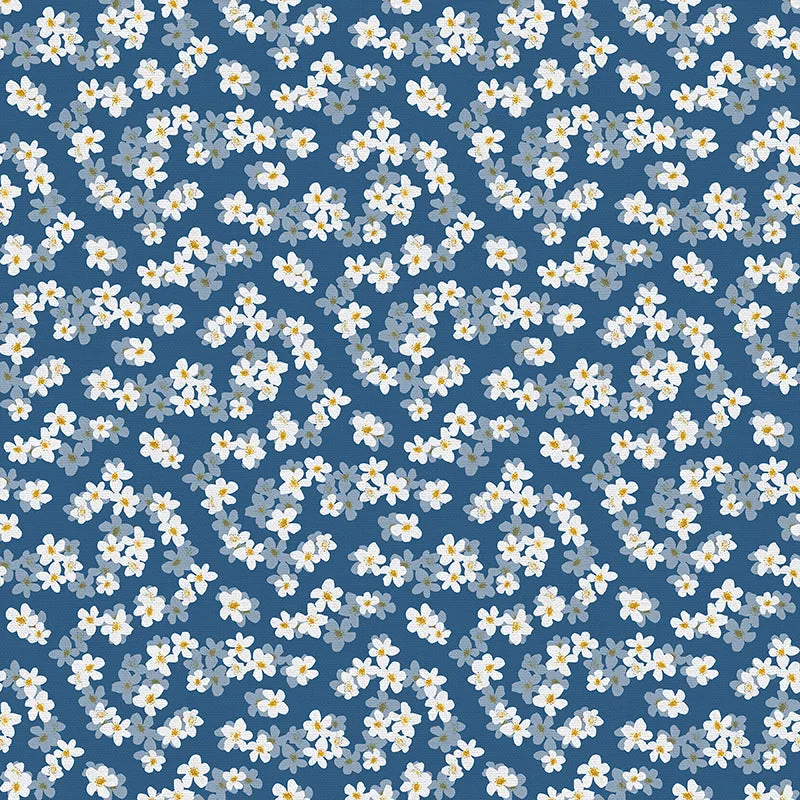
- Ditsy Floral from Italian Citrus by Paintbrush Studio Fabric: Ditsy Floral from Italian Citrus by Paintbrush Studio Fabric is 100% cotton quilting cotton, 143GSM, 44/45 inches wide, and holds its shape after washing. A small-scale ditsy floral needs solids that match its value closely, or the floral will disappear. Because this quilting cotton holds its shape after washing, it is a stable partner for solids in structured garments and quilting alike.