Quick Answer
To mount an interferometer vertically, use a purpose-built angle mounting bracket and a short radius kit, then align the optical axis with a tip/tilt mount. Follow the steps below for a stable, repeatable setup.
Why Vertical Mounting Matters
Vertical mounting is essential when testing large or heavy optics that are easier to position upright. It also saves bench space and reduces the risk of gravity-induced sag in horizontal setups.
A dedicated vertical workstation kit provides the rigid frame needed to keep the interferometer stable during measurements. Without proper support, vibration and thermal drift can compromise results.
Trade-offs to Consider
Vertical mounting changes the load path and may require additional accessories like a motorized Z-axis for automated focusing. This adds cost but improves repeatability for production environments.
The angle mounting bracket must match the interferometer's interface. Check compatibility with your specific model before purchasing, as not all brackets fit all instruments.
Step-by-Step Mounting Process
- Prepare the Workstation: Ensure the vertical workstation kit is on a stable, level surface. Verify that all bolts and brackets are tightened to the manufacturer's specifications. A common mistake is skipping the level check, which leads to alignment errors later.
- Attach the Angle Mounting Bracket: Secure the angle mounting bracket to the workstation frame using the provided hardware. Confirm that the bracket orientation matches the vertical mounting requirement. Double-check that the bracket is rated for the weight of your interferometer.
- Install the Short Radius Kit: Mount the short radius kit onto the bracket. If you have the motorization option, connect the motor and ensure the Z-axis moves smoothly. Test the Z-axis travel before attaching the interferometer to avoid unnecessary strain.
- Attach the Interferometer with Tip/Tilt Mount: Use the tip/tilt mount with bayonet interface to attach the interferometer to the short radius kit. Align the bayonet properly and lock it in place. A common mistake is forcing the bayonet; it should click in smoothly.
- Align the Optical Axis: Adjust the tip/tilt controls to make the interferometer's optical axis perpendicular to the test surface. Use a reference mirror or alignment target to verify. If you see fringes that are not straight, revisit the tip/tilt adjustments.
- Verify Stability and Repeatability: Perform a test measurement and check for drift. Ensure that the setup is stable over the required measurement time. If drift occurs, check for loose bolts or external vibration sources.
Product Facts
-
4" Tip/Tilt mount bayonet interface mounts to Short Radius Kit.: The ZYGO 4" Tip/Tilt mount features a bayonet interface and mounts to the Short Radius Kit. This mount allows precise angular alignment of the interferometer after vertical installation, ensuring the optical axis is perpendicular to the test surface.
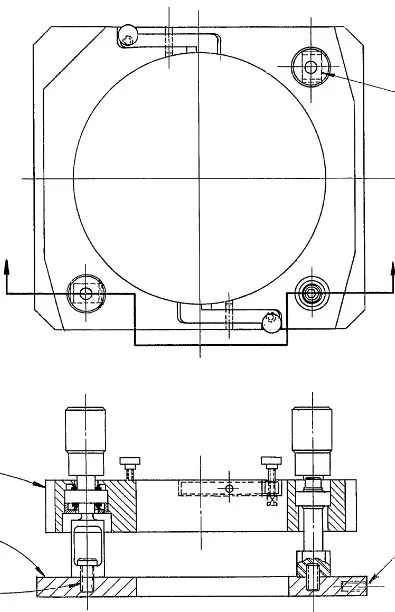
4" Tip/Tilt mount bayonet interface mounts to Short Radius Kit.
-
Angle Mounting Bracket Vertical Workstation Kit: The ZYGO Angle Mounting Bracket Vertical Workstation Kit is designed to support a vertical workstation setup. This bracket provides the structural interface needed to safely hold the interferometer in a vertical orientation, simplifying the mounting process.
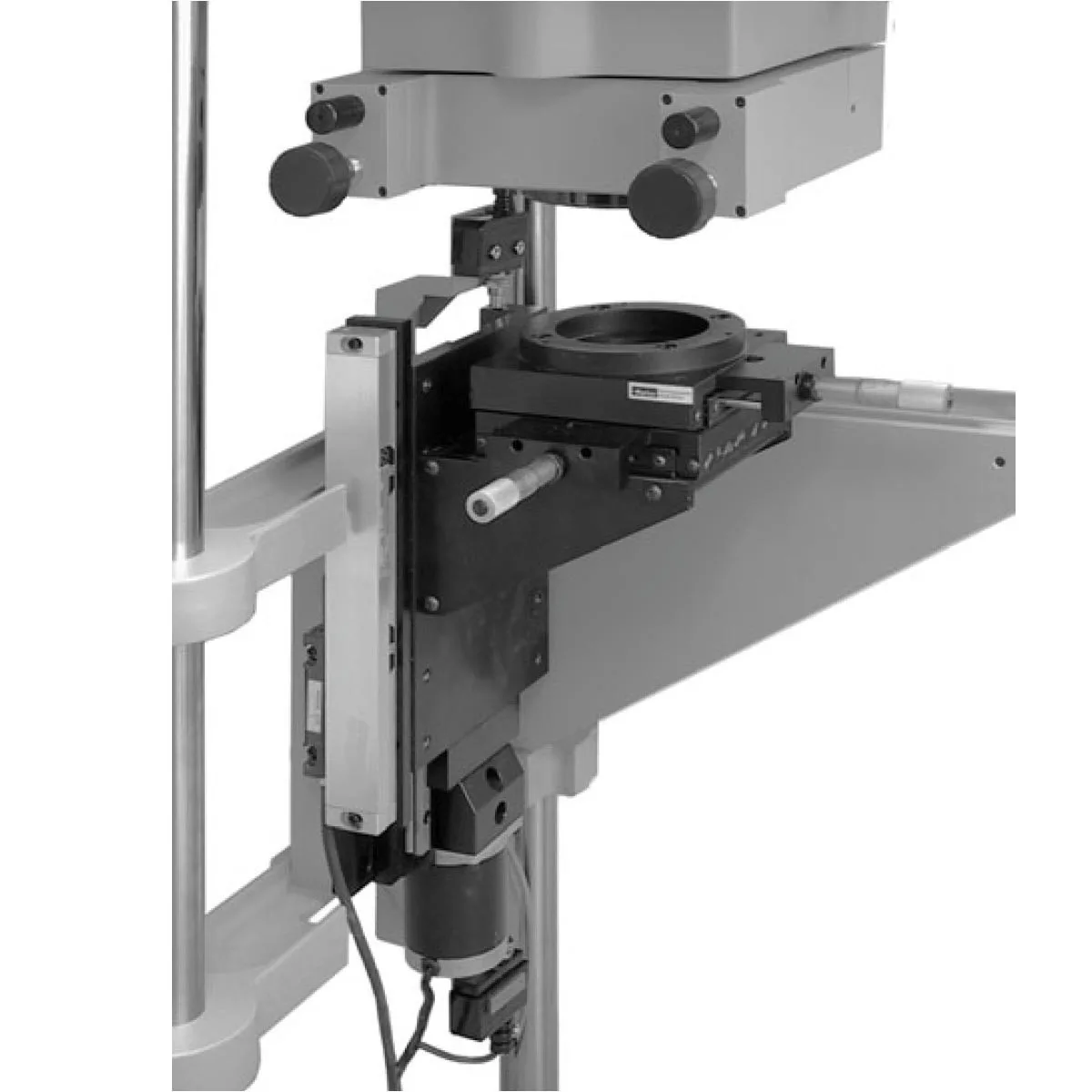
Angle Mounting Bracket Vertical Workstation Kit
-
Short Radius Kit Motorization: Short Radius Kit Motorization adds motorized Z to the short radius kit and requires 6500-0165-02. Motorized Z enables automated focus adjustments, which is useful for repetitive measurements or when remote operation is required.