Quick Answer
To mount a mini ball head swivel joint on your camera rig, screw the 1/4-20 male stud into a compatible female thread on the rig, tighten the locking knob, then attach your accessory to the top 1/4-20 screw.
Why Use a Mini Ball Head on Your Rig
A mini ball head swivel joint gives you precise 90-degree vertical articulation for positioning small accessories like lights, monitors, or microphones. Unlike fixed mounts, the single locking knob lets you adjust the angle quickly and lock it in place without tools.
The compact design keeps your rig balanced and avoids adding unnecessary bulk. However, because the ball head is small, it is best suited for lightweight accessories under a few pounds. Heavy gear may cause the joint to slip over time.
Choosing the Right Mounting Point
Most camera rigs have multiple 1/4-20 threaded holes on the top plate, side rails, or base. Pick a location that keeps the accessory within easy reach and does not block camera controls or the viewfinder.
If your rig uses 3/8-16 threads, you will need a reducer bushing (not included with the universal ball joint). Check your rig's thread size before starting.
Step-by-Step Mounting Process
- 1. Locate a 1/4-20 Female Thread on Your Rig: Find a threaded hole that matches the 1/4-20 male stud on the bottom of the ball joint. Common locations include the top plate, side rails, or cage handles. Check that the thread is clean and free of debris to avoid cross-threading.
- 2. Screw the Ball Joint into the Thread: Hand-tighten the bottom 1/4-20 stud into the female thread until it is snug. Do not use pliers or tools—over-tightening can strip the threads or damage the rig. If the joint feels loose after hand-tightening, add a thin rubber washer (not included) to reduce vibration.
- 3. Loosen the Locking Knob Slightly: Turn the single locking knob counterclockwise just enough to allow the ball head to move freely. Do not remove the knob entirely. Leaving the knob too tight will prevent articulation; too loose may let the accessory droop.
- 4. Attach Your Accessory to the Top Screw: Screw your light, monitor, or microphone onto the top 1/4-20 stud. Ensure the accessory is threaded on straight to avoid cross-threading. If the accessory has a 3/8-16 thread, you will need a step-up adapter (not included).
- 5. Adjust the Angle and Lock It: Tilt the ball head to your desired angle (up to 90° vertical), then tighten the locking knob clockwise until the joint holds firm. Test the lock by gently pushing the accessory—if it moves, tighten the knob a little more.
- 6. Verify Clearance and Stability: Check that the accessory does not interfere with camera controls, cables, or other rig components. Give the mount a gentle shake to ensure it is secure. For heavy accessories, consider using a secondary support arm or safety tether as a backup.
Product Used in This Guide
-
Universal 1/4"-20 Camera Accessory Mount with Mini Ball Head - Multi-Function Swivel Joint for 1/4"-20 Male Studs: Top and bottom 1/4-20 screws allow for multiple applications, and the head allows for 90° vertical articulation with a single locking knob. This lets you attach the mount to any standard 1/4-20 thread on your rig and tilt the accessory to the exact angle you need, all with one hand.
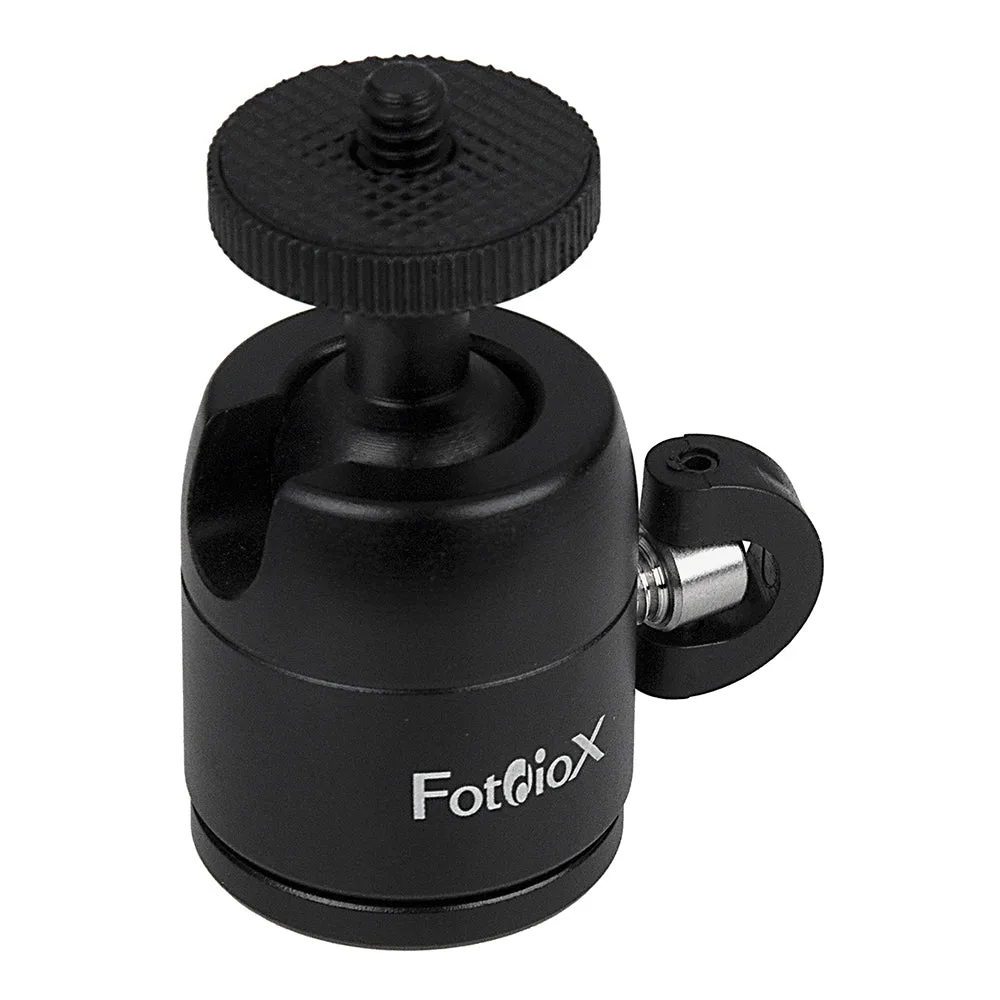
Universal 1/4"-20 Camera Accessory Mount with Mini Ball Head - Multi-Function Swivel Joint for 1/4"-20 Male Studs