Quick answer
Put the flash on a stand or bracket, connect a trigger to the camera hot shoe and a receiver to the flash, set both to the same channel, then start at 1/8 power and adjust distance before changing settings. If the flash does not fire, check trigger-to-flash seating and channel match first.
Mount the flash before you pair anything
A flash that wobbles will shift your light angle every time you touch the stand, so secure the hardware first. Use a stand with a 1/4-inch thread or a bracket that clamps the flash body, not just the hot shoe foot. If you are working close to a tabletop or need handheld control, a compact grip can double as a stand and a handle, which keeps the flash steady when you move around a small set.
- Tighten the locking collar on the stand stud and the flash foot; a loose foot can also break the trigger contact.
- Keep the flash body clear of the stand column so you can tilt it without the head hitting metal.
- If you use a mini tripod or handgrip as your mount, check the load rating before adding a full-size speedlight.
Pair the trigger and receiver on the same channel
Most misfires come from a channel or group mismatch, not from a dead battery. Turn on the receiver and trigger, set both to the same channel, and confirm the group letter matches the group you will adjust. If your trigger has a test button, press it before you mount the flash on the camera; a flash that fires on test but not on shutter release points to a camera-side setting rather than a radio problem.
- Set the trigger to manual or TTL consistently; mixing modes across units is a common source of no-fire.
- Match the group on the receiver to the group you plan to control from the camera.
- Test fire with the flash head pointed at you so you can see the burst, then re-aim it.
Set power, distance and sync speed in that order
Start at 1/8 power and adjust the flash-to-subject distance before you touch the power dial again. Moving a light from three feet to six feet changes exposure more than a one-stop power change in many small rooms. For sync, begin at your camera's standard sync speed, often around 1/200 sec, and only move to high-speed sync if you need a wider aperture in bright light. High-speed sync reduces flash output, so it is a tradeoff, not a free upgrade.
- Set shutter speed first, then aperture, then flash power; changing all three at once makes troubleshooting guesswork.
- If you see a dark band across the frame, you are above the sync speed or the flash is firing late.
- Keep ambient light in mind: a fast shutter darkens the background even when the flash exposure is correct.
Shape the light with position and modifiers
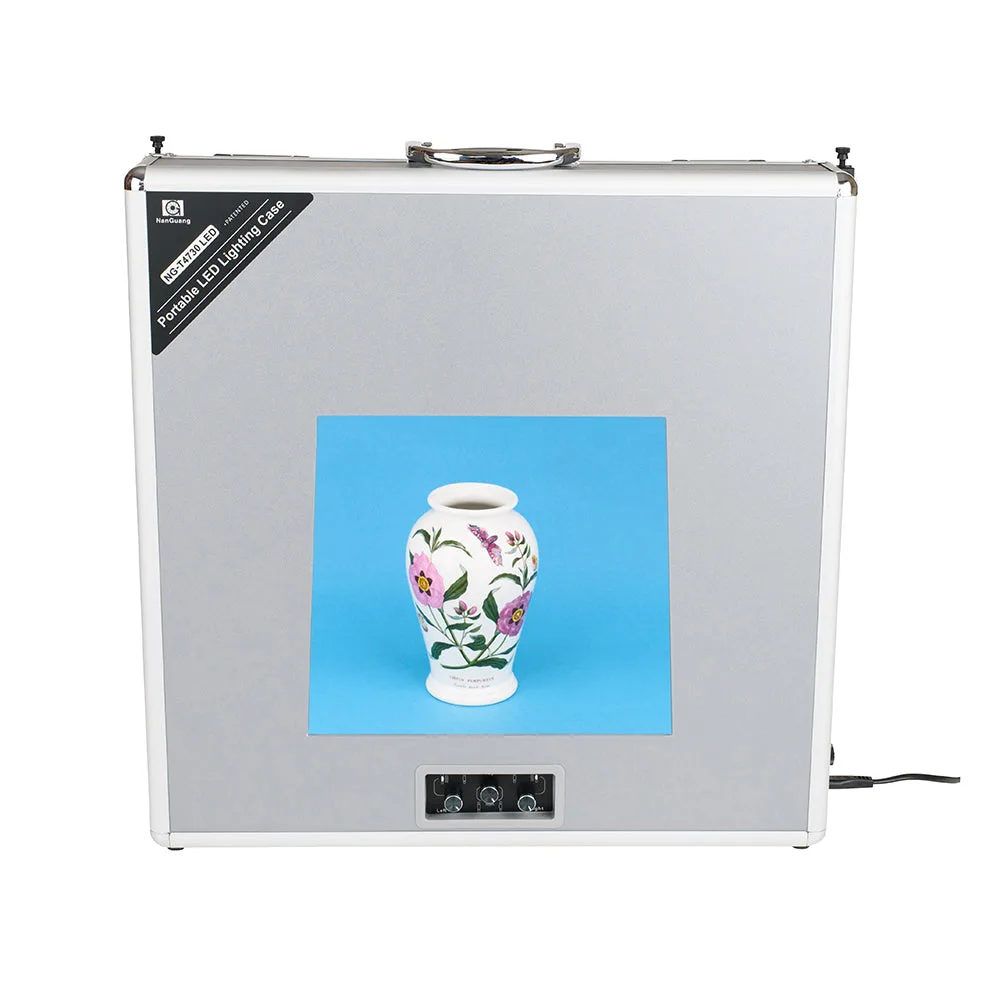
Off-camera flash looks better when it comes from an angle rather than straight on. Place the flash 45 degrees to one side and slightly above eye level for a simple portrait light, then add a diffuser or bounce card if the shadows are too hard. A small LED light box can work as a soft, shadowless source for product shots, but it is a different tool from a speedlight: it gives you a fixed continuous source rather than a burst, so you meter it like any other light and you do not need a trigger.
- Move the light closer for softer shadows before you add a modifier.
- Flag or feather the flash away from the background if you want a darker falloff.
- For tabletop work, a compact grip lets you hand-hold the flash at an angle without a full stand.
Troubleshoot flash sync problems without guessing
Work through the chain in order: batteries, seating, channel, group, mode, then camera settings. If the flash fires on the test button but not on the shutter, check that the trigger is fully seated in the hot shoe and that the camera is not in a silent or electronic shutter mode that disables the hot shoe. If the flash fires but the frame is dark, confirm the receiver is not in a sleep state and that the flash is not set to a slave mode that ignores the trigger.
- Swap in fresh batteries in the trigger and receiver before you change any settings.
- Re-seat the trigger and the flash foot; a partial contact can pass test fires but fail on shutter release.
- If you still get misfires, reduce the distance between trigger and receiver or move away from Wi-Fi routers and metal surfaces.
Off-camera flash setup steps
- Mount the flash on a stand or grip: Attach the flash to a stand stud or bracket and tighten the locking collar so the head cannot droop when you tilt it. Checkpoint: push the flash gently; if the angle changes, tighten before you go further.
- Fit the trigger and receiver: Slide the trigger fully into the camera hot shoe and the receiver onto the flash foot, then lock both down. Common mistake: a partly seated trigger can pass a test fire but fail on the shutter.
- Match channel and group: Set the same channel on trigger and receiver, and set the receiver group to the group you will control from the camera. Checkpoint: press the trigger test button and confirm the flash fires.
- Set sync speed and starting power: Set the camera to its standard sync speed, usually around 1/200 sec, and set the flash to 1/8 power in manual mode. Common mistake: jumping to high-speed sync before checking the standard sync speed, which cuts flash output.
- Position the light and adjust distance first: Place the flash 45 degrees to one side and slightly above eye level, then move it closer or farther before changing power. Checkpoint: if the background is too dark, slow the shutter instead of raising flash power.
- Test, review and refine: Take a test frame, check for dark bands or missed fires, then adjust one variable at a time. Next step: if the flash still misfires, re-seat the trigger and receiver and replace their batteries.
Gear that supports an off-camera setup
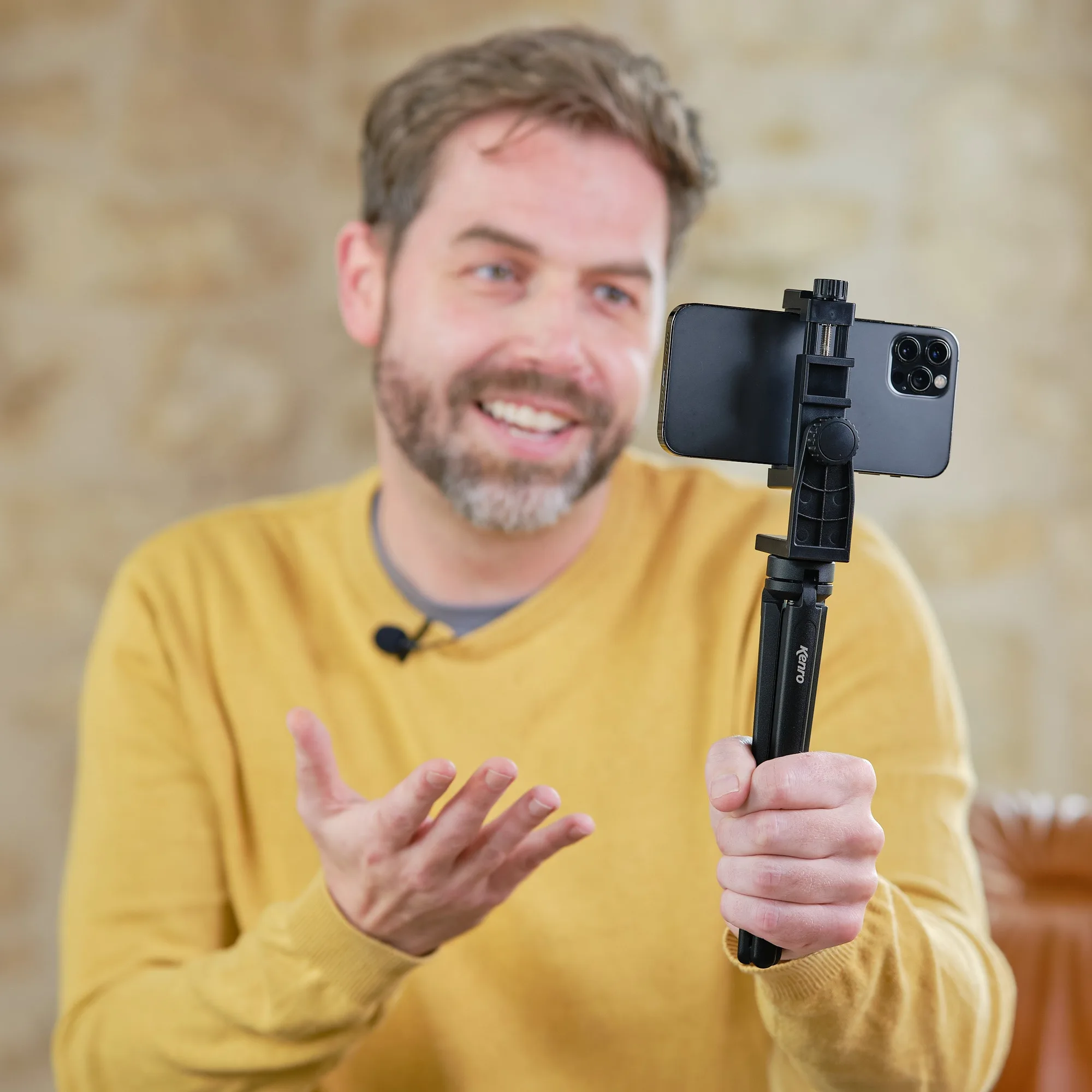
- Kenro Smart Lite 7" Mini Tripod & Handgrip: The Kenro Smart Lite 7-inch 2-in-1 Mini Tripod & Handgrip is made from aluminium alloy and folds to 198mm, working as both a mini tripod and a handgrip. It gives you a stable tabletop mount or a handheld grip for a small flash or light, which is useful when a full stand is too much gear.
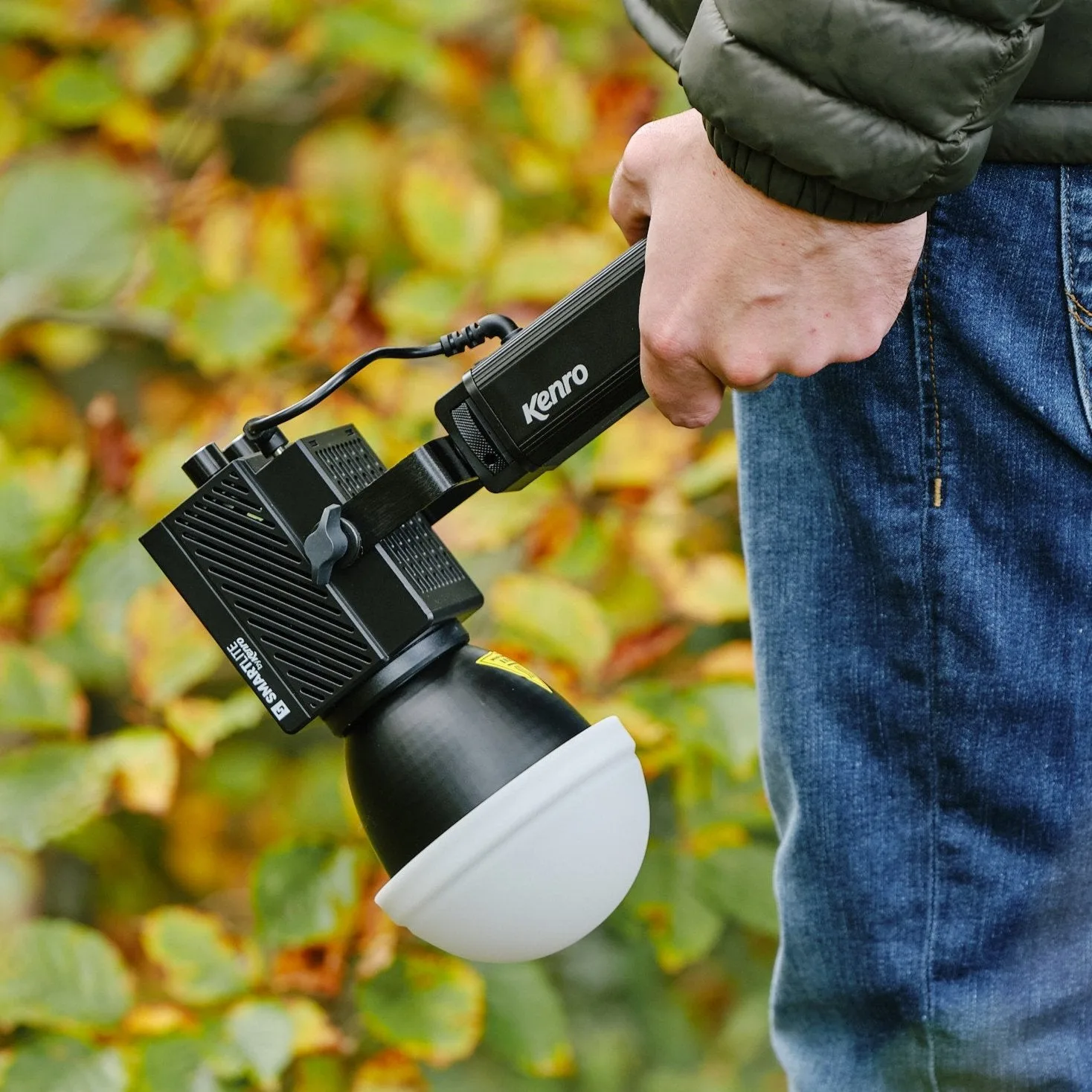
- Kenro Smart Lite Battery Handgrip: The Kenro Smart Lite Battery Handgrip has a 20,700mAh capacity, a 24V / 3A DC output and a USB-C PD input/output port, and is designed to power Kenro Smart Lite 60W Compact LED COB Lights or similar lights. If your off-camera setup uses a continuous LED rather than a speedlight, this handle keeps the light running without a mains outlet.
- NanGuang Portable LED Lighting Case (Small): The NanGuang Portable LED Lighting Case (Small) uses built-in dimmable LEDs and ships with six backgrounds, and it sets up and packs down quickly on mains power. It is a plug-in option for shadowless small-object photos, so you can compare a continuous light box against a triggered flash before buying more flash gear.