Quick Answer
Pack your Travelpro Maxlite Laptop Backpack by placing your laptop in the padded compartment first, then organizing work essentials in the front pockets, and balancing weight with the main compartment.
Why Organization Matters for a Work Backpack
A well-packed backpack keeps you efficient and comfortable during your commute or business trip. The Maxlite Laptop Backpack is lightweight yet durable, but without a smart packing strategy, you may end up digging for items or carrying uneven weight. Understanding its compartments helps you avoid that.
Step-by-Step Packing Guide
- 1. Load the Laptop Compartment First: Slide your laptop into the dedicated padded sleeve. Make sure it fits snugly and the zipper closes without force. Common mistake: placing the laptop in the main compartment. This reduces protection and shifts weight.
- 2. Use the Front Organizational Pockets: Place your phone, charger, pens, and business cards in the front zip pockets. Keep items you need quick access to in the outer pockets. Overstuffing these pockets can make the backpack bulge and affect balance.
- 3. Pack the Main Compartment with Heavy Items at the Bottom: Put your notebook, tablet, or lunch bag in the main compartment. Place heavier items closer to your back to maintain center of gravity. A top-heavy pack strains your shoulders. Check that the sternum strap sits comfortably across your chest.
- 4. Secure Loose Items with the Stacking Strap: If you carry a jacket or a small bag, use the stacking strap on the front to attach it hands-free. Don't overload the strap—it's meant for light items only.
- 5. Adjust the Straps Before You Move: Tighten the shoulder straps so the backpack sits high on your back. Fasten the sternum strap to keep the shoulder straps in place. Loose straps cause the backpack to sag and shift, leading to discomfort.
About the Travelpro Maxlite Laptop Backpack
-
Maxlite® Laptop Backpack: The Maxlite Laptop Backpack features a breathable, padded back design and padded shoulder straps with an adjustable sternum strap. This setup reduces fatigue and distributes weight evenly, making it ideal for carrying a laptop and work essentials all day.
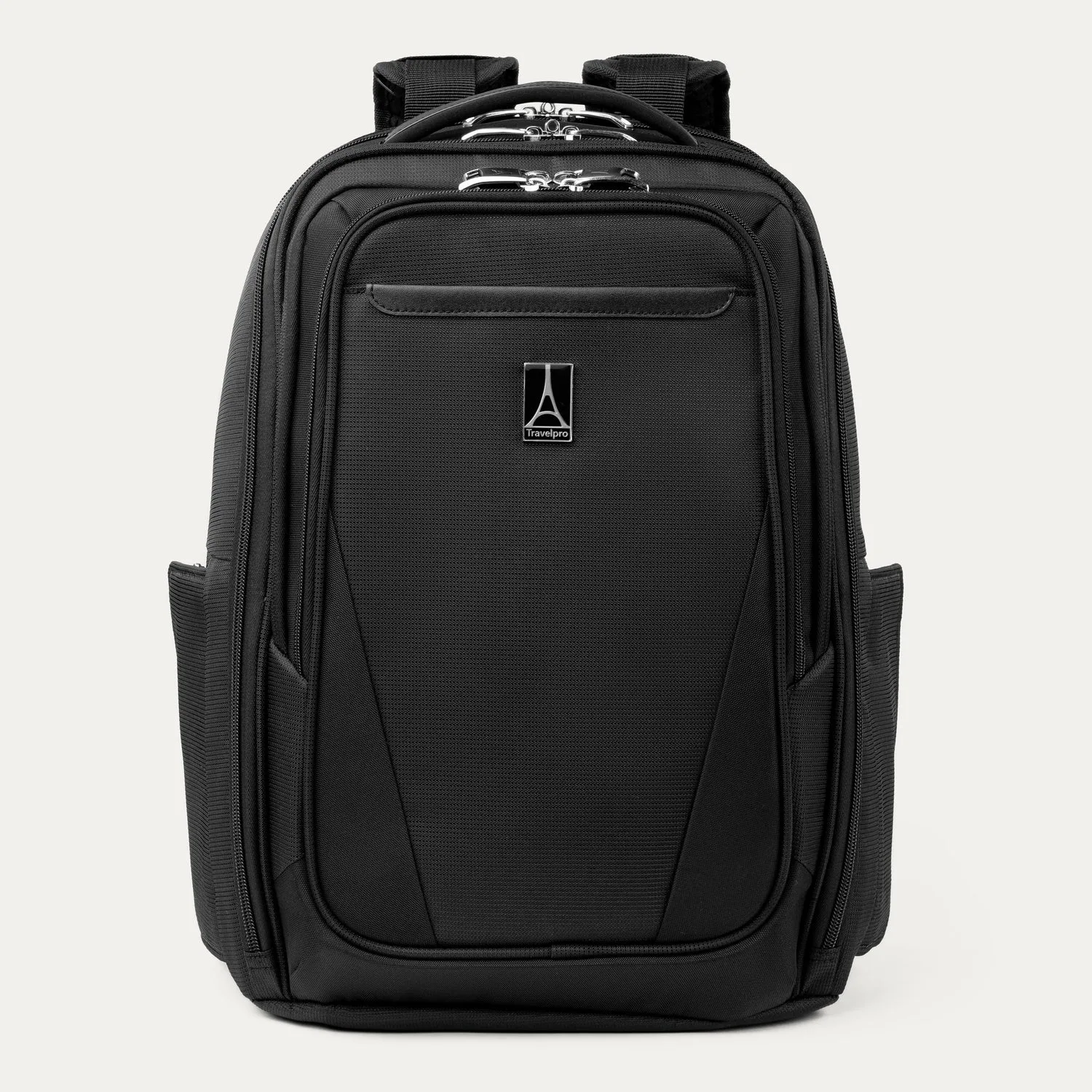
Maxlite® Laptop Backpack