Quick answer
To pose a heavy 1/60 PG kit on an action stand, use a metal snake bone base that locks firmly at the connector, set the feet wider than the hips, and tighten every joint before you adjust the torso. Balance the heaviest part of the kit—usually the backpack or shoulder-mounted weapons—directly over the base column, then fine-tune the limbs.
Why PG kits behave differently on action stands
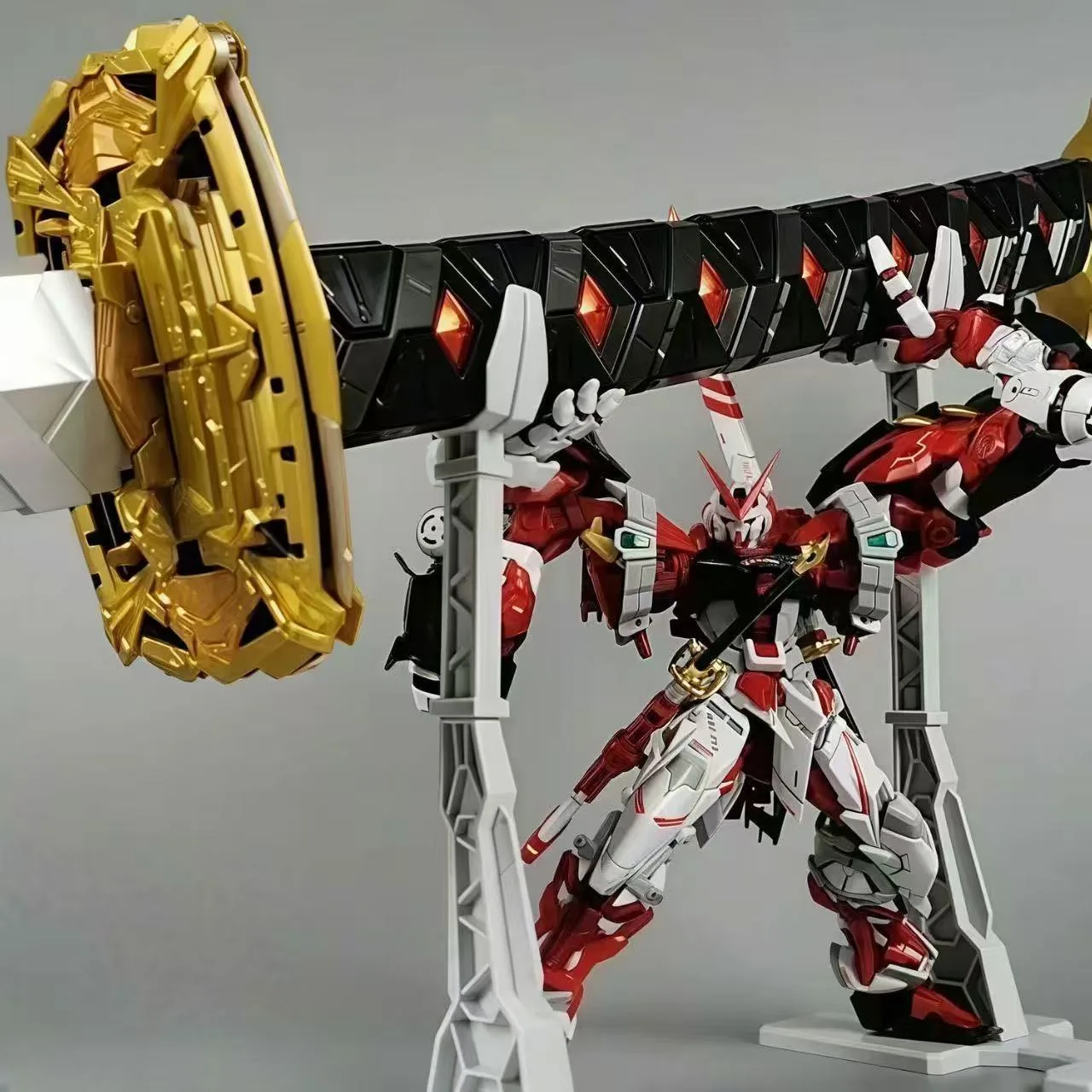
Perfect Grade kits are heavier and taller than most 1/100 and 1/144 models, so the same pose that works on a small stand can make a 1/60 kit lean or tip. The weight sits higher, and long weapons or backpacks shift the center of gravity far from the stand column. Before you pose, decide whether the kit will be mostly upright or in a dynamic action pose. Upright poses are easier to balance; airborne poses need a stand that can hold an offset load without sagging.
Check the connection point on your stand. Some stands use a simple peg, while others include a dedicated connector for a specific kit. A loose or generic peg lets a heavy PG kit rotate under its own weight, so a stand with a matching connector and a metal arm gives you more control.
Set up the stand and lock the connector first
Assemble the stand on a flat, stable surface before attaching the kit. Tighten the base screws and any arm joints so the stand cannot drift while you work. If your stand uses a snake bone arm, bend it into a rough shape that matches your intended pose, then attach the connector to the kit. This order matters: bending the arm while the kit is mounted puts stress on the model's joints and the stand's connector.
For PG kits with a dedicated stand option, use the included connector rather than forcing a universal peg. A connector that seats fully prevents the kit from wobbling at the waist or backpack mount.
Balance the heaviest components over the base
Once the kit is on the stand, identify the heaviest single component—often a large backpack, a shield, or a weapon mounted on one side. Position that component as close to directly above the stand's base column as possible. If the kit leans, move the stand arm rather than forcing the model's joints to compensate. A small shift at the base is safer than a large bend at the hip.
Keep the feet or lower legs slightly apart and angled outward for a wider support triangle. This is especially important for kits like the PG 00 Raiser, where the 0 Raiser and large binders add weight high on the back.
Pose the limbs without overloading joints
Adjust one limb at a time and check the balance after each change. Start with the legs, then the torso, then the arms and weapons. If a joint feels tight or the kit starts to tilt, stop and reposition the stand arm instead of pushing further. Heavy weapons should be held close to the body or supported by the stand when possible.
For dynamic poses, use the stand to carry the kit's weight and let the joints stay near their neutral range. This reduces stress on polycaps and screws, which is important for long-term display.
Check stability and make small adjustments
After posing, gently press down on the stand base and watch for any rocking. A stable setup should not shift when you nudge the kit lightly. If it does, lower the kit's center of gravity by bringing the arms or weapons closer to the body, or shorten the stand arm. Re-tighten any screws or joints that moved during posing.
Leave the kit in place for a few hours and check again. Some stands settle slightly under continuous load, so a final small adjustment may be needed.
Step-by-step PG posing and balancing process
- Prepare a stable stand: Assemble the stand on a flat surface and tighten all screws and arm joints. Attach the correct connector for your kit before mounting the model. Checkpoint: the stand should not wobble when you press the base.
- Mount the kit at the connector: Seat the kit fully onto the connector. If it feels loose, do not force it—check that you are using the right connector for that PG kit. Mistake to avoid: using a universal peg that lets the heavy kit rotate.
- Set a wide foot stance: Angle the feet slightly outward and keep them apart to create a wider support base. This lowers the effective center of gravity. Checkpoint: the kit should not tip when you release it gently.
- Position the heaviest part over the base: Move the stand arm so the backpack or large weapon sits as close to above the base column as possible. Mistake to avoid: bending the kit's hip or waist joint to compensate for an offset load.
- Adjust limbs one at a time: Pose legs first, then torso, then arms and weapons. Recheck balance after each change and use the stand arm for support. Checkpoint: no joint should feel like it is holding the kit's full weight.
- Do a final stability check: Nudge the kit lightly and watch for rocking. If it moves, lower the center of gravity or shorten the stand arm. Re-tighten any loose joints. Next step: leave it for a few hours, then check and adjust once more.
Products that help with PG posing and balancing
- Playman Studio Snake Bone Action Base Stand Black for PG 00 Raiser 1/60: Playman Studio Snake Bone Action Base Stand Black for PG 00 Raiser 1/60. Includes: Connector, Metal Snake Bone Action Base Stand. The metal snake bone arm holds a heavy PG 00 Raiser in offset poses without sagging, and the included connector matches the kit's mount.
- Playman Studio Snake Bone Action Base Stand Black for PG Exia 1/60: Playman Studio Snake Bone Action Base Stand Black for PG Exia 1/60. Includes: Connector, Metal Snake Bone Action Base Stand. A dedicated connector for the PG Exia keeps the kit locked to the stand, which helps when posing the Exia's large weapons and shield.
- Evo RG Gundam 00 Raiser XN (00RXN) Water Decal: Evo RG Gundam 00 Raiser XN (00RXN) Water Decal. Water slide decals for the RG 00 Raiser XN (00RXN) model. If you also build 1/144 kits, these decals add detail and can be used as reference for marking placement when you pose your PG 00 Raiser.