Quick answer
Replacing your headphone cable can improve durability, reduce microphonics, and sometimes change the sound signature. The key is choosing a cable with the correct connectors and length for your headphones and setup.
Why replace a headphone cable?
Stock cables are often stiff, microphonic (noisy when rubbing against clothing), or prone to failure at the connector. A replacement cable can offer better flexibility, lighter weight, and more durable terminations.
While cables rarely change frequency response in a measurable way, they can affect perceived clarity if the stock cable introduces noise or has a high impedance. For most listeners, the upgrade is about feel and reliability rather than a dramatic sonic leap.
Cable compatibility matters most
Before buying a replacement, check the connector type on your headphones (e.g., 2.5mm mono, 3.5mm, mini XLR, or proprietary) and the termination you need for your amp (1/4-inch, 4.4mm balanced, XLR, etc.).
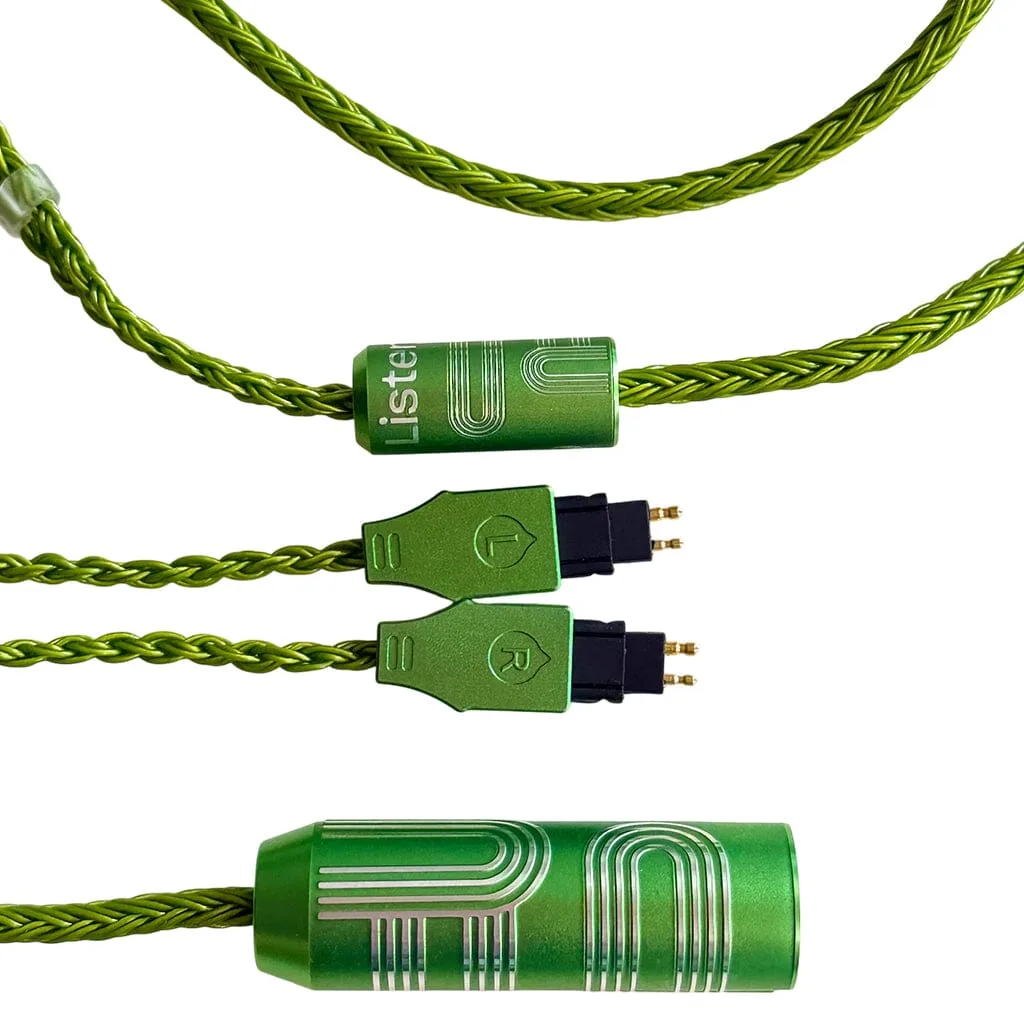
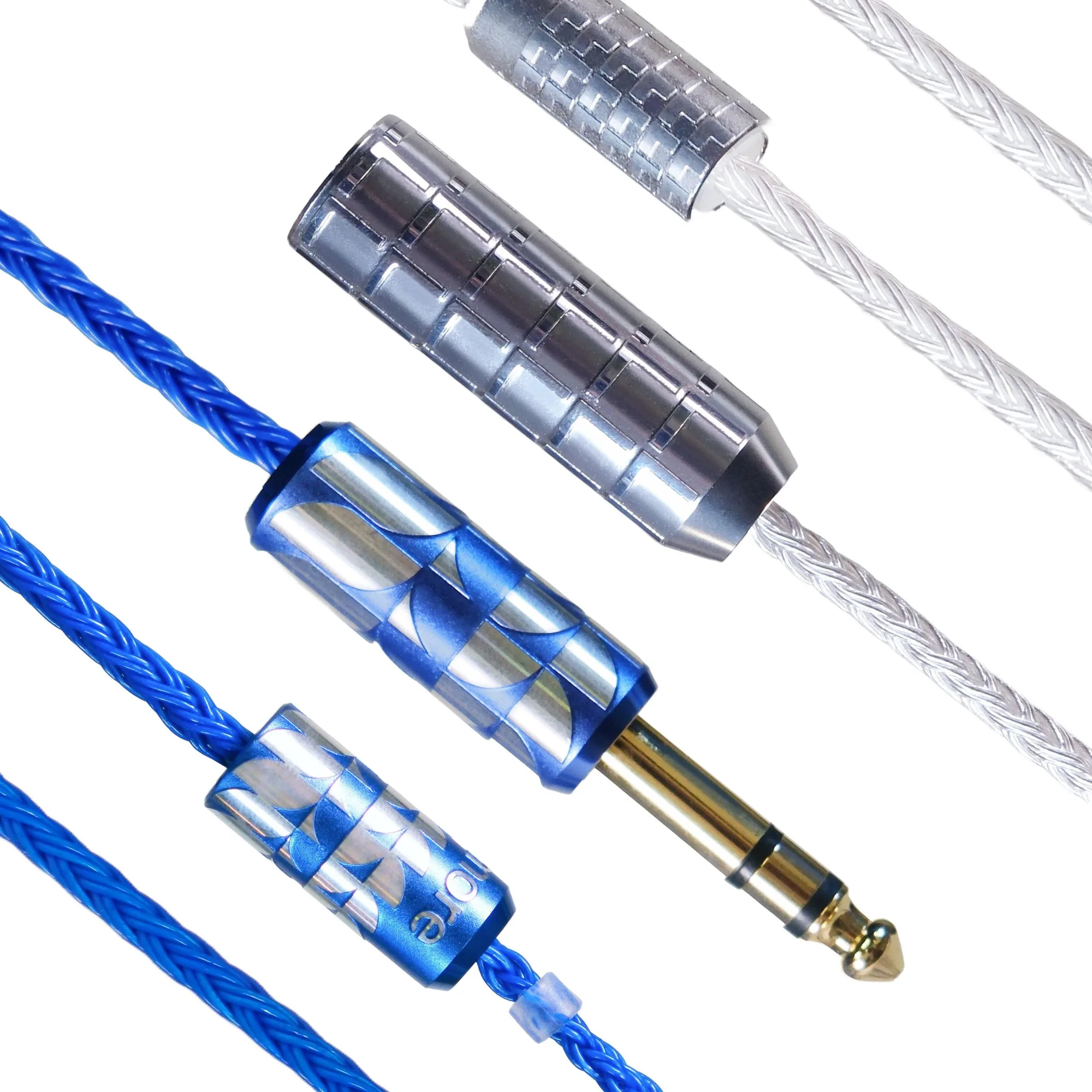
The Etched Headphone Cable for Sennheiser HD 600 Series (product 2318944) is built specifically for HD 600, HD 650, HD 6XX, and HD 660 S models, with options for color, length, and amplifier connection. The standard Etched Headphone Cable (product 2318943) works with many other headphones and offers similar flexibility and noise resistance.
Step-by-step cable replacement guide
- 1. Identify your headphone connector type: Remove the stock cable from each earcup and examine the connector shape and pin count. Common types: 2.5mm mono, 3.5mm, mini XLR (3-pin or 4-pin), and proprietary (e.g., Focal, B&O). Common mistake: assuming all 2.5mm plugs are the same. Some are TRRS (balanced) and some are TS (unbalanced). Check your headphone's pinout.
- 2. Choose the correct termination for your amp: Decide between single-ended (1/4-inch or 3.5mm) or balanced (2.5mm TRRS, 4.4mm Pentaconn, 4-pin XLR). Balanced connections require a balanced amplifier output. Common mistake: buying a balanced cable for a single-ended amp. The cable will work, but you won't get the balanced benefit unless both amp and cable support it.
- 3. Select the right cable length and material: Measure the distance from your headphone jack to your audio source. A 1.2m cable suits portable use; 1.5-3m works for desktop setups. Braided or fabric jackets resist tangling and microphonics better than rubber. Common mistake: choosing a cable too long for your desk. Excess cable adds weight and clutter. Pick the shortest length that comfortably reaches your gear.
- 4. Remove the old cable gently: Grip the connector body (not the wire) and pull straight out. Avoid twisting or yanking the cable, which can damage the headphone jack. Common mistake: pulling by the wire. This stresses the solder joints inside the connector and can cause intermittent audio.
- 5. Insert the new cable until it clicks or seats fully: Align the connector keyway (if present) and push firmly until you feel it lock. For mini XLR connectors, you'll often hear or feel a small click. For 2.5mm/3.5mm, push until the collar is flush with the earcup. Common mistake: not inserting fully. A partially seated connector can cause channel imbalance or crackling. Always double-check both earcups.
- 6. Test the audio and flexibility: Play a track with clear left/right panning and check for static or dropouts when moving your head. Bend the cable near the connectors to ensure no intermittent cutouts. Common mistake: skipping the test. A defective cable can pass initial audio but fail when flexed. Do a quick movement test before routing the cable permanently.
Cables mentioned in this guide
-
Etched Headphone Cable for Sennheiser HD 600 Series: Designed specifically for Sennheiser HD 600 series (HD 600, HD 650, HD 6XX, HD 660 S) with color, length, and amplifier connection options. Ensures a perfect fit for these popular headphones without needing adapters, and lets you choose the right length and plug for your desk or portable setup.
Etched Headphone Cable for Sennheiser HD 600 Series
-
Etched Headphone Cable: Solves common cable complaints: stiffness, microphonics, bulk, and poor aesthetics. Available in multiple colors, lengths, and amplifier connections. A versatile upgrade for many headphone models that improves day-to-day comfort and reduces cable noise during use.
Etched Headphone Cable