Quick answer
Replace a faulty temperature timer controller or rocker power switch on your ePhotoInc heat press by unplugging the machine, removing the back panel, disconnecting the old component, and installing the new one. Use compatible parts like the Replacement Temperature Timer Controller (product ID 1875669) or the 2-Pack Rocker Power Switch (product ID 1875667).
When to replace the controller or power switch
If your heat press fails to hold a set temperature or the timer doesn't work correctly, the temperature timer controller may be worn out. A power switch that feels loose, doesn't click cleanly, or fails to turn the machine on indicates it's time for a replacement. Both are common wear items that can be swapped without professional help.
Using the correct replacement part ensures compatibility. The Replacement Temperature Timer Controller is designed for ePhotoInc heat press models that use this controller type, while the 2-Pack Rocker Power Switch fits standard 4-pin 2-position ON/OFF configurations with a 16A 125 VAC rating.
Tools you will need
You'll need a Phillips head screwdriver, a flathead screwdriver (for prying off the switch bezel if needed), and a multimeter to verify power is off before starting. Optional but helpful: a pair of needle-nose pliers for disconnecting wire terminals and a flashlight to see inside the control box.
Step-by-step replacement process
- Unplug and verify power is off: Disconnect the heat press from the wall outlet. Use a multimeter to confirm no voltage is present at the power cord terminals inside the control box. This is your primary safety check. Never skip the multimeter test; a switched-off machine can still hold residual charge.
- Remove the back or side panel: Using a Phillips screwdriver, remove the screws securing the control box cover or back panel. Keep the screws in a safe place. Gently lift off the panel to expose the internal wiring. Take a photo of the wiring layout before disconnecting anything—it will save you guesswork during reassembly.
- Disconnect the old controller or power switch: For the temperature timer controller, note which wires connect to which terminals (photo helps). Use a flathead screwdriver to release the wire clips or loosen terminal screws. For the power switch, gently pull the wire terminals off the 4-pin connectors. Remove the old component from its mounting bracket. If a wire terminal is stuck, use needle-nose pliers to wiggle it free; do not yank the wire itself.
- Install the new component: Mount the new temperature timer controller or rocker power switch into the bracket or panel opening. Reconnect each wire to the same terminal as the old part—refer to your photo. For the power switch, align the 4-pin connector orientation (the pins are usually keyed). Tighten terminal screws securely. Double-check that each wire is fully seated and that no loose strands could short against the chassis.
- Reassemble and test: Replace the panel and secure with screws. Plug the heat press in and turn it on using the new power switch. Set a temperature and timer on the controller to verify both functions work. Let the press heat up to confirm temperature regulation. If the press doesn't power on or the controller display is blank, unplug immediately and recheck wire connections—a reversed or loose connection is the most common issue.
Replacement parts for your heat press
-
Replacement Temperature Timer Controller for ePhotoInc heat press: This replacement temperature timer controller is designed for use with ePhotoInc heat presses, allowing you to set and monitor temperature and press time. It restores consistent temperature control and timer accuracy, which is critical for achieving reliable heat transfer results.
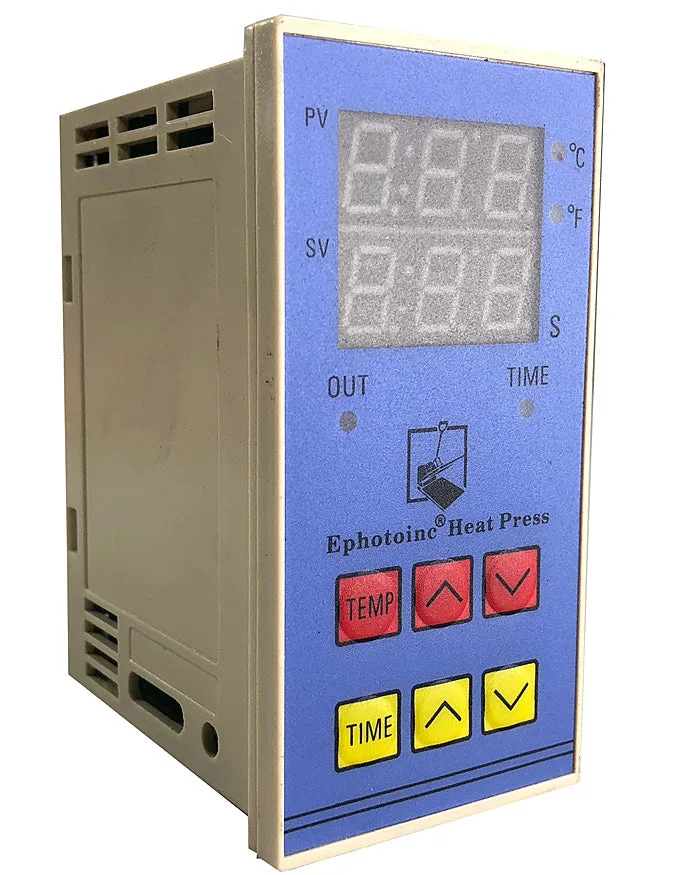
Replacement Temperature Timer Controller for ePhotoInc heat press
-
2-Pack Rocker Power Switch 16A 4 Pin 2 Position ON/Off Power Switch Red Button with Light: This 2-pack rocker power switch is rated 16A 125 VAC, has 4 pins, and a red indicator light. It fits heat press machines with a similar switch form factor. The 2-pack gives you a spare, and the red light confirms the unit is powered on, helping you avoid accidentally leaving the press on.
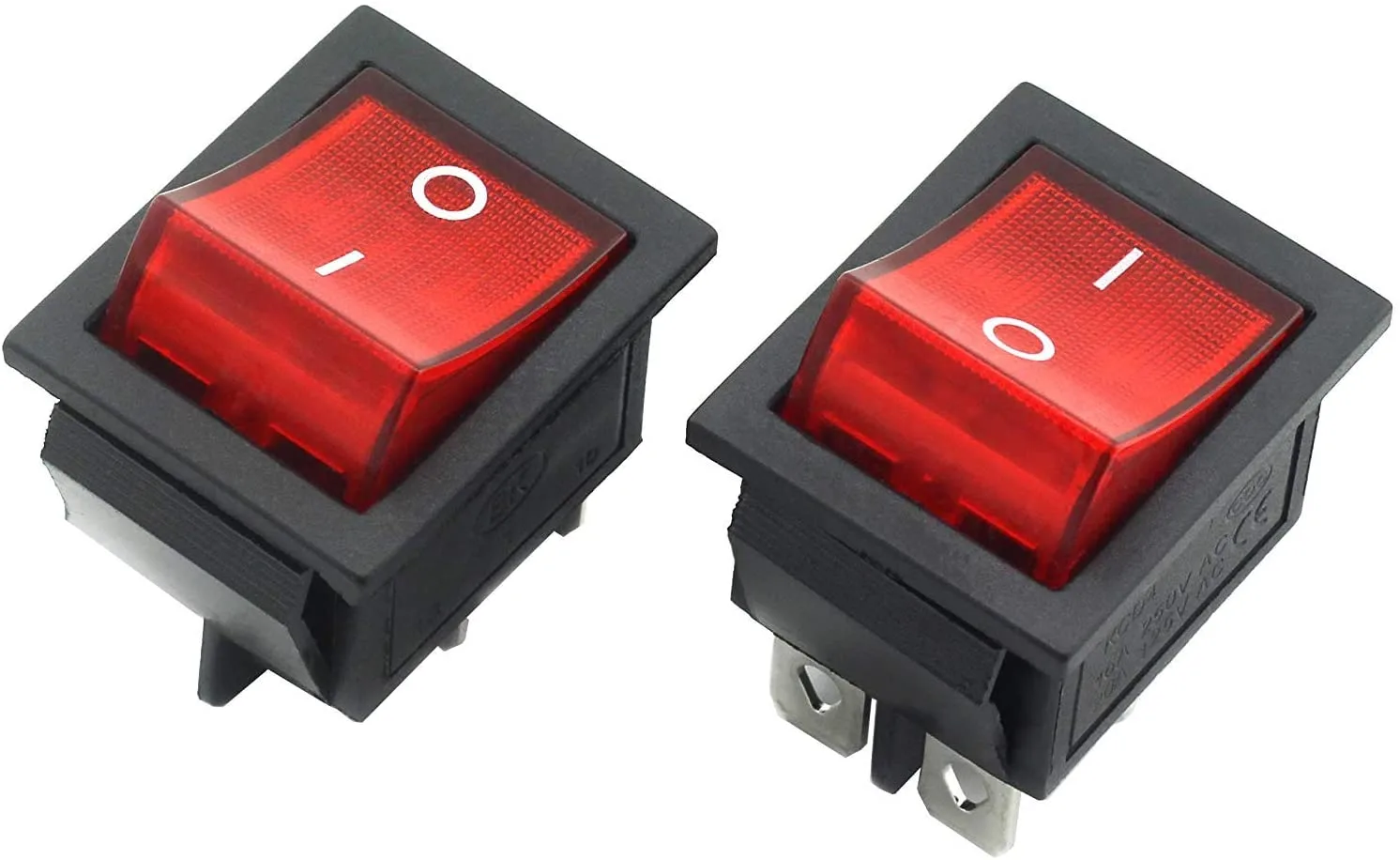
2-Pack Rocker Power Switch 16A 4 Pin 2 Position ON/Off Power Switch Red Button with Light


