Quick answer
Replacing the rear hubs on your RC car is a straightforward task that restores drivetrain alignment and reduces vibration. Use the correct original spare part for your model to ensure a perfect fit.
When to replace rear hubs
Worn or damaged rear hubs cause wheel wobble, uneven tire wear, and drivetrain noise. If you notice any of these symptoms after a crash or regular use, replacement is the fix. Upgrading to a fresh hub can also improve handling consistency.
The M16014 rear hub is an original spare part designed specifically for HM161 and HM162 models. Using a non-original part may lead to fitment issues or accelerated wear.
Step-by-step replacement process
- 1. Remove the wheel and tire: Use a wheel wrench to loosen and remove the wheel nut. Pull the wheel straight off the axle. If it sticks, gently wiggle it side to side. Don't force the wheel off; you can damage the axle threads.
- 2. Detach the old hub: Remove the retaining clip or pin that holds the hub on the axle. Slide the hub off. On some models, you may need to remove a small set screw first. Note the orientation of any spacers or washers before removal.
- 3. Inspect the axle and bearings: Check the axle for bends or wear. Spin the wheel bearings by hand; replace them if they feel rough or gritty. A damaged axle will cause the new hub to wear quickly.
- 4. Install the new hub: Slide the new hub (e.g., M16014) onto the axle, making sure it's fully seated. Reinstall the retaining clip or pin securely. Double-check that the hub moves freely on the axle after installation.
- 5. Reattach the wheel and test: Put the wheel back on, tighten the nut, and spin the wheel by hand. It should rotate smoothly without wobble. A slight binding means the hub is not seated correctly or the axle is bent.
Product facts
-
Rear Hubs(M16014): The M16014 rear hub is an original spare part, 100% applicable to HM161/HM162 models. This ensures a direct bolt-on replacement without modifications, saving time and avoiding alignment problems.
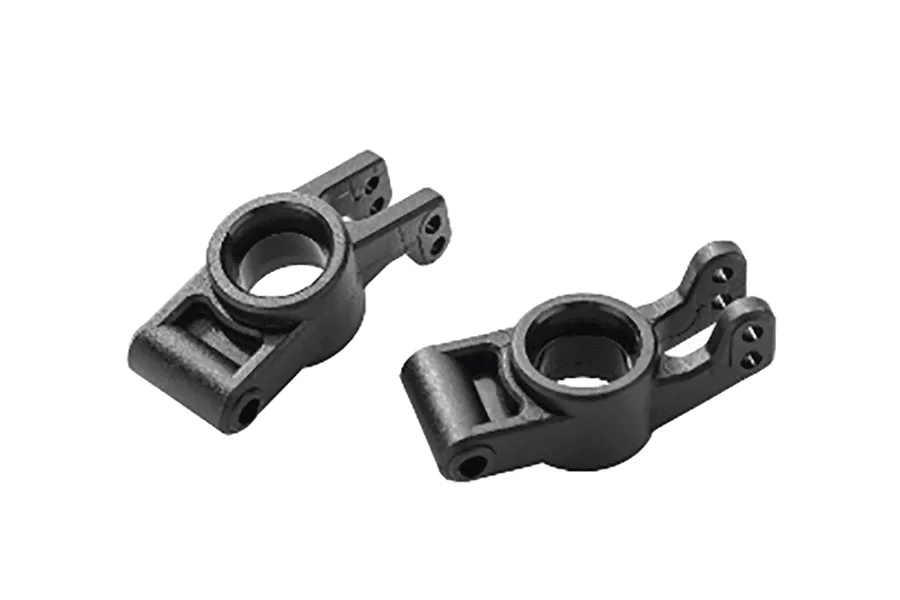
Rear Hubs(M16014)