Quick answer
Replace your Wyze headphone ear pads and headband padding using the Wyze Headphone Replacement Part Kit. This DIY fix takes about 10 minutes with basic tools and restores comfort and fit.
When to replace ear pads and headband
Over time, the foam and faux leather on ear pads and headband padding compress, crack, or peel. This reduces noise isolation, makes the headphones less comfortable, and can cause pressure points during long listening sessions. If you notice flaking material or your headband feels flat, it's time for a swap.
The Wyze Headphone Replacement Part Kit includes the exact components designed for your Wyze headphones, so you don't have to guess which third-party parts might fit. The kit is affordable and comes with everything you need except a small Phillips-head screwdriver.
Tools you'll need
You only need a small Phillips-head screwdriver (often included in eyeglass repair kits) and a plastic spudger or your fingernails to pry off the old ear pads. The replacement parts snap or screw into place without adhesive.
Step-by-step replacement process
- Remove the old ear pads: Grip the edge of the ear pad and gently pull it away from the ear cup. It is held on by a plastic ring that snaps into the cup. Work your way around until the pad pops off completely. If it resists, use a plastic spudger to pry under the edge. Don't yank hard—the plastic ring can break. Work slowly around the perimeter.
- Attach the new ear pads: Align the plastic ring on the new ear pad with the groove inside the ear cup. Press firmly around the entire circumference until you hear a click. Ensure the pad sits evenly with no gaps. Check that the pad is fully seated before moving to the next ear. A loose pad will shift during use.
- Remove the old headband padding: Turn the headphones over and locate the small screws on the underside of the headband arch. Use a Phillips-head screwdriver to remove them. Slide the old padding off the plastic frame. Keep the screws in a small container so they don't roll away. They are tiny and easy to lose.
- Install the new headband padding: Slide the new headband padding onto the plastic frame, aligning the screw holes. Replace the screws and tighten them gently until snug—do not overtighten or you may strip the plastic threads. If the padding feels loose after tightening, remove it and check that the screw holes line up perfectly.
- Test the fit and function: Put on the headphones and adjust the headband. The new padding should feel plush and distribute pressure evenly. Play audio to confirm the ear pads seal properly around your ears for good bass response and noise isolation. If you hear a rattling sound, one of the ear pads may not be fully clicked in. Recheck the snap ring.
Product used in this guide
-
Wyze Headphone Replacement Part Kit: The Wyze Headphone Replacement Part Kit includes replacement parts specifically for Wyze headphones and helps restore comfort and functionality to your existing headphones. You get a perfect fit without trial-and-error, and the kit costs less than buying a new pair of headphones.
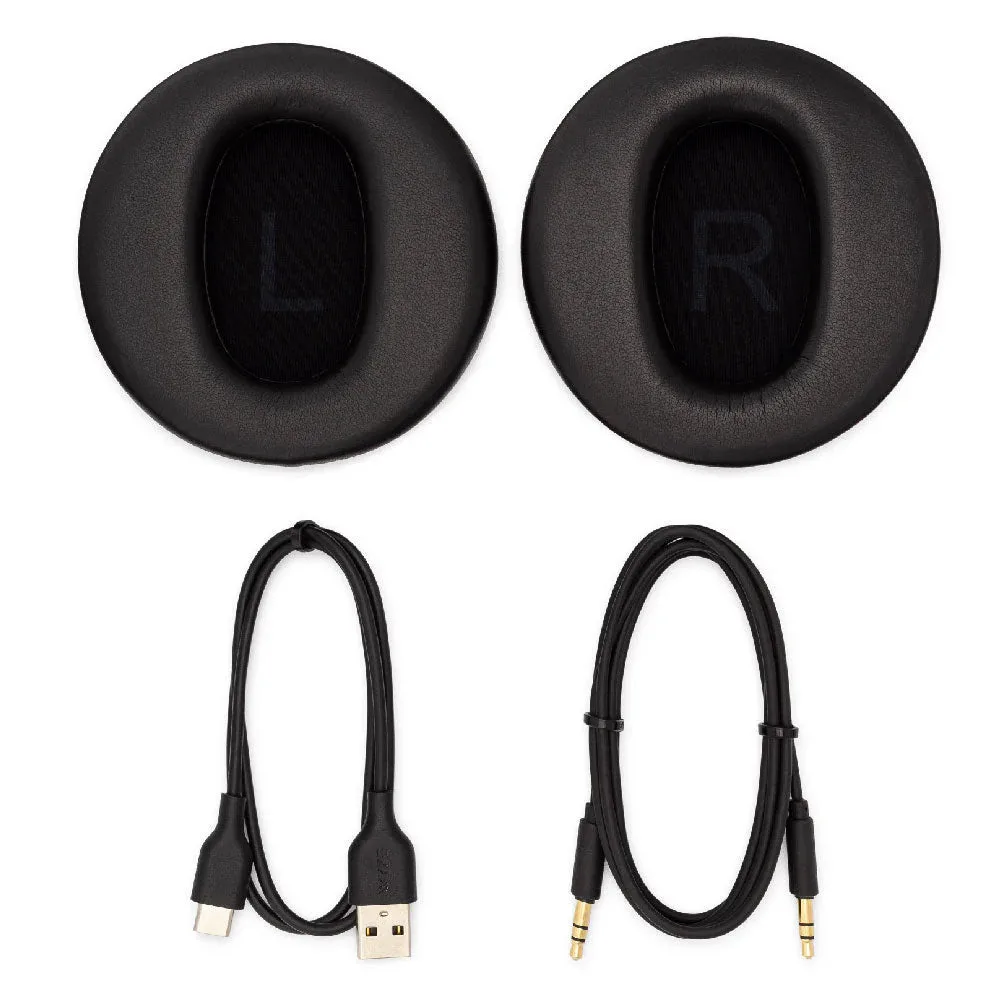
Wyze Headphone Replacement Part Kit


