Quick Answer
To set up the BDH Active Shifter, mount it securely to your rig, connect it to your PC, install SimHub, and calibrate the shifter's force feedback using the telemetry-driven profiles.
Why the BDH Active Shifter Is Different
Most shifters provide a fixed resistance regardless of what the car is doing. The BDH Active Shifter changes that by using SimHub telemetry to drive every resistance, vibration, and kickback based on your virtual car's actual behavior. This means the shifter can simulate gear grinding, missed shifts, and even the mechanical feel of a real gearbox.
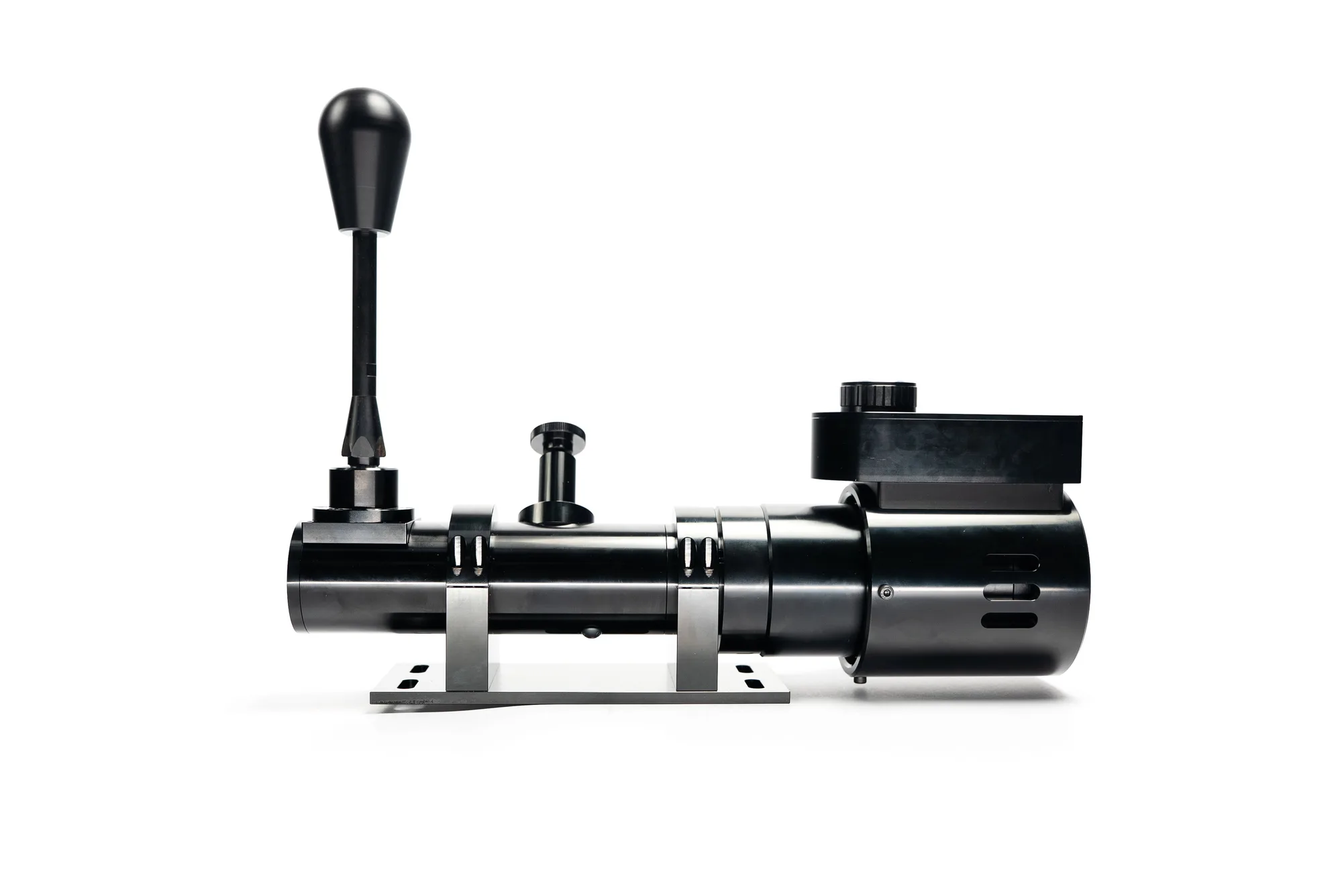
Because it's built on the BDH H1 'Bazooka' foundation, you get a robust mechanical base that can handle the forces generated by the active feedback. However, this also means the shifter is heavier and requires a solid mounting point to avoid flex or movement during aggressive shifts.
What You Need Before Starting
Before you begin, ensure you have the shifter, a mounting plate or bracket compatible with your rig, a USB cable, and a PC with SimHub installed. The Active Shifter is designed to work with SimHub, so you'll need to have that software running to get the full telemetry-driven experience.
Check that your rig's shifter mount is sturdy and positioned at a comfortable height. The Active Shifter is heavier than a typical sequential shifter, so a flimsy mount will cause unwanted movement and reduce the fidelity of the force feedback.
Step-by-Step Setup Guide
- Mount the Shifter: Secure the BDH Active Shifter to your rig's shifter mount using the provided bolts or a compatible mounting plate. Ensure the mount is rigid and the shifter is positioned at a comfortable reach. Common mistake: using a flimsy mount that flexes under load. Check for any movement before proceeding.
- Connect Power and USB: Plug the shifter's USB cable into your PC and connect the power adapter (if included) to a wall outlet. Use a powered USB hub if the port doesn't provide enough power. Common mistake: plugging into a front-panel USB port that may not supply stable power. Use a rear motherboard port or powered hub.
- Install SimHub: Download and install SimHub from the official website. Launch it and ensure it detects your shifter. If not, check the USB connection and drivers. Common mistake: forgetting to install the latest drivers. Visit the manufacturer's site for any required drivers.
- Configure SimHub Telemetry: In SimHub, go to the shifter settings and select the BDH Active Shifter profile. Map the telemetry channels for gear, RPM, and speed to the shifter's feedback parameters. Common mistake: leaving the default profile, which may not match your game's telemetry output. Customize the mapping for your specific sim.
- Calibrate Force Feedback: Use SimHub's calibration tool to set the minimum and maximum force levels. Start with conservative values and adjust based on your preference and the physical limits of your mount. Common mistake: setting force too high, which can cause the shifter to slam and damage the mount. Start low and increase gradually.
- Test in Game: Launch your sim racing game and test the shifter in a practice session. Shift through gears and note any missed shifts or excessive vibration. Adjust the SimHub profile as needed. Common mistake: not testing under load. Do a few laps to ensure the shifter behaves consistently during hard acceleration and braking.
Product Facts
-
BDH ACTIVE SHIFTER: The BDH Active Shifter is built on the BDH H1 'Bazooka' foundation and integrates fully with SimHub telemetry. This means every resistance and kickback is driven by what your virtual car is doing, giving you a more immersive and realistic shifting experience.
BDH ACTIVE SHIFTER