Quick Answer
To set up the eufy Robot Lawn Mower C15, place the charging station, let it auto-map your lawn, then install the replacement blades following the safety steps below.
Why the C15 Setup Is Different
The eufy Robot Lawn Mower C15 uses wire-free Pure Vision FSD technology, so you don't need to install boundary wires or an RTK station. This simplifies initial setup but requires a clear, well-lit lawn for the cameras to map accurately.
Because the mower relies on vision, first-time mapping works best when the lawn is free of obstacles like toys, hoses, or garden furniture. This ensures the high-precision cameras can identify boundaries and create an accurate map.
Step-by-Step Setup and Blade Replacement
- Unbox and position the charging station: Place the charging station on a level surface at the edge of your lawn, with at least 3 feet of clearance in front and on both sides. Connect the power adapter and let the station power up. Check that the station is on solid ground and not in a low spot where water could pool.
- Charge the mower fully: Set the eufy Robot Lawn Mower C15 onto the charging station and wait until the battery indicator shows a full charge. This may take a few hours on the first charge. Do not start the first mowing run with a partial charge; a full battery ensures the initial mapping completes without interruption.
- Prepare the lawn for first mapping: Clear the lawn of all obstacles such as toys, hoses, pet waste, and garden furniture. Trim any overhanging branches or tall grass that could interfere with the cameras. Walk the perimeter to spot low-hanging branches or uneven ground that could block the camera view.
- Start the auto-mapping run: Use the eufy app to start the first mapping run. The C15 will use its Pure Vision FSD technology to map the garden and identify obstacles. Let it complete the entire run without interruption. Do not follow the mower too closely; give it space to work and avoid casting shadows that could confuse the cameras.
- Review the map in the app: After mapping, open the eufy app to review the generated map. Confirm that all boundaries are correct and adjust any virtual boundaries if needed. If the map looks incomplete, check for areas with poor lighting and consider trimming nearby foliage.
- Turn off the mower and remove the blade: Before replacing blades, always turn off the mower and remove the battery or disconnect power. Use a screwdriver to remove the blade bolt, then take off the old blade. Never attempt blade replacement while the mower is powered on; always disconnect power first.
- Install the new replacement blade: Place the new blade from the Replacement Blade Set onto the mounting plate, aligning the holes with the pins. Tighten the bolt securely, but do not overtighten. After installation, manually rotate the blade to ensure it spins freely and does not touch the mower deck.
Product Facts
-
eufy Robot Lawn Mower C15 and Replacement Blade Set Bundle: Wire-Free with a Stable Signal: Pure vision FSD technology with high-precision cameras and intelligent AI algorithms enable accurate mapping and obstacle avoidance with no need for boundary wires or an RTK station. You can skip the labor-intensive boundary wire installation, but you must keep the lawn clear and well-lit for the cameras to work reliably.
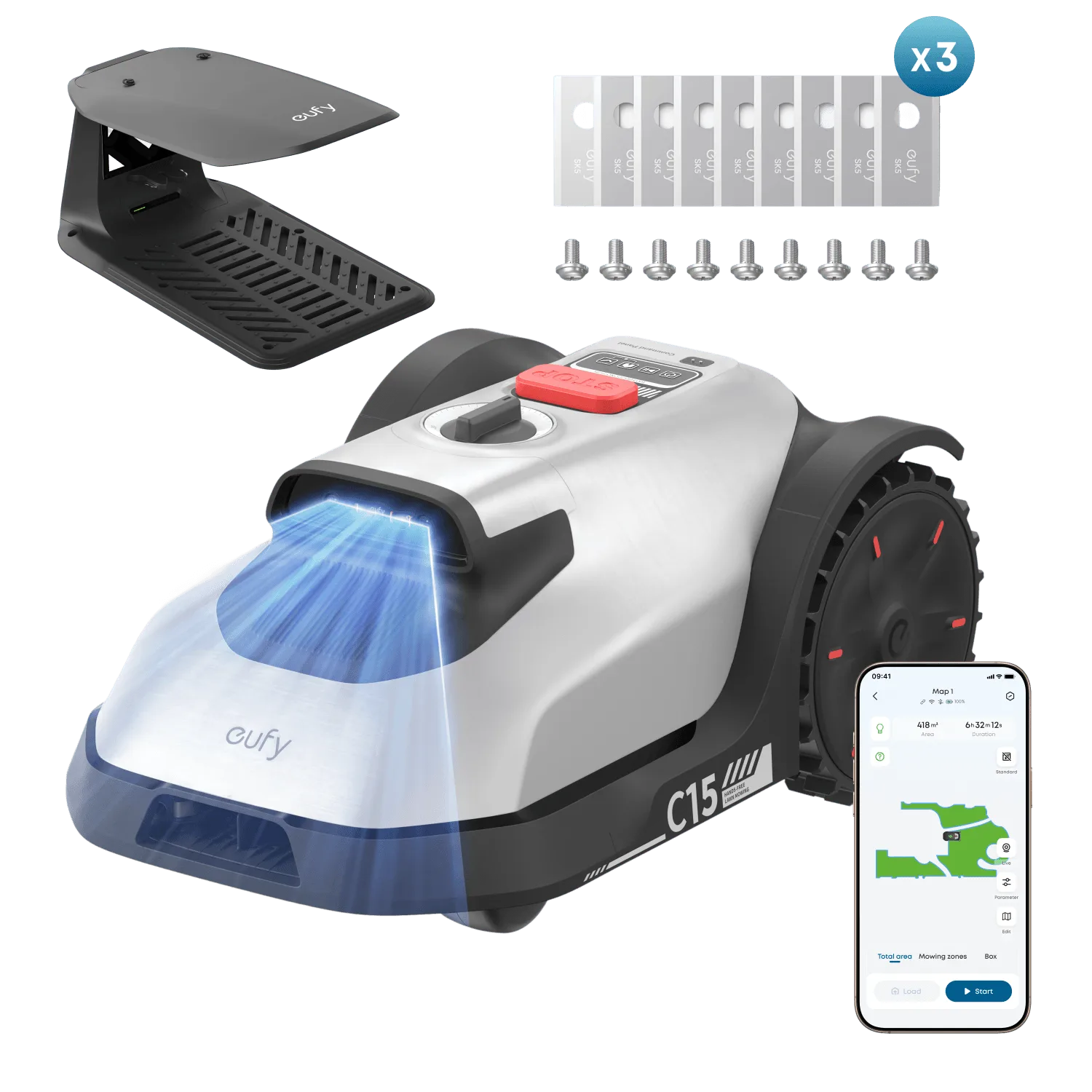
eufy Robot Lawn Mower C15 and Replacement Blade Set Bundle
-
eufy Robot Lawn Mower C15 and Replacement Blade Set Bundle: Hands-Free Auto-Mapping: With precise positioning and distance measurement, C15 accurately maps your garden and optimises its mowing path for maximum efficiency. After the initial mapping run, the mower will automatically plan efficient mowing paths, saving you time and battery.