Quick answer
Unbox both pairs, charge them fully, pair each with your device using the Bluetooth menu, then customize fit and controls through the Raycon app.
Why the First Day Bundle includes two different earbud styles
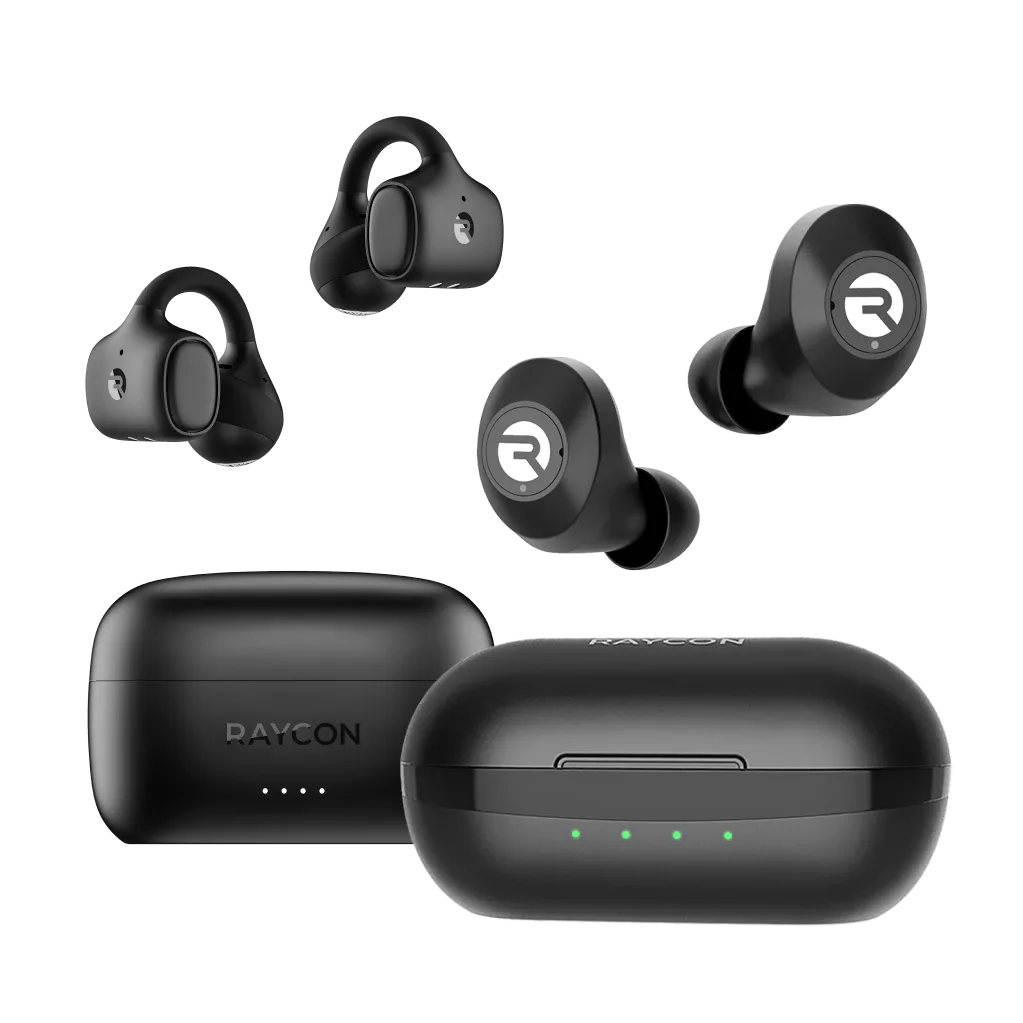
The First Day Bundle pairs the Everyday Earbuds with the Everyday Clip Earbuds, giving you two listening modes in one purchase. The Everyday Earbuds are pocket-size and ideal for commutes or focused listening. The Everyday Clip Earbuds use an open-ear clip design that keeps you aware of your surroundings, making them better for walking, working, or multitasking. Having both means you can switch based on your activity without buying separate accessories.
Step-by-step setup for your First Day Bundle
- Unbox and inspect both pairs: Open the bundle and remove the Everyday Earbuds and Everyday Clip Earbuds. Check that each charging case contains the earbuds, a USB-C cable, and ear tips (for the Everyday Earbuds only). Common mistake: Mixing up the charging cases. Each case is specific to its earbud style, so keep them separate.
- Charge both cases fully: Connect each charging case to a USB-C power source. Let them charge until the LED indicator shows solid green. This ensures you have enough battery for the first pairing session. Checkpoint: A blinking red light means the case is still charging. Wait for solid green before proceeding.
- Pair the Everyday Earbuds first: Open the Everyday Earbuds charging case with the earbuds inside. On your phone or tablet, go to Bluetooth settings and select 'Raycon Everyday Earbuds' from the list. Wait for the voice prompt confirming connection. Common mistake: Forgetting to remove the plastic film from the charging contacts. Peel it off before first use.
- Pair the Everyday Clip Earbuds: Open the Everyday Clip Earbuds charging case. In your Bluetooth settings, look for 'Raycon Everyday Clip' and tap to connect. Both pairs can stay paired to the same device simultaneously. Checkpoint: If a pair doesn't appear, close the case for 5 seconds and reopen it to restart pairing mode.
- Customize fit and controls via the Raycon app: Download the Raycon app from your app store. Open it and follow the on-screen instructions to register your bundle. Adjust touch controls, equalizer settings, and check battery levels for both pairs. Common mistake: Skipping the app setup means you miss out on customizing the controls. You can always return to the app later.
- Test both pairs in your daily routine: Use the Everyday Earbuds for commutes or calls where you want isolation. Switch to the Everyday Clip Earbuds for walks, chores, or when you need to hear traffic and conversations. Checkpoint: If the clip earbuds feel loose, adjust the ear hook angle. If the in-ear buds don't seal well, try the included smaller or larger ear tips.
What's in the box
-
First Day Bundle: Two pairs, one price. Pocket-size sound for the commute, clip-on awareness for everything else. You get both closed and open listening options in a single bundle, so you can choose the right fit for your environment without extra cost.
First Day Bundle