Quick answer
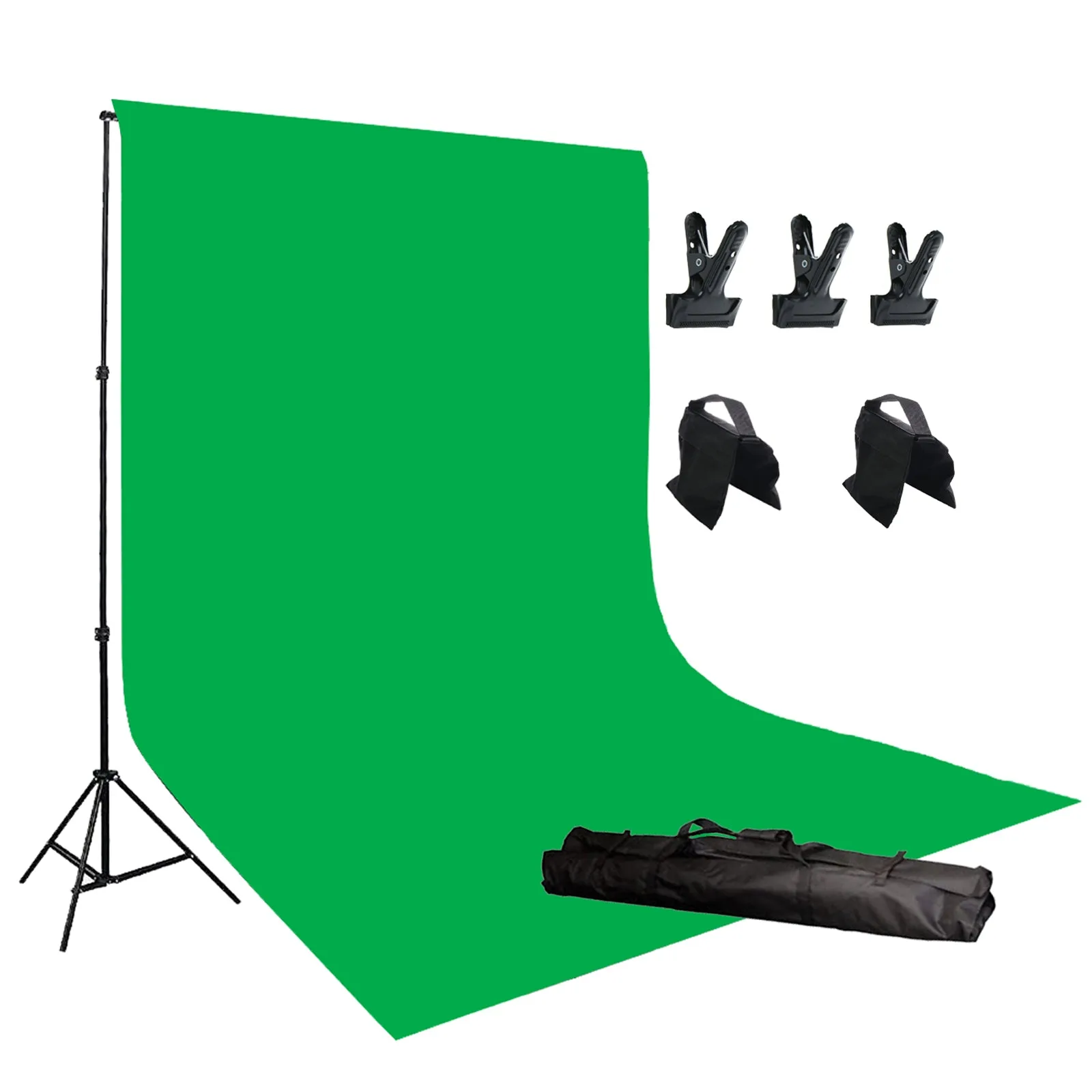
Build the stand first, drape the green screen top-down, clamp the fabric to the crossbars, and weight the feet with sandbags before you light or shoot. Keep the fabric taut but not stretched, then light it evenly so the green reads as one flat color. A kit like the 10' x 12' Chroma Key Green Screen Studio Background gives you the stand, crossbars, clamps, and sandbags in one box, so you can finish setup in about 20 minutes.
Assemble the stand and crossbars before hanging fabric
Lay the aluminum stand parts out on the floor and identify the two uprights and the four crossbars. Slide the crossbars together to reach the 10-foot width, then mount them on the uprights and extend the stands to roughly 8 feet. Tighten every knob and locking collar by hand. A common mistake is leaving one collar loose; the crossbar will sag once the fabric adds weight, and the green screen will wrinkle in the middle. Check that both uprights are at the same height before you lift the frame.
Hang the green screen from the top and work downward
Drape the green fabric over the top crossbar so the same amount of material hangs on each side, then let it fall to the floor. Working from the center outward, pull the fabric gently taut and clamp it to the crossbar. Move to the side uprights and clamp the fabric there as well, again starting near the top. Do not pull so hard that the weave distorts; over-stretching creates shiny patches that reflect light and confuse the key. If the fabric still shows soft folds, a steamer or a few minutes of hanging will relax most of them.
Secure the feet with sandbags before you add lights
Fill the two sandbags and set one on each stand foot, or loop the bag strap over the base if your kit includes that option. Sandbags are not optional on a 10x12 setup: the frame is tall and light, and a light stand, cable, or a person brushing past can tip it. A common mistake is placing the sandbag on the crossbar or the upright instead of the foot, which adds weight high up and makes the stand less stable, not more. Keep the bag flat on the floor so it does not become a trip hazard.
Light the green screen evenly and keep the subject away from it
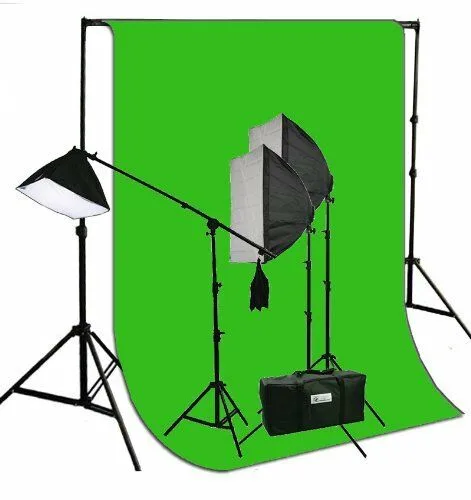
Place two lights at roughly 45 degrees to the green screen, one on each side, and aim them across the fabric rather than straight at it. You want even coverage from corner to corner; hot spots and shadows both break the key. Position your subject at least 3 to 4 feet in front of the backdrop so their shadow does not fall on the green, and light the subject separately with your main and fill lights. A kit such as the 3 Softbox Photography Video Studio Boom Stand Hair Chromakey Lighting Kit gives you three softboxes and adjustable output, so you can use one as a main light, one as fill, and one as a hair light while keeping the green screen on its own pair of lights.
Check the frame and fabric before every shoot
Walk around the stand and confirm all four crossbar joints are locked, the fabric is clamped at the top and both sides, and the sandbags are still on the feet. Look at the green screen from the camera position, not from the side; wrinkles and shadows that are invisible from the side can show up clearly in the shot. If you use the stand on location, re-check the clamps after transport, because vibration can loosen them. A quick two-minute check saves a reshoot.
Setup steps at a glance
- Build the frame: Join the four crossbars to 10 ft, mount them on the uprights, extend to about 8 ft, and tighten every collar. Checkpoint: both uprights at the same height and no sag in the crossbar.
- Hang and clamp the green screen: Drape the fabric over the top crossbar, center it, and clamp from the middle outward on the top and both sides. Common mistake: pulling the fabric so tight it shines or so loose it folds.
- Weight the feet: Place one sandbag on each stand foot, flat on the floor, before attaching any lights or cables. Checkpoint: the frame does not rock when you nudge it.
- Light the green screen: Set two lights at 45 degrees to the backdrop, aim across the fabric, and keep the subject 3 to 4 feet in front. Common mistake: lighting the screen from the front and creating a hot spot behind the subject.
- Do a final camera-position check: Look at the green screen through the camera, confirm even color and no wrinkles, and re-check clamps and sandbags. Next step: shoot a short test clip and check the key before the real take.
Kit facts that affect setup
- 10' x 12' Chroma Key Green Screen Studio Background Photo Video Backdrop Stand Clamps and Sandbag Kit H804-1012G3C2S: Aluminum stand with four crossbars extending to 10 ft wide and uprights to about 8 ft high, plus two sandbags, three clamps, and a carrying case. The four crossbars support the full 10-foot width without a center sag, and the included clamps and sandbags mean you can secure the fabric and the feet without buying extra hardware.
- 3 Softbox Photography Video Studio Boom Stand Hair Chromakey Lighting Kit 6x9G: Three softboxes with adjustable output across four light outputs, suitable for studio or on-location use as main, fill, and hair light. Separating subject lighting from green screen lighting is easier when you have three adjustable sources, so you can keep the backdrop evenly lit while shaping the subject.