Quick Answer
To set up a macro ring light for close-up photography, mount the ring light on a sturdy stand, connect it to AC power, adjust the gooseneck to position the light evenly around the lens, and set the color temperature to 5400K for natural daylight balance.
Why a Continuous Ring Light Works for Macro
Macro photography demands even, shadow-free illumination because the subject is often inches from the lens. A continuous ring light wraps light around the camera lens, filling in shadows and revealing fine details that a flash might wash out. The 5400K daylight color temperature mimics natural outdoor light, so colors stay true without a color cast.
Choosing Between Continuous and Flash Ring Lights
Continuous ring lights let you see the lighting effect in real time, which is helpful when composing close-up shots of small subjects like insects, jewelry, or circuit boards. Flash ring lights freeze motion but require trial and error to gauge exposure. For static macro work, a continuous light like the NG-65CP simplifies the process.
Step-by-Step Setup Guide
- Mount the ring light on a stable stand: Attach the ring light's socket to a standard light stand. Tighten the locking knob so the light doesn't sag. Position the stand close to your subject so the ring surrounds the lens axis. A wobbly stand causes blurry macro shots. Use a heavy-duty stand or add sandbags for stability.
- Connect to AC power and switch on: Plug the ring light into a 110V AC outlet. Flip the power switch and wait a few seconds for the light to reach full brightness. The NG-65CP uses a standard AC cord, so no batteries or adapters are needed. Always check the voltage rating. Using a non-grounded extension cord can introduce flicker.
- Adjust the gooseneck and tilt: Bend the flexible gooseneck so the ring light sits parallel to the lens front. Use the tiltable socket to angle the light slightly forward or backward. The goal is to center the lens inside the ring's 15-inch inner diameter. If the ring is tilted too far, one side of your subject will be brighter. Check for evenness through the viewfinder.
- Set the color temperature and brightness: The NG-65CP outputs a fixed 5400K daylight balance. If your camera allows manual white balance, set it to 5400K for accurate colors. Adjust the distance between the ring and subject to control brightness—closer equals brighter, farther equals softer. Do not rely on auto white balance. Daylight-balanced continuous lights can confuse some cameras, leading to a warm or cool shift.
- Position the subject and test focus: Place your subject inside the ring's coverage area. Use a small aperture (f/8 to f/16) for depth of field. Take a test shot and check for hotspots or shadows near the edges. Reposition the light if needed. Macro depth of field is shallow. Use live view and manual focus to ensure the critical area is sharp.
Product Facts
-
Photography Video Studio Continuous Macro Ring Light 5400K Day Lighting NG-65CP: Tiltable and rotatable socket with flexible gooseneck fits on all standard light stands. You can angle the ring light exactly where you need it without extra adapters, making it easy to position around the lens for macro work.
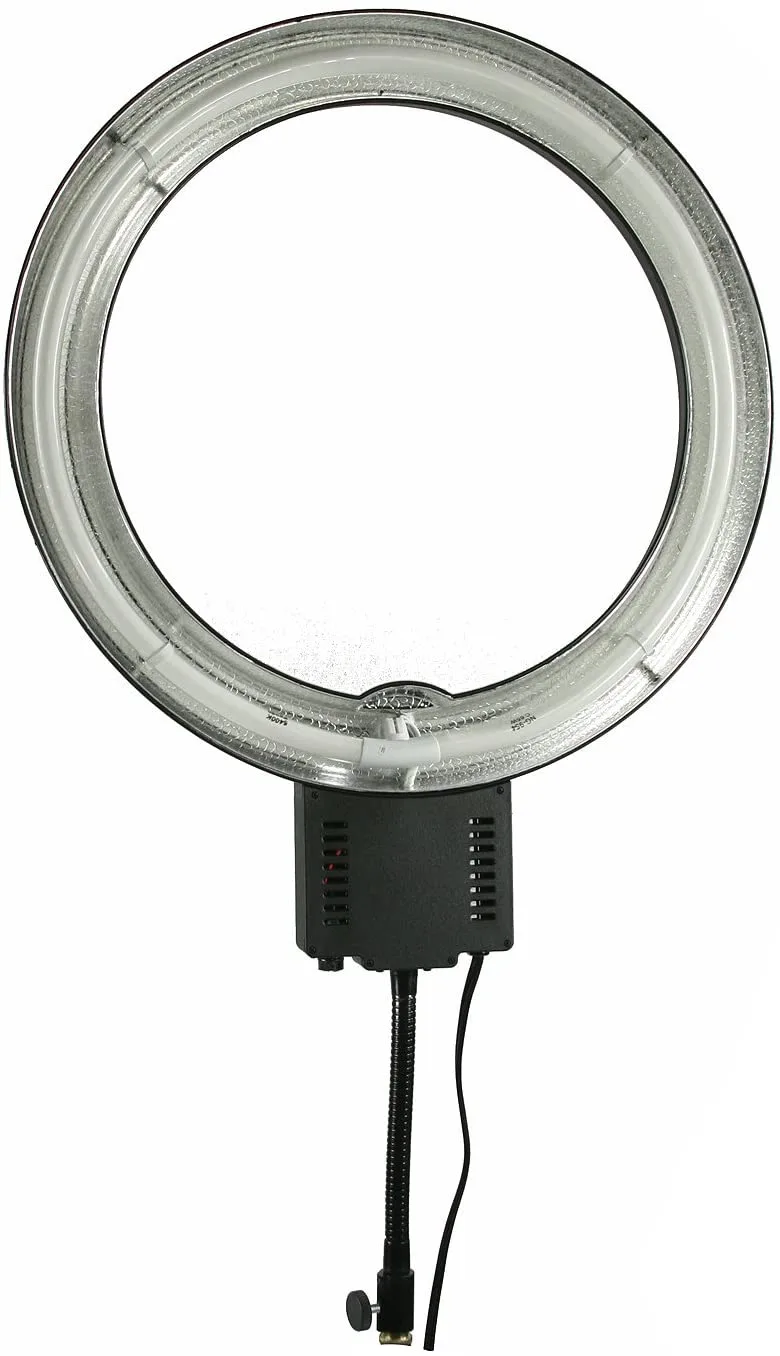
Photography Video Studio Continuous Macro Ring Light 5400K Day Lighting NG-65CP
-
Photography Video Studio Continuous Macro Ring Light 5400K Day Lighting NG-65CP: 65W ring light equivalent to 500W incandescent bulbs. It provides bright, consistent output for close-up shots without overheating your subject, even during extended sessions.